
Production Scheduling That Replaces the Spreadsheet in the Middle
Import work orders from your ERP, sequence them against real machine and tooling capacity, catch conflicts before they reach the floor, and write the schedule back. Your ERP stays the system of record. Your scheduler stops rebuilding the plan by hand.
Priced per plant · No implementation fee · Live in weeks
- Finite capacity, not infinite
- Works with JD Edwards, SAP, Epicor, and flat-file ERPs
- Keeps your MES in sync










WHY UPKEEP PRODUCTION SCHEDULING
Built for the plant where the ERP is at the front, Excel is in the middle, and the floor finds out last
Your ERP knows what was ordered and when it was promised. It does not know whether the plant can physically make it: which mold fits which press, how long a changeover takes, which job is already late. So one experienced scheduler exports the open work orders, rebuilds the plan in a spreadsheet every morning, and types it back. UpKeep Production Scheduling replaces that spreadsheet and keeps everything else where it is.
Every machine as a queue, with real run times
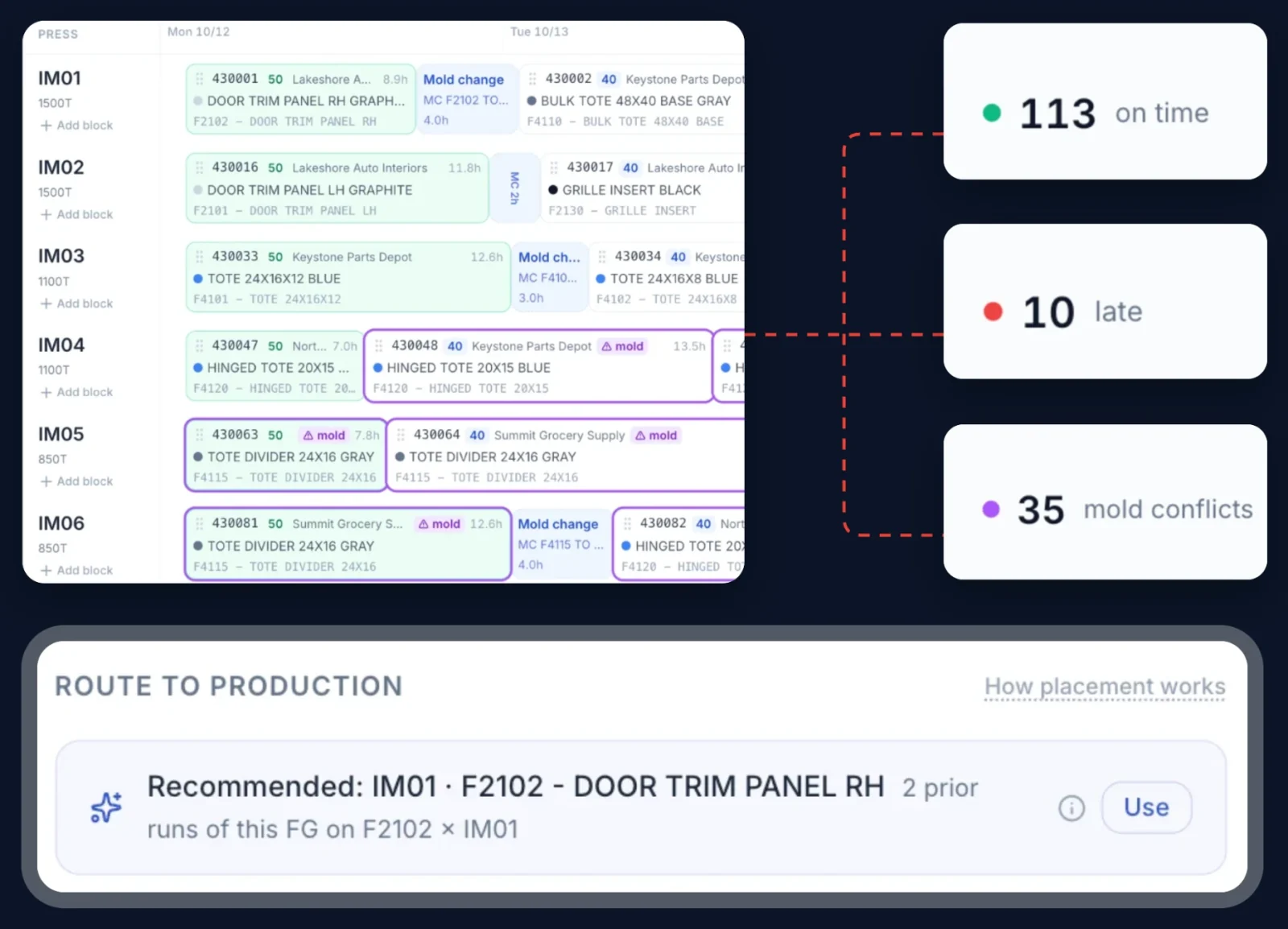
Every press or work center is a lane with its jobs in run order. Run times come from each mold's cycle time and quantity; changeover time sits between jobs. You see the whole plant on one screen, and the colors are the problems.
Conflicts in color, before the floor sees them
A mold booked on two presses at the same hour. An overloaded press. A job that will ship late. A promise date that moved overnight. Each one is flagged the moment the data arrives, with plant-wide counts at the top of the board.
Drag it, see the effect, undo it
Move a job and the press re-plans on the spot. Not sure of the best fix? The suggestions panel proposes a re-order for fewer late orders or fewer mold changes and shows exactly which jobs move before you apply it. The scheduler decides; the tool never changes the ERP on its own.
One click in from the ERP, one click back
Pick up the extract your ERP already produces, see every quantity and date that changed since last time, and send the finished plan back in the format your ERP imports. Where a PlantStar MES is in place, a compatible file keeps it in sync. No integration project.
TWO PRODUCTS, ONE PLATFORM
Where Production Scheduling fits
UpKeep has two production products. They answer different questions and work together.
UpKeep Production Scheduling
Decides what each machine runs next and in what order. Finite capacity scheduling between your ERP and the floor: import orders, sequence against real machine and tooling constraints, catch conflicts, write the plan back. The planner's tool.
UpKeep Production
Records what happened on the floor: operator station, downtime capture with reason codes, OEE by line and shift, changeover tracking, in-line quality checks, lot traceability. The supervisor's and operator's tool.
Together
The schedule says what should run. Production says what did. Planned maintenance from UpKeep lands on the schedule as planned downtime, and the same asset record carries the plan, the run, and the repair.
One Platform. Every Operation Connected.
Production Scheduling is built by UpKeep, the platform your maintenance team already runs on. Single login with UpKeep arrives this quarter, and maintenance windows from UpKeep landing on the machine lane automatically is next, so the four-hour PM stop is scheduled instead of argued about. Parts on the machine follow.
Learn more about the Asset Operations Platform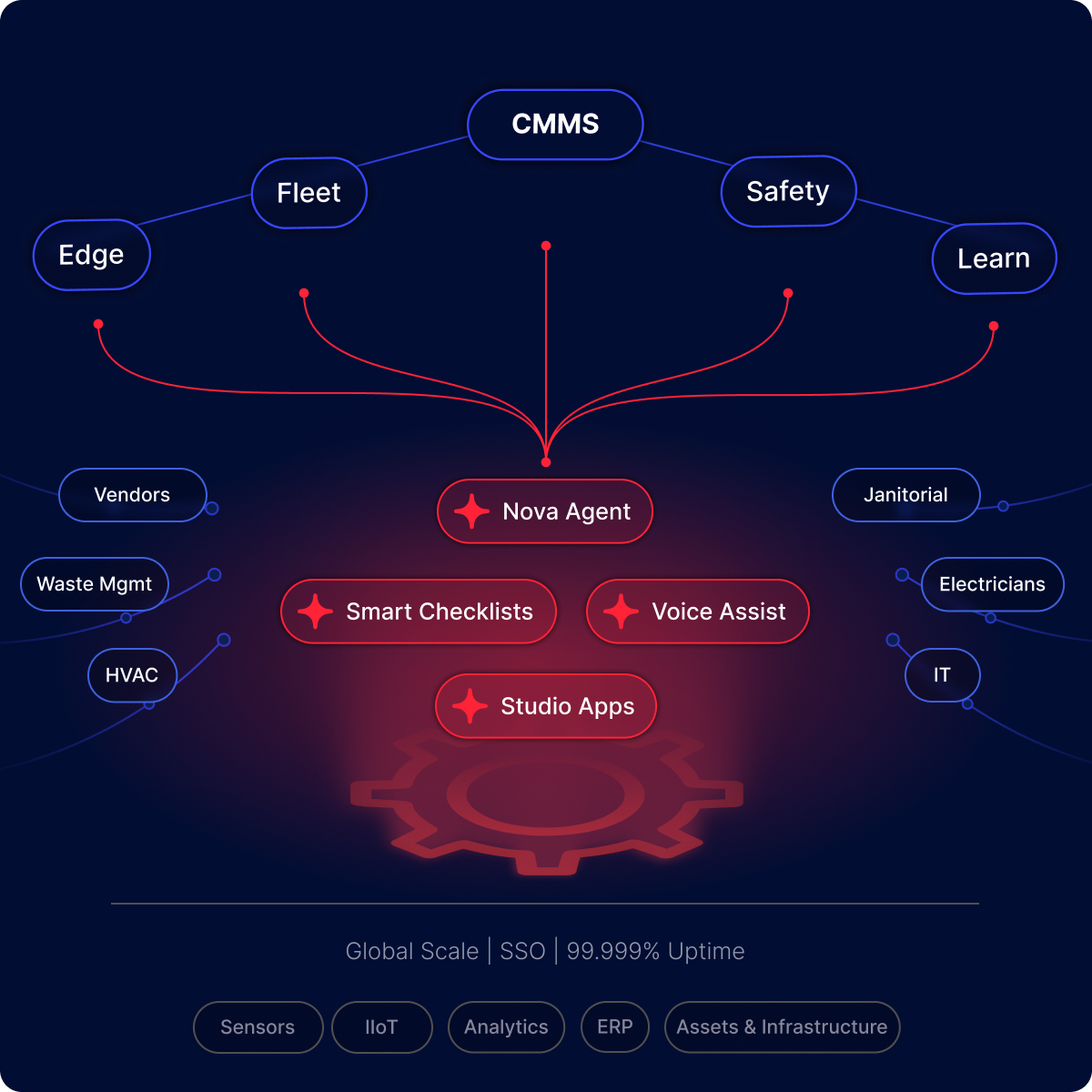
CUSTOMER STORIES
Manufacturers running on UpKeep
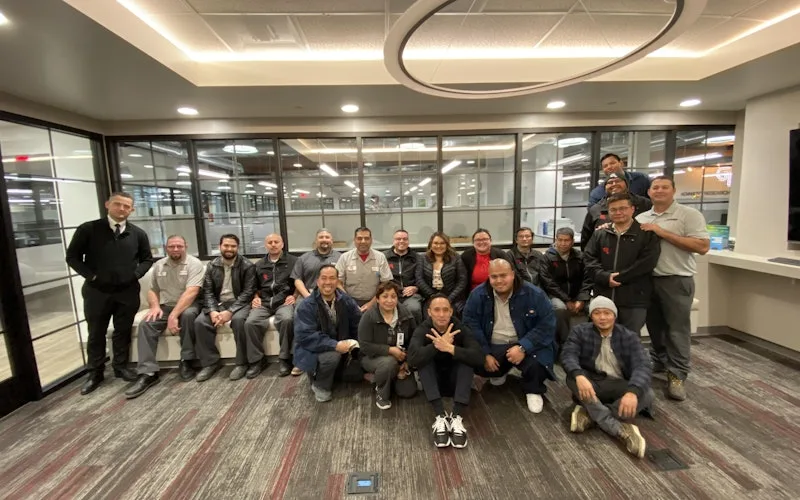
Standardized maintenance across one of the largest custom restorative labs in the world.
Glidewell
Read the story →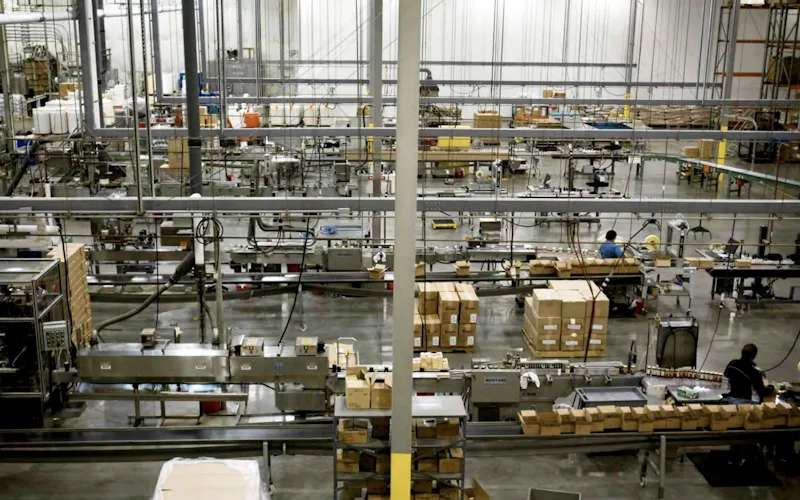
Moved maintenance off paper and onto a system the whole team can see.
Old Trapper
Read the story →
Replaced paper tracking and manual data entry across the plant using Nova.
Sprinturf
Read the story →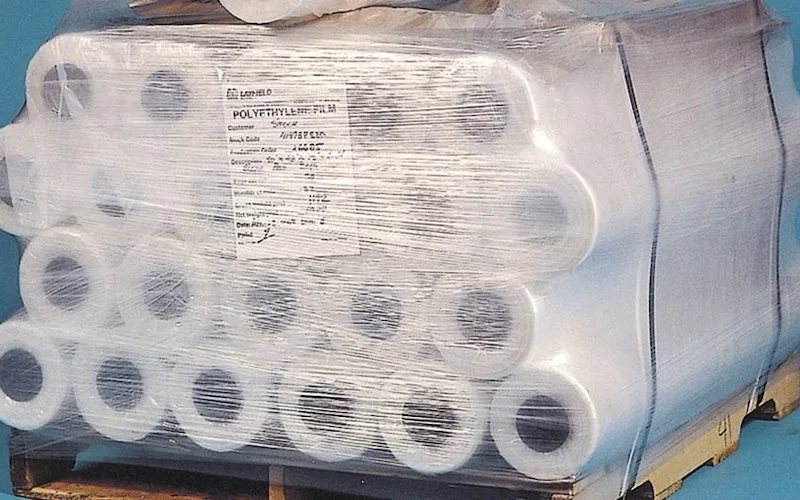
Shifted work from reactive to preventive and brought maintenance costs down with it.
Layfield Group
Read the story →
Moved from 60% reactive work to 20% by putting every asset on a recurring PM schedule.
Industrial manufacturer
Read the story →
Built a safety-focused culture on the same platform running cleanroom maintenance.
Innovative Micro Technology
Read the story →
Replaced clipboard temperature rounds with sensors reporting equipment health on their own.
HMSHost
Read the story →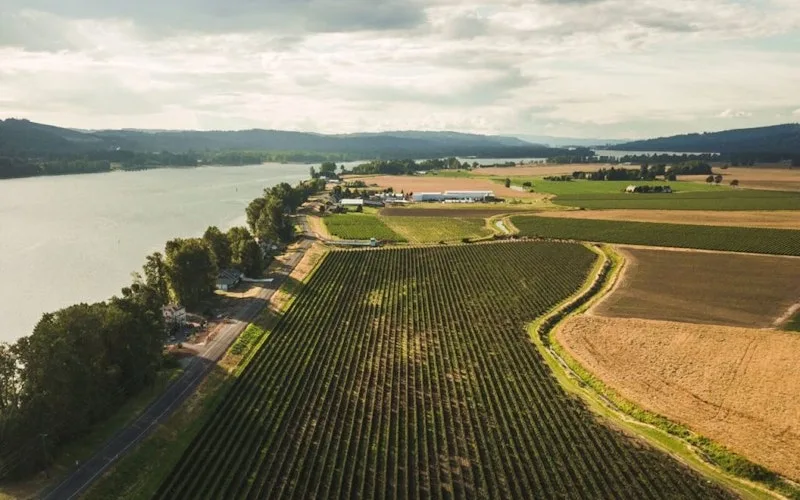
Organized technician workload and built a preventive schedule around cold storage equipment.
Columbia Fruit
Read the story →Built for discrete manufacturers who schedule by hand
The plants that get the most from Production Scheduling share a setup more than an industry. If these sound like you, you are in the right place.
You run presses, molds, or work centers with real constraints
Injection molding first, where a mold can only be in one place at a time. Any discrete plant where tooling, changeovers, and machine compatibility decide whether a job can run.
Your ERP has the orders but not the sequence
JD Edwards, SAP, Epicor, SyteLine, QAD, or any system that exports a flat file of open work orders. The ERP stays the system of record; we plan against what it exports.
The schedule lives in a spreadsheet, or one person's head
Excel, Access, or Power Apps, rebuilt every morning by the one person who knows the rules. When they are out, the plant guesses.
You have more than one plant, or will
Each plant gets its own board and its own access. Prove it at one plant, then template it to the rest.
You want to be live in weeks, not quarters
No integration project and no implementation fee. If your ERP exports a clean file, you can be scheduling in it before the next planning cycle.
SEE IT IN ACTION
Watch a Product Walkthrough
A short tour of UpKeep Production Scheduling. No signup required.
CAPABILITIES
Every Production Scheduling capability your team needs
Machine Queue board
Every press as a lane, jobs in run order, run times from cycle time and quantity, changeover time between jobs. Plant-wide counts of late jobs, scrap risk, and mold conflicts at the top.
Conflict detection
Mold booked on two presses at the same hour, overloaded presses, late jobs, and dates that moved since the last import, all flagged in color the moment the data lands.
Drag, re-plan, undo
Move a job and the press re-sequences on the spot. Drop an urgent order at the front and see what moves behind it. One-click undo.
Suggested re-orders
Options for a press ranked by fewest late orders or fewest mold changes, with a preview of exactly which jobs move before you apply. The scheduler decides.
ERP import and export
Load the extract your ERP already produces, see every changed quantity, request date, and promise date since last time, and write the plan back in your ERP's import format. A PlantStar-compatible file keeps the MES in sync.
Mold-to-press compatibility, staging, and audit
The engine will not place a mold on a press it does not fit. Upcoming work waits in staging until it is released. Every change is recorded: who, what, when. Access is set per person, per plant.
Results from one customer, Rehrig Pacific.
“Moving to UpKeep's Production Scheduling has been a far, far easier transition for our planning and scheduler teams, who no longer need to spend hours each day maintaining tedious spreadsheets. The tool frees them up to focus on more valuable work and enables them to exercise more overall control on production planning.”
Built for Every Member of Your Production Team
From the planner who lives in the board to the executive who signs for it, Production Scheduling gives each role the view it needs.
For Production Schedulers and Planners
The board is your morning. Load the extract, see what changed, fix the conflicts, apply a suggestion, send the plan back. You keep every decision; you stop re-typing them.
Operations teams →For Plant Managers
Fewer surprises on the floor. Late orders, mold conflicts, and scrap risk are resolved in planning, and every change has a name and a time on it.
Operations teams →For Operations Leaders
Orders ship on time with less wasted machine time, open capacity is visible to sales, and the schedule survives the scheduler. One board per plant, one standard across plants.
Executives →PRODUCTION SCHEDULING PRICING
Simple pricing. Per plant, not per seat.
Schedulers, planners, plant managers, and the people who view the schedule all use it, so pricing follows the plant rather than the headcount. One price per location covers the planners who build the schedule and everyone who needs to see it.
PER PLANT
Custom
Sized for plants of up to about 20 machines. Multi-plant rollouts start with one plant and template to the rest.
- Machine Queue board and conflict detection
- ERP import and export
- Suggested re-orders
- Per-plant access for planners and viewers
- No implementation fee
Tell us your plant count and ERP and we will be specific.
FAQ
Production Scheduling questions, answered
Common questions about what Production Scheduling does, how it fits with your ERP and MES, and how it differs from UpKeep Production.
How is Production Scheduling different from UpKeep Production?
Production Scheduling decides what each machine runs next: it imports open work orders from your ERP, sequences them against real machine and tooling capacity, flags conflicts, and writes the plan back. UpKeep Production records what happened on the floor: operator station, downtime with reason codes, OEE, changeovers, in-line checks, and traceability. One plans, the other executes and measures. They share the platform and the asset record, and planned maintenance from UpKeep shows up on the schedule as planned downtime.
Does it replace our ERP?
No. Your ERP stays in charge of orders, due dates, and the system of record. Production Scheduling plans the sequence and writes it back. Nothing changes in the ERP until a scheduler sends the plan.
Which ERPs does it work with?
It works from your ERP's work order extract and writes back in that ERP's import format. The first live plants run JD Edwards; SAP, Epicor, SyteLine, QAD, and other systems that export a flat file are supported through the same mapping. Tell us which ERP you run and we will confirm your extract before you commit.
Is this an MES?
No. An MES executes and records what happens on the floor in real time and usually involves hardware on the machine. Production Scheduling is finite capacity scheduling: the planning step between your ERP and your MES. It works alongside an existing MES (the first live plant runs PlantStar) and feeds it the sequence.
Does it make scheduling decisions automatically?
No. It flags conflicts and suggests re-orders, and it shows exactly which jobs would move before anything is applied. The scheduler decides, and the ERP only changes when someone sends the plan.
What makes it different from scheduling in Excel?
Excel enforces no constraints: it will happily book one mold on two presses at the same hour, and the floor finds out the next morning. It also lives in one person's file. Production Scheduling knows which molds fit which presses, flags the conflict the moment the data arrives, keeps the plan and the rules in one shared place, and records every change.
What does it cost and how is it priced?
Per plant, not per seat, so everyone who builds or views the schedule is covered. Pricing depends on plant count; tell us your sites and ERP and we will be specific.
How long does it take to go live?
Weeks, not quarters, when your ERP exports a clean work order file. The first customer's plant cut over from its spreadsheet in under an hour once side-by-side testing was done, and additional plants follow the same template.
Can several plants use it?
Yes. Each plant has its own board, and access is set per person, per plant: view only, or scheduling. Multi-plant manufacturers usually prove it at one plant and roll out to the rest.
Does it connect to UpKeep maintenance?
It is built by UpKeep on the same platform. Single login with UpKeep arrives this quarter, and maintenance windows from UpKeep landing on the machine lane automatically is next, so planned maintenance is scheduled instead of negotiated after the fact.
FREE RESOURCES
Go deeper on maintenance
Practical guides and research from the UpKeep team. No cost, no sales call required.
 Guide
GuideThe Reliability Playbook: Capturing 20 Years of Know-How Before It Walks Out the Door
A fully staffed plant still loses hours to failures a retired technician would have caught in minutes. This playbook reframes the problem: knowledge is disappearing because no system was built to capture it. It lays out a three-part framework for closing that gap and shows what changed at one plant that stopped hiring its way out and instead started capturing what its people already knew.
Get the guide Report
The 2026 State of Maintenance Report
This year's report reflects a fundamental shift in how maintenance creates competitive advantage. While 90% of teams recognize what drives reliability, only 25% can consistently execute it. The gap between knowing and doing has become the defining challenge and opportunity of 2026.
Get the report Guide
GuideChange or Be Left Behind: The Urgent Need for Change Management in Maintenance
Effectively managing change enables maintenance teams to implement new technologies, streamline processes, and foster continuous improvement, all of which are necessary to thrive in today’s fast-paced environment. This guide outlines essential change management models
Get the guide
4,000+ COMPANIES RELY ON UPKEEP
Bring us your schedule
Send us the work order extract your ERP produces today. We will load it, lay out your presses, and show you the conflicts your spreadsheet is letting through. If it looks like your plant, you can be scheduling in it in weeks.