Glidewell automates workflows and increases visibility
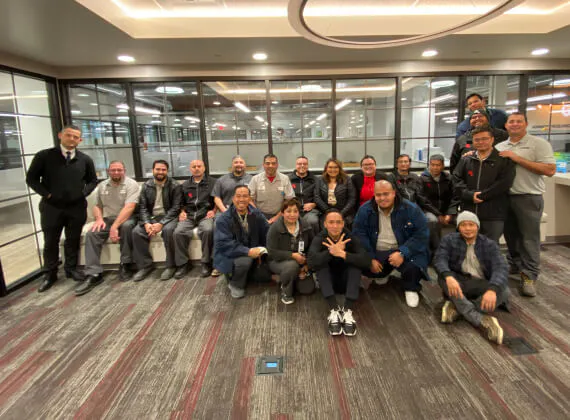
As one of the world’s largest custom restorative service providers, Glidewell is a dental laboratory committed to supporting dental professionals by helping them optimize results, simplify treatment and improve patients’ lives. Established in 1970, Glidewell makes accessible and comprehensive treatment possible for patients all over the world. When the company decided it needed more visibility, improved communication, and better tracking ability, Glidewell found that UpKeep’s mobile-first solution was the perfect fit.


Challenge
Because Glidewell’s longtime CMMS system didn’t include a mobile app, technicians instead had to take notes that would be transferred into the CMMS — a time-consuming, inefficient process.
Solution
The company had known for a while that it was time to switch to a more efficient maintenance system. In early 2020, after seeing a few demos for other options, the team came across UpKeep and knew instantly that it was the system Glidewell needed. The onboarding process went smoothly for both the service requesters and technicians, and UpKeep’s increased visibility, communication, and tracking ability were exactly what the technician team needed.
Results
Glidewell has improved efficiency on many fronts. An automated workflow triggers work orders without the involvement of management, and technicians can see the top assets that need attention, which helps them prioritize. The transition between shifts is much more efficient as all the information is readily available with clear next steps.
Internal customer requests for maintenance have skyrocketed from one to two per day initially to one or two per hour. In addition, the team is successfully reaching its goal of a 30-minute to two-hour response time.
Too Much Manual Work
Glidewell’s original maintenance solution involved writing work orders down on tickets, which would be collected in a drop-off area. Ticket data entry had to be completed manually.
“Later, we started using a computerized solution that had a preventive maintenance module,” said Anita Islas, manager of digital support in Glidewell’s engineering department. “But it wasn’t user-friendly and it didn’t have the capabilities we needed.
“It also required a lot of data entry and repetitive work,” she continued. “It was just really difficult to work with, and it didn’t have the mobile application.”
Finally Making the Switch
“We’d known for a while that we needed to make a change,” Anita said. “We’d been waiting to address the problem for a long time, and it was one of my first assignments after promotion.”
Anita knew that the transition had to be an easy one since her technician team spans a large age range. “I realize change is difficult for some people, especially those who’ve been with us a long time,” she said.
She had some other requirements for the perfect solution.
“We were looking for a cloud-based, mobile-friendly, and user-friendly solution that had reporting and requesting capabilities,” she explained. “We saw quite a few different demos during the selection process, but when we came across UpKeep, we instantly knew that this was a tool we needed.”
Smooth Onboarding Process
The team purchased UpKeep just before the COVID-19 pandemic, which slowed down the onboarding process.
“We took longer than the 30-day setup due to a few different factors, and we’re still working on growing the application for our group,” Anita said. “But after a few short, straightforward training sessions, onboarding went smoothly. Our success manager was very supportive and communicative throughout the entire process.”
Anita spoke about how her technician team responded to UpKeep. “Whenever there’s change, there’s always some pushback,” she said. “The first few weeks were difficult for everybody just because it was something new. But now that this is the new norm, it’s become something they don’t think about anymore.”
To train new employees, Anita has repurposed UpKeep’s presentation deck. “It explains the workflows really well,” she pointed out. “We also compiled a lot of UpKeep’s training videos to create a training program.”
Tracking Work Orders
“Before UpKeep, we didn’t have the ability to track anything due to our software and workflows,” Anita said. “Work order response time was essentially impossible to track. It could have been a week, and we wouldn’t have known. All I could see was that this technician spent this much time on this repair for this asset.”
Since implementing UpKeep, tracking information has become much easier. “Now I see technicians writing essays on the resolution notes,” Anita laughed. “It makes it really easy to navigate when you’re looking up asset history.”
Now that tracking response time is possible, the team’s goal is to have a response time ranging from 30 minutes to two hours. “Overall, we’re meeting that goal,” Anita stated.
Automated Workflows
The team has found that taking advantage of automated workflows saves a lot of manual work, which was a big problem in the old system. “UpKeep can automatically assign work orders to technicians who are currently on shift,” Anita said. “The information about the asset, problem and status is just automatically entered.”
For example, say a machine in the milling center is malfunctioning. “Suppose it has a high product rejection rate,” Anita said. “It will send a notification, and I’ll get the percentage. We’ve triggered an automated workflow with the help of the internet of things, where it assigns the job to a technician team. Those technicians will get a to-do list — maybe they need to check the spindle and calibration, then refresh everything, and finally set the machine back to production.
“I don’t need to be involved,” she pointed out. “It’s really just the machine talking to the technicians.”
Increased Visibility
Before, the team’s biggest maintenance struggle was visibility. The production departments didn’t know what was going on with their assets, especially whether or not they were being maintained.
“Visibility has actually improved our relationships with our production departments,” Anita said. “They are notified instantly when their requests change status. The trust, that we’re taking care of their equipment, has increased.
“We’re using a customized report system right now,” she continued. “It’s intended for production managers and gives them visibility on work order response time.”
These reports show how quickly the technician team is responding to requests as well as requester stats, which promotes competitive spirit among technicians.
But the reports aren’t just for the service requesters — they can also provide valuable information to the technician team. “We can see the top 15 assets with the highest work orders, so that if we’re running into any production quality issues we can focus on those assets first,” Anita said. “The report also gives a breakdown of the preventive maintenance work orders that have been closed within a certain time frame.”
Better Shift Transitions
In addition to better communication between technicians and production facilities, UpKeep has allowed for better communication within the group. “I’ve been noticing better transitions between shifts,” Anita said.
Before, when technicians started their shift, they’d have to look for information on work that was pending from earlier shifts. But, with UpKeep’s tagging capacity, work order communication has become much easier.
“With the tagging capacity on the work orders, you can easily let the next shift know what’s pending and what they should pick up,” Anita said. “That way, technicians don’t have to wait until their next shift to complete a work order.”
Onboarding Service Requesters
“UpKeep was new not only for our technician team but also for our service requesters,” Anita said. “They were used to submitting requests through email, phone calls, and messages.”
However, as service requesters became accustomed to using UpKeep, there was a drastic increase in requests sent through UpKeep. “At first, we only received one or two requests a day through UpKeep, but now it’s probably one or two requests an hour,” Anita said. “It’s a huge increase, which is great.”
Anita explained how service requesters get access to the UpKeep portal. “We made some business cards that have the UpKeep QR codes to our portal,” she said. “Technicians hand them out so that service requesters can submit requests directly into the portal. It’s easy for service requesters to simply scan the code and submit the request, and it’s easier for technicians since they don’t have to worry about submitting a ticket.”
Inventory Improvements
Besides the time and cost savings that UpKeep has brought to Glidewell’s maintenance operations, the system has increased visibility into its assets and inventory. Using both barcodes and QR codes, the company can easily scan and track parts and assets throughout the process.
“That means we're not over-purchasing items,” Anita said. “I can just scan things and the system goes straight to the part or asset; it makes it definitely easier to look up and eliminates mistakes.”
Future Plans
Having made tremendous progress in the first 18 months of implementing UpKeep, Glidewell has plans in the future to roll out the solution to other locations around the world as well as to continue finding additional ways to use other UpKeep features.
Want to keep reading?




Equipment / Manufacturing
Columbia Fruit saves money with organized inventory

Education
Alum Rock Union School District eases the burdens of miscommunication
4,000+ COMPANIES RELY ON ASSET OPERATIONS MANAGEMENT
Leading the Way to a Better Future for Maintenance and Reliability
Your asset and equipment data doesn't belong in a silo. UpKeep makes it simple to see where everything stands, all in one place. That means less guesswork and more time to focus on what matters.






![[Review Badge] Gartner Peer Insights (Dark)](https://www.datocms-assets.com/38028/1673900494-gartner-logo-dark.png?auto=compress&fm=webp&w=336)