
UPKEEP FIELD SERVICE
Billable work, dispatched from the same system as your own
Some of the work your team does is for someone else, a tenant, a franchisee, a customer site under contract. Field Service adds dispatch, routes, and invoicing to the work orders you already run, so the billable half does not need a second system.
- Dispatch board and routes
- Invoice from the work order
- Same queue as your own maintenance








SOLUTIONS
One board for the work you own and the work you bill
Teams that maintain their own assets and also service someone else’s usually end up running two systems and reconciling them by hand. This removes the second one.
The work you bill for lives in a different system from the work you do not.
Both are work orders. A job at a customer site carries a customer, a rate, and an invoice; a job on your own asset does not. One dispatch board, one set of technicians, one history, not a second system to keep in step with the first.
Dispatch happens over the phone and the schedule is a whiteboard.
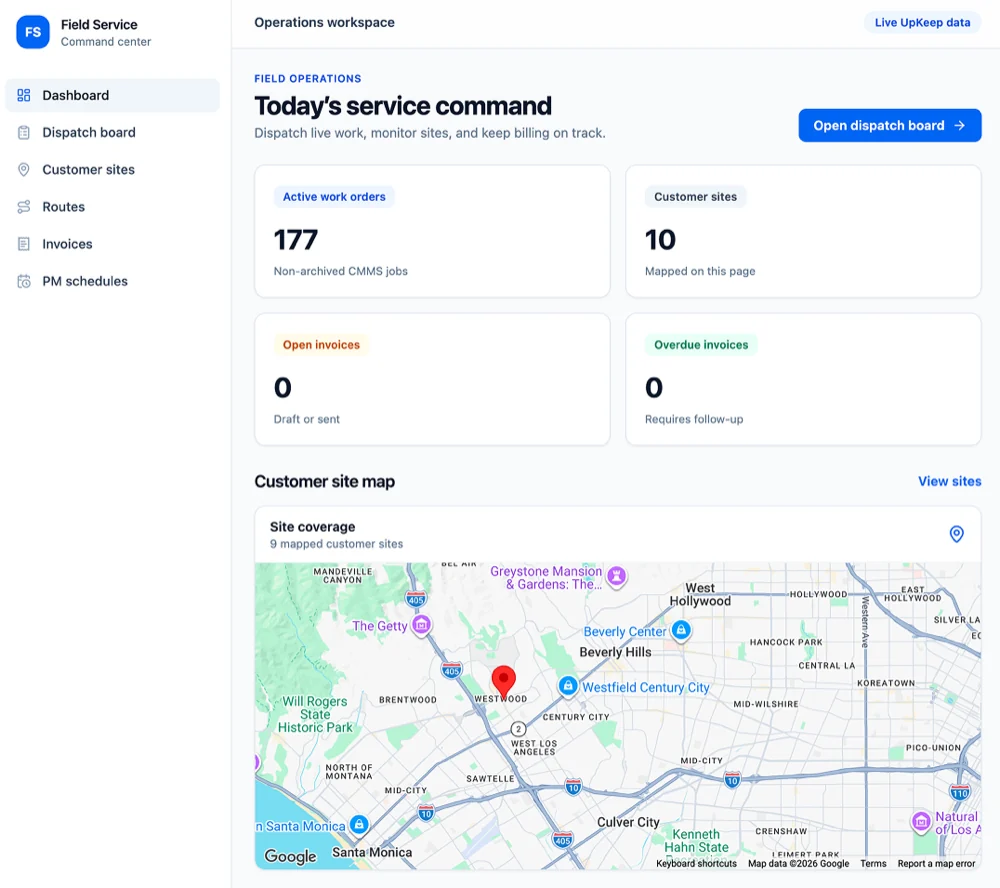
The dispatch board shows every open job, who is assigned, and what is still unassigned. Reassigning a job pushes it to the technician’s phone, so the person who needs to know finds out without a call.
A technician drives past three sites to reach the fourth.
The day’s stops are ordered by location before anyone leaves, and the mapped view shows which sites sit near each other. Travel time stops being the largest uncontrolled cost in the day.
Work gets finished and never gets invoiced.
Labor hours, parts used, and travel are captured on the job as it is worked, then carried onto a draft invoice. Nothing is reconstructed from memory a week later, and the open and overdue counts are visible rather than discovered at month end.
A customer calls to ask when someone is coming and nobody can say.
Every job has a scheduled window, an assigned technician, and a status the office can read without interrupting the technician. The person answering the phone has the same picture as the person driving.
Contract visits get missed until the customer points it out.
Recurring visits are scheduled per customer site from the agreement that covers them, so the quarterly inspection you are obliged to perform generates itself instead of depending on someone remembering.
FEATURES
From the dispatch board to the invoice
Everything between deciding who goes where this morning and getting paid for what they did.
Dispatch board
Today’s work by technician, with the unassigned queue beside it. Drag a job to a person or a different day and the change reaches their phone.
Customer sites
A record per customer location: the assets there, site contacts, access and gate notes, and every visit you have made.
Routes
Order the day’s stops by location and see them mapped, so a route is built before the first drive rather than after the third.
Time and travel capture
Technicians record on-site time, travel, and after-hours work from the mobile app. The hours that reach the invoice are the hours that were worked.
Invoicing
Draft an invoice from the completed job, labor, parts, travel, and the agreed rate. Track what is sent, what is open, and what is overdue.
Rates and price books
Labor rates by skill, after-hours multipliers, flat-rate jobs, and per-customer pricing, so the same work bills consistently across the team.
Contract PM schedules
Recurring service visits per site, generated from the agreement. Missed and upcoming visits surface against the obligation, not against a calendar reminder.
Customer communication
Site contacts get a ticket number, scheduled window, and completion summary by email, so the office is not the relay for every update.
Service reporting
First-time fix rate, revisits, travel against billable hours, unbilled completed work, and cost to serve by site.
CONNECTED WORKFLOWS
Built to work with the rest of UpKeep
Billable work touches parts, vehicles, contracts, and the same technicians as everything else. These are the hand-offs that happen without re-entering anything.
Field Service CMMS
Field Service dispatches the same work orders CMMS creates. A billable job at a customer site and a PM on your own pump sit in one queue, held by one technician, in one history, the difference is that one of them carries a customer and a rate.
Explore UpKeep CMMS →Field Service Inventory
A part fitted at a customer site draws down the truck stock or the storeroom it came from and lands on the invoice line at the same time. Van stock is counted like any other location rather than tracked in a notebook.
Explore UpKeep Inventory →Field Service Fleet
The vehicle a technician drives is a fleet asset. Route mileage accumulates against its service intervals, so the van that covers the most ground gets serviced on distance rather than on a guess.
Explore UpKeep Fleet →Field Service Contracts
The agreement covering a customer site holds the response time, the covered scope, and the annual value. Jobs raised at that site inherit what is covered, and work outside scope is visible as billable rather than absorbed.
Explore UpKeep Contracts →Field Service Facilities
A tenant or occupant request that arrives through Facilities becomes a dispatchable job with a location and a site contact attached, whether the crew servicing it is yours or the work is rebilled.
Explore UpKeep Facilities →Field Service Nova
Ask which customer sites cost more to serve than they bill, or which jobs needed a second visit last quarter. Nova reads the same service record the invoices come from.
Explore UpKeep Nova →CUSTOMER STORIES
Teams running maintenance on UpKeep

Built a safety-focused culture on the same platform running cleanroom maintenance.
Innovative Micro Technology
Read the story →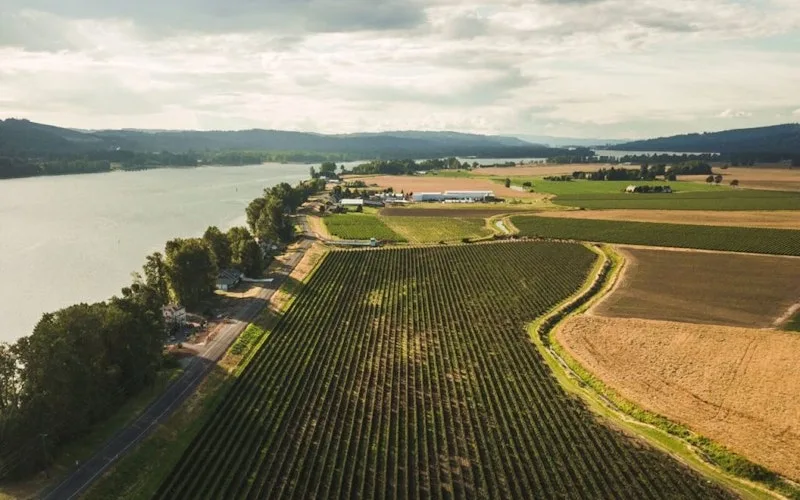
Organized technician workload and built a preventive schedule around cold storage equipment.
Columbia Fruit
Read the story →
Keeps kitchen equipment running across a footprint measured in thousands of sites.
Chick-fil-A
Read the story →
One operator runs maintenance across every restaurant he owns from a phone.
McDonald's
Read the story →
Moved campus crews off paper and onto digital preventive maintenance and work orders.
Caltech
Read the story →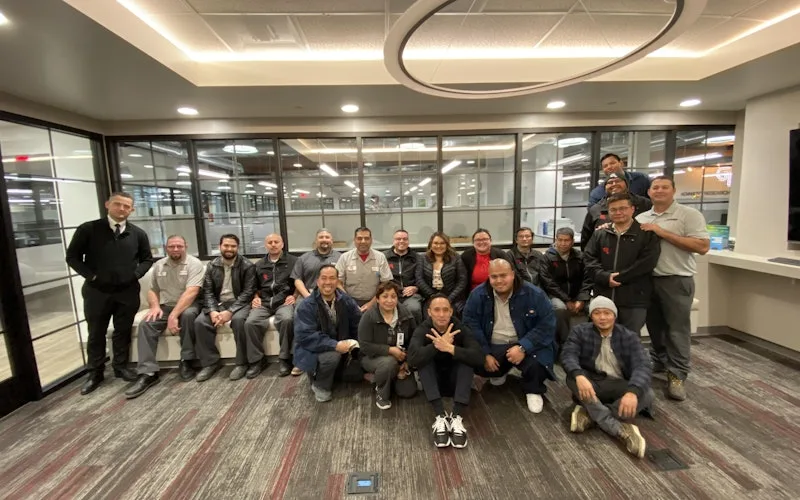
Standardized maintenance across one of the largest custom restorative labs in the world.
Glidewell
Read the story →
Moved from 60% reactive work to 20% by putting every asset on a recurring PM schedule.
Industrial manufacturer
Read the story →
Shifted work from reactive to preventive and brought maintenance costs down with it.
Layfield Group
Read the story →Frequently asked questions
Is UpKeep Field Service a replacement for ServiceTitan or Salesforce Field Service?
No. Those are built for companies whose entire business is service work sold to customers, and they carry the sales and marketing machinery to match. UpKeep Field Service is for the other case: your core job is maintaining your own assets, and some of that work is performed for someone else, a tenant, a franchisee, a sister site, a customer under contract. If service revenue is your business rather than a part of it, a dedicated FSM platform will fit you better and we will say so.
Is UpKeep Field Service a CRM?
No. It holds customer sites, contacts, assets, and service history, what a technician and a dispatcher need. It does not hold a sales pipeline, opportunities, campaigns, or quotes-to-close. Teams that need that keep their CRM and connect it through the API.
Does UpKeep Field Service handle accounting and take payments?
It drafts and tracks invoices, what is sent, what is open, what is overdue, and it exports them. It does not post to a general ledger, run AR aging as a book of record, or process payments. The invoice hands off to QuickBooks, NetSuite, Sage, or whatever your controller already reconciles in, so revenue recognition stays where your financial controls are.
Can we bill some work and leave the rest internal?
That is the normal case. Billable and non-billable work share the same board and the same technicians. A job only becomes invoiceable when it carries a customer site and a rate, so internal maintenance never accidentally turns into an invoice, and customer work never quietly gets absorbed as overhead.
How do subcontractors fit in?
Work dispatched to an outside firm is assigned through UpKeep Providers, which gives the contractor access to that job and nothing else, plus the insurance and compliance documents on the vendor record. Their cost lands on the job, so a subcontracted visit can be rebilled with the margin visible rather than lost.
Do customers get their own view?
Site contacts receive a ticket number and status updates by email, and requests can arrive through the UpKeep Request Portal, which needs no login and no seat. There is no full customer self-service account portal today with invoice history and payment; that is a real gap and we would rather state it than imply otherwise.
Does UpKeep Field Service work when a technician has no signal?
Yes. The mobile app works offline and syncs when the connection returns, which matters on rural sites and in basements. Time, notes, photos, and parts recorded offline arrive intact on the job once the phone is back on a network.
Do field technicians each need a full license?
Technicians who are assigned and complete work need a technician seat. The people who only report problems, site staff, tenants, occupants, do not: requester seats are free and unlimited on every plan. You pay for the people doing the work, not for everyone who can see it.
FREE RESOURCES
Go deeper on maintenance
Practical guides and research from the UpKeep team. No cost, no sales call required.
 Guide
GuideThe Reliability Playbook: Capturing 20 Years of Know-How Before It Walks Out the Door
A fully staffed plant still loses hours to failures a retired technician would have caught in minutes. This playbook reframes the problem: knowledge is disappearing because no system was built to capture it. It lays out a three-part framework for closing that gap and shows what changed at one plant that stopped hiring its way out and instead started capturing what its people already knew.
Get the guide Report
The 2026 State of Maintenance Report
This year's report reflects a fundamental shift in how maintenance creates competitive advantage. While 90% of teams recognize what drives reliability, only 25% can consistently execute it. The gap between knowing and doing has become the defining challenge and opportunity of 2026.
Get the report Guide
GuideChange or Be Left Behind: The Urgent Need for Change Management in Maintenance
Effectively managing change enables maintenance teams to implement new technologies, streamline processes, and foster continuous improvement, all of which are necessary to thrive in today’s fast-paced environment. This guide outlines essential change management models
Get the guide
See it against a week of your own service work
Bring last week’s schedule and one job that should have been invoiced and wasn’t. We will walk through what the same week looks like on one board.