
UPKEEP WORKFORCE
Schedule against the work you actually have
Shift coverage, skills and certifications, capacity planning, and timesheets that book straight to the work order. UpKeep already knows what needs doing; this adds who is available to do it and what their hours cost.
- Certification-gated assignment
- Hours book to the asset
- Payroll export









SOLUTIONS
Labor supply, meet labor demand
A maintenance schedule is a guess until it accounts for who is available, who is qualified, and who is already at fifty hours.
The weekly schedule is built without knowing who is actually available.
Planned PM hours, project hours, and open backlog are compared against real crew capacity for the week. The schedule that comes out is one the crew can finish, which is a different thing from a schedule that fits on paper.
Someone gets assigned work they are not certified to do.
Required qualifications are attached to the job. If a certification has lapsed, that person cannot be scheduled on it, and the expiry was flagged before it lapsed.
Labor cost per asset is a guess.
Hours book to the work order, the work order to the asset. Total cost of ownership finally includes labor, which for most operations is the largest missing number in the maintenance budget.
Overtime lands on whoever answers the phone.
On-call and callout rotations are tracked, and overtime distribution is visible across the crew. The fairness conversation starts from a record rather than a perception.
Timecards are collected on paper and typed in on Monday.
Technicians clock in from a phone or a kiosk, or book time straight to the job they are on. Supervisors approve exceptions rather than transcribing a week of paper.
The timesheet and the work order disagree about the week.
Entries are made against real work orders, so the timesheet is the same record as the labor on the job. There is no second set of hours to reconcile, and the week a supervisor approves is the week that costed the work.
Nobody can say how much of the crew’s week was planned work.
Planned versus unplanned labor split, schedule compliance, and wrench time reported from actual hours. These are the numbers that show whether a maintenance program is improving or just busy.
FEATURES
Shifts, skills, timesheets, and cost
The scheduling half is where the difference is. The timesheet and cost half is what makes the rest of your reporting true.
Shift scheduling
Shift patterns and rotations, crew assignment, and coverage requirements per shift and site. Swaps, PTO, and absence handled without a group text.
Capacity planning
Available crew hours against planned PM, project, and backlog hours, week by week. Shows whether the plan is achievable before the week starts.
Skills and certifications
A qualification matrix per person with expiry tracking, and a requirement that the certification be current before someone can be scheduled on the job.
Time capture
Clock in and out from mobile with geofencing, from a shared kiosk, or by booking time directly against a work order. Offline capable.
Weekly timesheets
A week per technician built from entries against real work orders, with hours by day, work type, and pay type. Submitted for approval as one sheet rather than as forty loose punches.
Timecard approval
Supervisor review with exceptions surfaced: missed punches, unapproved overtime, and break irregularities, rather than a wall of correct rows.
Labor cost allocation
Hours flow to the work order, the asset, and the cost center or project. Job costing that reflects real labor rather than a standard rate applied afterwards.
Pay-period summary
Regular, overtime, and premium hours per person for the period, reconciled and signed off before anything reaches payroll.
On-call and callout
Rotation schedules, callout logs, and overtime distribution tracked across the crew so the load is visible and defensible.
Utilization reporting
Wrench time, planned versus unplanned split, schedule compliance, and backlog burn-down, all calculated from hours actually recorded.
Shift handover
A structured handover log so the next shift starts knowing what is still open, what was tried, and what to watch.
CONNECTED WORKFLOWS
Built to work with the rest of UpKeep
Labor is the input every other application assumes and none of them currently measure.
Workforce CMMS
Open work orders and the PM plan are the labor demand signal. Hours booked against a work order carry labor cost onto the asset, which is what makes cost of ownership real.
Explore UpKeep CMMS →Workforce Learn
Training completions and certifications from Learn are what the scheduler checks against. A lapsed qualification removes someone from eligibility rather than being noticed later.
Explore UpKeep Learn →Workforce Projects
Project and shutdown tasks draw on the same crew as daily maintenance, so resource loading accounts for both instead of double-booking the same millwright.
Workforce Safety
Permit-required and lockout work checks that the assigned person holds the qualification for it, and incidents can be seen against shift, crew, and hours worked.
Explore UpKeep Safety →Workforce Production
Crew and hours attach to production runs, giving labor cost per unit, and line coverage requirements are scheduled alongside maintenance coverage.
Explore UpKeep Production →Workforce Nova
Ask who is qualified and free on Thursday, or where overtime concentrated last quarter. Nova reads the schedule, the certifications, and the hours together.
Explore UpKeep Nova →CUSTOMER STORIES
Teams running maintenance on UpKeep

Brought overtime under control by seeing where labor was actually going.
Retail shopping center
Read the story →
Standardized maintenance across one of the largest custom restorative labs in the world.
Glidewell
Read the story →
Moved from 60% reactive work to 20% by putting every asset on a recurring PM schedule.
Industrial manufacturer
Read the story →
Shifted work from reactive to preventive and brought maintenance costs down with it.
Layfield Group
Read the story →
Replaced paper tracking and manual data entry across the plant using Nova.
Sprinturf
Read the story →
Moved maintenance off paper and onto a system the whole team can see.
Old Trapper
Read the story →
Standardized work orders and asset records across a multi-product distribution operation.
Distribution company
Read the story →
Traced a recurring building problem to its root cause instead of repairing it again.
FMLY
Read the story →Frequently asked questions
Is this a payroll system?
No. UpKeep Workforce captures and approves hours and allocates them to work, assets, and cost centers, then exports to payroll. Running payroll means handling tax, garnishments, and filings, and that belongs in ADP, Paylocity, UKG, or whatever you already run. We are the layer that tells payroll what the hours were and tells finance what they were spent on.
Does UpKeep Workforce handle union rules and labor compliance?
It supports shift differentials, premium and overtime rules, and break tracking, and it records the data a compliance review needs. But collective bargaining agreements vary enormously and state break law is specific, so the honest answer is that rule configuration is an implementation conversation. If you have a complex CBA, bring it to that conversation early rather than late.
Why buy this from UpKeep instead of a workforce management vendor?
Because a workforce management vendor knows who is on shift and has no idea what needs doing. We already hold the labor demand: every open work order, the PM plan for the next quarter, and project hours with estimates. Scheduling against real demand is the part that is hard to do from the outside. If your only need is time and attendance across a large hourly workforce, a dedicated WFM vendor is a reasonable choice.
Can we use the scheduling half without timecards?
Yes, and many teams should start there. Shift coverage, certification-gated assignment, and capacity planning stand on their own and are where the differentiation is. Time capture is the piece customers ask for most, but it is also the piece most likely to already be solved elsewhere in your business.
How do technicians record time in the field?
From the mobile app, either by clocking in and out or by starting and stopping time against the work order they are on, which is the more useful option because it produces cost allocation as a side effect. Offline capture works and syncs when connectivity returns.
Is there a weekly timesheet, or only a time clock?
Both, and they are the same data. A technician can clock in and out, start and stop time against the work order they are on, or fill in a weekly sheet at the end of the week, whichever suits the crew. However the hours arrive, they land on work orders, roll into one weekly sheet per person for approval, and close into a pay-period summary. Teams with office-based planners and mobile technicians usually end up using more than one of the three.
Does it integrate with our HR system?
Employee records, cost centers, and labor rates typically sync in from HR or the ERP so there is not a second employee master to maintain. Approved hours sync out to payroll. Which system owns which field is decided during implementation.
Can we plan capacity across multiple sites?
Yes. Crews, coverage requirements, and capacity roll up by site and region, with permissions controlling who sees which sites. Multi-site teams most often use this to see where a plant is chronically short of hours against its own PM plan.
What does UpKeep Workforce change about our maintenance reporting?
It fills the largest gap in it. Parts cost is captured today because someone issues a part; labor is usually estimated or ignored. Once hours book to work orders, total cost of ownership, repair-versus-replace analysis, and capital planning all rest on measured numbers rather than assumed ones.
FREE RESOURCES
Go deeper on maintenance
Practical guides and research from the UpKeep team. No cost, no sales call required.
 Guide
GuideThe Reliability Playbook: Capturing 20 Years of Know-How Before It Walks Out the Door
A fully staffed plant still loses hours to failures a retired technician would have caught in minutes. This playbook reframes the problem: knowledge is disappearing because no system was built to capture it. It lays out a three-part framework for closing that gap and shows what changed at one plant that stopped hiring its way out and instead started capturing what its people already knew.
Get the guide Report
The 2026 State of Maintenance Report
This year's report reflects a fundamental shift in how maintenance creates competitive advantage. While 90% of teams recognize what drives reliability, only 25% can consistently execute it. The gap between knowing and doing has become the defining challenge and opportunity of 2026.
Get the report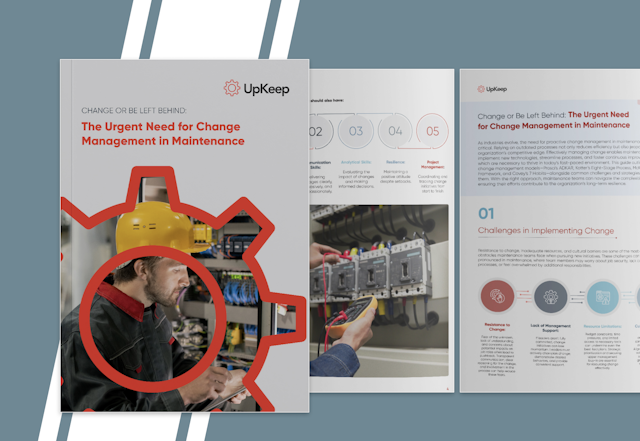 Guide
GuideChange or Be Left Behind: The Urgent Need for Change Management in Maintenance
Effectively managing change enables maintenance teams to implement new technologies, streamline processes, and foster continuous improvement, all of which are necessary to thrive in today’s fast-paced environment. This guide outlines essential change management models
Get the guide
Find out what your labor really costs
Most teams are surprised by the planned-versus-unplanned split once hours are recorded properly. We will show you how that number gets built.