Blog Post
Work Order Software for Small Business: How to Choose and Use the Right Tool
Maintenance challenges affect companies big and small. Check out some of the top work order software for small businesses to upgrade your workflows.



Key Takeaways
Work order software centralizes requests, assignments, and completion records in one searchable system.
Small businesses report unplanned downtime costing roughly $1,000 to $5,000 per hour, and 6 in 10 can't even calculate what their downtime actually costs them.
With the right work order software, small businesses can streamline their maintenance processes and save both time and money.
Even a small maintenance or service team has a lot to juggle, with requests coming in through texts, sticky notes, and shared spreadsheets. That patchwork system can hold up for a while because everyone knows the process by heart. But as the business grows, it starts to ask more of the team than any one person can reasonably keep track of. A missed job, a technician arriving without the right part, or a completed repair nobody can confirm are all signs of a team working hard with tools that can’t do the job.
Work order software gives all that information a home. It centralizes requests, assignments, and completion records so the whole team can see the same information at the same time. That frees up time, money, and energy for the actual work instead of the paperwork attached to it. This guide covers why work order software matters for a small business, how to evaluate your options, and what five popular platforms cost and offer.
What Is Work Order Software for a Small Business?
Work order software is a digital system that creates, assigns, tracks, and closes maintenance or service tasks in one place. It replaces the paper ticket or generic spreadsheet a small business might otherwise rely on.
The workflow begins with a technician opening an app on their phone and seeing a work order with the location and issue already filled in. The technician marks its status as “in progress,” completes the required task, and closes out the work order with a photo and completion notes attached. That day-to-day flow is what platforms like UpKeep are built to handle, from creation in the field to closeout.


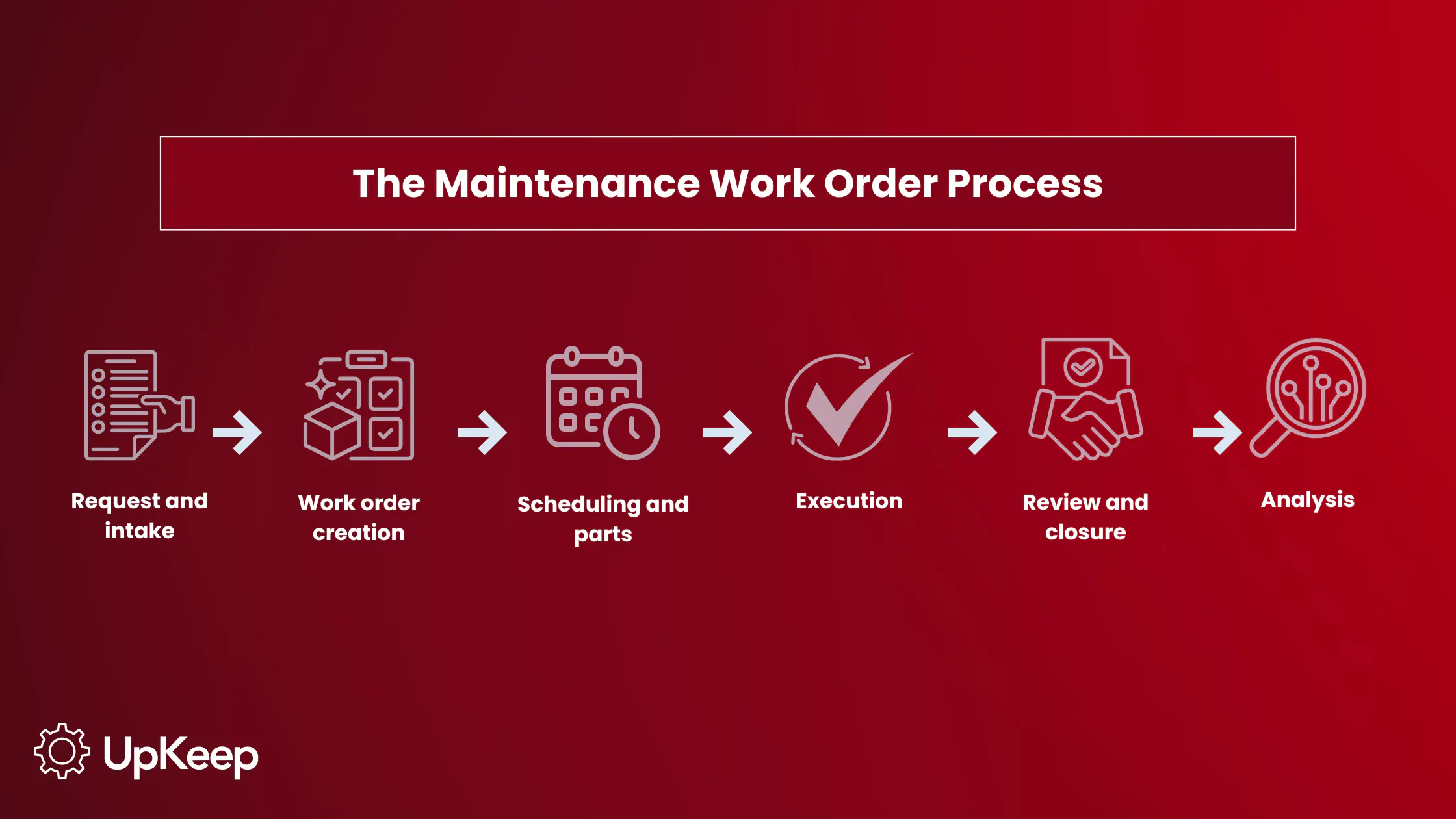
Whether digital or on paper, a work order has a few core fields:
Who requested the work
Which asset or location it's tied to
Priority level
Assigned technician
Parts used
Time to complete the work
Completion notes
With a digital work order, the software centralizes that information into one source of truth across departments and makes it searchable. Although that streamlines operations, small businesses haven’t fully embraced the software. Field service software adoption among businesses under 100 employees has historically sat around 29%, compared to over 76% at enterprises with 1,000 or more employees. That means leaders of smaller teams can gain a competitive edge simply by integrating a dedicated tool for work orders.
Why Small Businesses Need Work Order Management Software
Small businesses need work order management software because informal tracking methods like texts, sticky notes, or shared spreadsheets stop working once the amount of tasks or headcount outgrows what one person can track by memory.
Even without enterprise-scale losses, small businesses report unplanned downtime or disruption costs about $1,000 to $5,000 per hour. An estimated 6 in 10 businesses can't even calculate their own hourly downtime costs, meaning many small operators are blind to what disorganized work orders are costing them.
Without documented completion records, like signatures, photos, and timestamps, a small business has zero evidence for a warranty dispute or customer disagreement. This also hurts you during audits and can hinder compliance, since you have to hunt for a scattered paper trail. Then, as job volume grows, missed requests and duplicate work become more common. This is the gap that small business work order management software closes.
The Benefits and ROI of Work Order Software
The return on a digital work order system tends to show up most clearly in time, productivity, and cash flow.
Time savings: Digitizing repair workflows can significantly reduce time spent processing maintenance and repair work. One peer-reviewed study found that digitizing the repair reporting process cut recorded process time by 53.4%, saving 16 days in cumulative time across the repairs studied.
Process efficiencies: Research from the Georgia Institute of Technology analyzed campus maintenance work orders and found that optimizing task order and assignments without changing the work itself cut working hours by about 5%. They also found that inconsistent data entry was one of the biggest drags on efficiency, which points to the benefit of standardized fields in digital work orders over manual entry.
Faster cash flow: Tying a completed work order directly to invoicing closes the gap between finishing a job and getting paid for it.
Longer asset lifespans: Consistent, streamlined work orders mean maintenance issues get logged and addressed the same way every time, rather than being handled ad hoc or forgotten. That consistency catches small problems before they become major failures, which extends the usable life of equipment and reduces the frequency of costly replacements.
You don’t need an enterprise rollout to see these benefits. A five-person crew moving from a shared spreadsheet to a mobile work order app can also enjoy fewer missed maintenance jobs, repeat service calls, and less technician idling time, as well as faster invoicing within the first billing cycle.


How to Choose the Right Work Order System for Your Business
Match the tool to your team size and job type first. A five-person HVAC crew and a 50-person facilities team have very different configurability needs, and buying more platforms than you need only adds friction; extra platforms mean more logins for the team to remember, duplicate data entry across systems, and gaps where information may not sync between tools. To avoid the “style over substance” trap, follow these recommendations:
Prioritize simple, mobile-friendly work order software your team can start using within days of launch, not a platform requiring a formal implementation project. Formal implementations often mean weeks of setup calls, data migration, and staff training before use, taking up time and cost that a small team without a dedicated IT department usually can't spare.
Check that the work order form itself is configurable so it can fit your industry. This can include the ability to add or edit custom fields, checklists, and asset or location hierarchy.
Confirm what's included at the entry price versus gated behind a higher tier; PM scheduling and inventory tracking are common upsells, for instance.
Ask how the vendor handles onboarding and ongoing support for a small team without a dedicated IT department.
Sit Through a Work Order Software Demo First
Don't skip the work order software demo, and don't stop at a slide deck. Ask to watch a technician complete a work order on their own phone instead of a generic dashboard walkthrough. If a vendor can't show that flow live in a couple of minutes, note it before signing anything.
5 Work Order Software Options for Small Businesses
Different work order tools solve different problems. Some are CMMS-style platforms built around equipment, assets, and preventive maintenance (UpKeep, MaintainX, Fiix). Others are field service platforms built around scheduling customer jobs and invoicing (Jobber, Housecall Pro). Which category you need depends on whether your work orders are mostly about your own equipment, or mostly about dispatching techs to customer jobs.
1. UpKeep
Top features: Mobile-first work orders, asset/location hierarchy, PM scheduling, parts/inventory, AI-assisted insights
Limitations: Entry tier limited to reactive work orders; PM and inventory need the mid tier.
Pricing: ~$20 entry; ~$45–$55 for PM/inventory; higher tiers custom-quoted
Integrations: QuickBooks, IoT/sensor data, open API
Best for: Small equipment/facility teams (roughly 2–50 techs) wanting mobile-first, fast setup
2. MaintainX
Top features: Free tier, unlimited work orders on Basic, real-time team messaging, checklist templates
Limitations: Free plan caps repeating work orders/analytics; inventory and API need paid tiers
Pricing: Free entry tier; paid tiers roughly $16–$49
Integrations: Accounting/ERP connectors, REST API on paid tiers
Best for: Frontline/manufacturing teams wanting a free start and chat-style job updates
3. Flix
Top features: Free tier, resource-based scheduling, AI insights on higher tiers, strong reporting
Limitations: Free tier caps users/PM tasks; cost jumps once you need unlimited PMs
Pricing: Free (limited); then ~$45–$75
Integrations: ERP connectors, reporting/BI tools
Best for: Small manufacturers expecting growth into multi-site PM programs=
4. Jobber
Top features: Scheduling, quoting, invoicing, client communication for service jobs
Limitations: Not a true CMMS (no asset maintenance history); per-user fees scale with team
Pricing: ~$29–$39 solo; ~$349–$599 larger teams
Integrations: QuickBooks Online, payment processing, marketing add-ons
Best for: Home service businesses needing job scheduling/invoicing, not equipment maintenance
5. Housecall Pro
Top features: Online booking, dispatching, invoicing, customer communication
Limitations: Not built around asset maintenance; per-user add-on fees; no permanent free plan
Pricing: ~$59–$299+ by plan/user count
Integrations: QuickBooks, payment processing
Best for: Home service contractors focused on customer scheduling and payments
Please note: Pricing changes frequently across vendors. Confirm current pricing directly with each provider before budgeting.
Work Order Software Pricing for Small Businesses
Most work order and CMMS platforms price per user or seat per month, commonly landing in the $20 to $60 per technician per month range for small-business tiers, with free or limited trial tiers available for very small teams. Field service platforms like Jobber or Housecall Pro tend to price by plan tier and user count rather than a flat per-seat rate, and can run higher once add-ons are included.
A few things to watch for beyond the sticker price:
Costs outside the base price, like implementation fees, minimum seat counts, and paid add-ons for mobile access, reporting, or integrations.
Whether preventive maintenance and inventory are included at your tier. This is one of the most common places where small businesses are surprised by cost.
Free or low-cost tiers exist but often cap users or work orders, so stress-test a free plan against your actual monthly job volume before committing long-term.
Weigh the total cost of ownership against what disorganized work orders are already losing you. UpKeep offers both a lower-cost entry tier and paid plans that scale with team size, giving a first-time software buyer a lower-risk way to start.
Integrating Work Order Software Into Your Existing Business Tools
How well a work order system connects to the tools you already use is as important as the work order features themselves.
Accounting integration is one of the most immediately useful connections, because it removes the need to manually reenter completed job data into an invoice. Inventory and parts integration fulfills a similar role on the operations side: It ties work order completion directly to stock counts, so a used part is deducted automatically and reorder points trigger before a technician shows up without what they need.
Two-way communication tools like email or SMS notifications keep customers and staff updated without everyone having to log into the same platform, while calendar or scheduling integration keeps technician dispatch synced with shared or personal calendars, avoiding double-booked jobs.
This is where the gap between a "good enough" spreadsheet and dedicated software becomes clear. UpKeep's integration options and API reduce the number of disconnected tools a small business has to reconcile by hand, providing one system for work orders, inventory, and reporting instead of three separate logins.
Digital Work Orders vs. Paper Work Orders: Which Is Better for a Small Business?
A paper ticket depends entirely on someone filing it correctly and remembering where it went. In comparison, a digital work order is instantly searchable by asset, technician, or date. Finding the history on a piece of equipment or a job takes seconds instead of a lengthy search through a filing cabinet.
That searchability matters due to the risk of data loss. Manual filing systems create ongoing exposure to lost, damaged, or misplaced records. If a record is lost, there's nothing to point to if a customer or an inspector asks what happened.
The two systems also move at different speeds. Paper work orders create a lag between when work is finished and when anyone else in the business finds out, since that information only travels as fast as someone remembers to report it. Digital work orders close that gap: The status updates the moment a technician marks a job complete, so the office or customer knows in real time.
|
Comparing Digital vs. Paper Work Orders |
||
|
Paper |
Digital |
|
|
Searchability |
Manual search |
Instant, by asset/tech/date |
|
Data loss risk |
High |
Low |
|
Status visibility |
Delayed |
Real-time |
|
Audit trail |
Easy to misplace |
Automatic timestamps and signatures |
That same real-time record makes digital work orders more defensible when something is disputed. They capture timestamps and signatures automatically, which is useful in warranty claims and inspections. Paper trails, by contrast, are easy to misplace, backdate, or lose entirely. Lost tickets and forgotten details quietly cost revenue every month, even without a software subscription to point to as the visible expense.
Paper and spreadsheets also require someone on staff to serve as the system, remembering where things are filed, chasing down updates, and reentering data by hand. Digital work order software like UpKeep removes that dependency. It becomes a single source of truth that doesn't rely on any one person's memory or filing habits.
Don’t Lock Yourself out of Work Order Software
Not every small business needs the same tool, but they all will eventually run into the same challenges when work orders scale past what manual systems and memory can handle. Digital work order software closes that gap by centralizing requests, assignments, and completion records into one searchable system. It cuts the downtime, lost paperwork, and missed jobs that come with informal tracking.
The right choice depends on what your work orders are actually for. CMMS-style platforms like UpKeep, MaintainX, and Fiix fit teams managing their own equipment and preventive maintenance, while field service platforms like Jobber and Housecall Pro fit teams dispatching technicians to customer jobs. But the same evaluation criteria applies to any platform: Match the tool to your team size, confirm pricing before committing, sit through a live demo, and check how well it integrates with the accounting, inventory, and scheduling tools you already use.
Regardless of which type you choose, the addition of work order software is what makes your information searchable, current, and available to more than one person at a time. For a small business, that shift alone is worth more than any single feature on a pricing page.
Check out the mobile work order flow yourself with UpKeep's free trial and live demo.
Frequently Asked Questions About Work Order Software for Small Businesses
Do small businesses need work order software?
Not every business requires it immediately, but the need shows up once job volume, technician count, or asset count outgrows what one person can do within a spreadsheet. A dedicated system ensures organized documentation and reduces missed requests.
Can work order software work for a one-person business?
Yes. Even a solo operator benefits from a searchable job history, faster invoicing tied to completed work, and a documented record for warranty or customer disputes. Many platforms, including UpKeep, offer lower-cost entry tiers for very small teams.
How does work order software help with preventive maintenance?
It shifts maintenance from reactive to scheduled, automatically generating recurring work orders based on time or usage intervals. Planned maintenance programs cost meaningfully less than having numerous emergency stoppages when something breaks. A tool built for small teams lets a technician log their first job within days without a complex or lengthy implementation.
4,000+ COMPANIES RELY ON ASSET OPERATIONS MANAGEMENT
Leading the Way to a Better Future for Maintenance and Reliability
Your asset and equipment data doesn't belong in a silo. UpKeep makes it simple to see where everything stands, all in one place. That means less guesswork and more time to focus on what matters.






![[Review Badge] Gartner Peer Insights (Dark)](https://www.datocms-assets.com/38028/1673900494-gartner-logo-dark.png?auto=compress&fm=webp&w=336)