Blog Post
How to Choose the Best Work Order Software for Your Operation
Don’t leave your maintenance team drowning in service backlog. Learn how to choose and implement the best work order software to match your service needs.



Key Takeaways
The best work order software for most mid-size to enterprise organizations is a CMMS, which goes beyond basic task tracking to automate preventive maintenance, manage asset life cycles, and generate performance analytics from a single platform.
Work order software falls into three categories: basic systems ($0–$30/user/month), CMMS platforms ($35–$150+/user/month), and field service management software ($50–$200+/user/month).
Organizations using maintenance management software report up to 20% reductions in equipment downtime and material costs, making work order software a critical operational investment for ROI.
If your team is still routing maintenance requests through spreadsheets, email chains, or handwritten tickets, you already know the cost: wasted hours, duplicated effort, and breakdowns that could’ve been prevented.
Work order software changes that equation. By digitizing how maintenance tasks are created, assigned, tracked, and closed, it gives teams the visibility and structure they need to get ahead of problems before they occur. Whether you manage a single facility or a sprawling multi-site operation, the right platform can reduce unplanned downtime, improve technician productivity, and turn maintenance from a money pit into a measurable business advantage.
This guide walks through the different types of work order software, why your business should adopt one, and how to choose and launch the right platform for your organization.
An Introduction to Work Order Software
Work order software creates, assigns, tracks, and closes maintenance or service tasks. It replaces the manual labor of spreadsheets and paper tickets with automated workflows, centralized communication, and real-time status visibility. With a CMMS, every step of the maintenance process becomes faster, more accountable, and easier to measure.
The market reflects how urgently organizations are making this shift: Work order management systems are forecast to grow at a 9.72% compound annual growth rate (CAGR) through 2035, driven by rising demand for digital transformation, automation, and operational efficiency across industries.
While the benefits of work order software are generally consistent, the solutions themselves vary in terms of functionality, industry focus, and deployment model.
Exploring Different Types of Work Order Software
The right work order software depends on your organization's size, industry, and operational complexity. There are three main categories, each built for a different stage of maturity and scale.
Basic Work Order Systems
Typical price range: $0-$30 per user/month
Basic systems focus on the core workflow: Create a work order, assign it to a technician, and mark it complete. For teams just taking the leap from paper or spreadsheets, this level of functionality can be transformative on its own.
Key features include:
Task creation
Priority flagging
Technician assignment
Photo attachments
Status tracking (i.e., open, in progress, closed)
These platforms are generally affordable and fast to deploy, with minimal training required.
But as your operations grow, the limitations start to show. Basic systems typically offer minimal reporting, no asset life cycle tracking or preventive maintenance automation, and limited ability to connect with other business systems. They work well for small businesses and teams, nonprofits, and single-site facilities making their first move toward digital maintenance management.
CMMS
Typical price range: $35-$150+ per user/month
A CMMS is the most widely adopted solution for organizations that manage a significant number of assets, equipment, or facilities. Work order management is at the core of any CMMS. It assigns orders to individuals or teams quickly and efficiently, but its capabilities extend far beyond task tracking.
A full-featured CMMS:
Manages the entire asset life cycle
Automates preventive maintenance schedules
Tracks inventory and parts consumption
Generates performance analytics
And it’s all from a single platform. This creates one authoritative source of truth for maintenance data, eliminating the silos that lead to missed work, budget overruns, and compliance gaps.
With AI capabilities layered on, a modern CMMS can extend into safety management, fleet operations, and real-time data from Internet of Things (IoT) sensors. Cloud-based CMMS is gaining traction, accounting for over 60% of new implementations. The scalability and cost-effectiveness of cloud-first platforms like UpKeep offer a decisive advantage over legacy on-premise systems that require expensive infrastructure and IT overhead.
Field Service Management Software (FSM)
Typical price range: $50–$200+ per user/month
Field service management software is purpose-built for teams dispatched to external locations, like HVAC contractors, utility crews, and property management companies. While a CMMS is primarily designed for internal maintenance management, an FSM platform prioritizes the workflows that matter most when your technicians are on the road.
Key capabilities include:
Technician routing and scheduling
GPS tracking
Customer communication
Invoice generation
Service history for third-party clients
These platforms are mobile first by design, built around the reality that technicians rarely work at a desk.
As field service teams are increasingly distributed, mobile-first design is becoming a baseline expectation across both CMMS and FSM categories. Companies that manage a mix of internal maintenance and external field service may need a platform that handles both, or a tight integration. The boundary between these categories is narrowing as platforms become more comprehensive.
Comparing Work Order Software
|
Type of software |
Basic work order systems |
CMMS |
FSM |
|
Price range |
$0-$30 per user/month |
$35-$150+ per user/month |
$50-$200+ per user/month |
|
Key functions |
-Work order creation -Technician assignment -Priority flagging -Photo attachments -Status tracking |
-Full asset life cycle management -Preventive maintenance scheduling -Inventory tracking -Performance analytics -IoT sensor integration -AI-powered insights |
-Technician routing and scheduling -Customer communication -Invoice generation -Client service history -Mobile-first job completion |
|
Best for |
-Small business and nonprofits -Single-site facilities -Simple, low-volume maintenance needs -First-time transitioning to automated system |
-Mid-size to enterprise organizations -Multi-site facilities -Manufacturing, healthcare, food & beverage, energy -Managing multiple assets, large inventory, and compliance requirements |
-Teams dispatched to external locations -HVAC, utility, property maintenance -Organizations billing third-party clients -Distributed mobile workforces |
How Work Order Software Benefits Your Organization
Without work order software, your organization is leaving money on the table. Here’s the real value of embracing this solution:
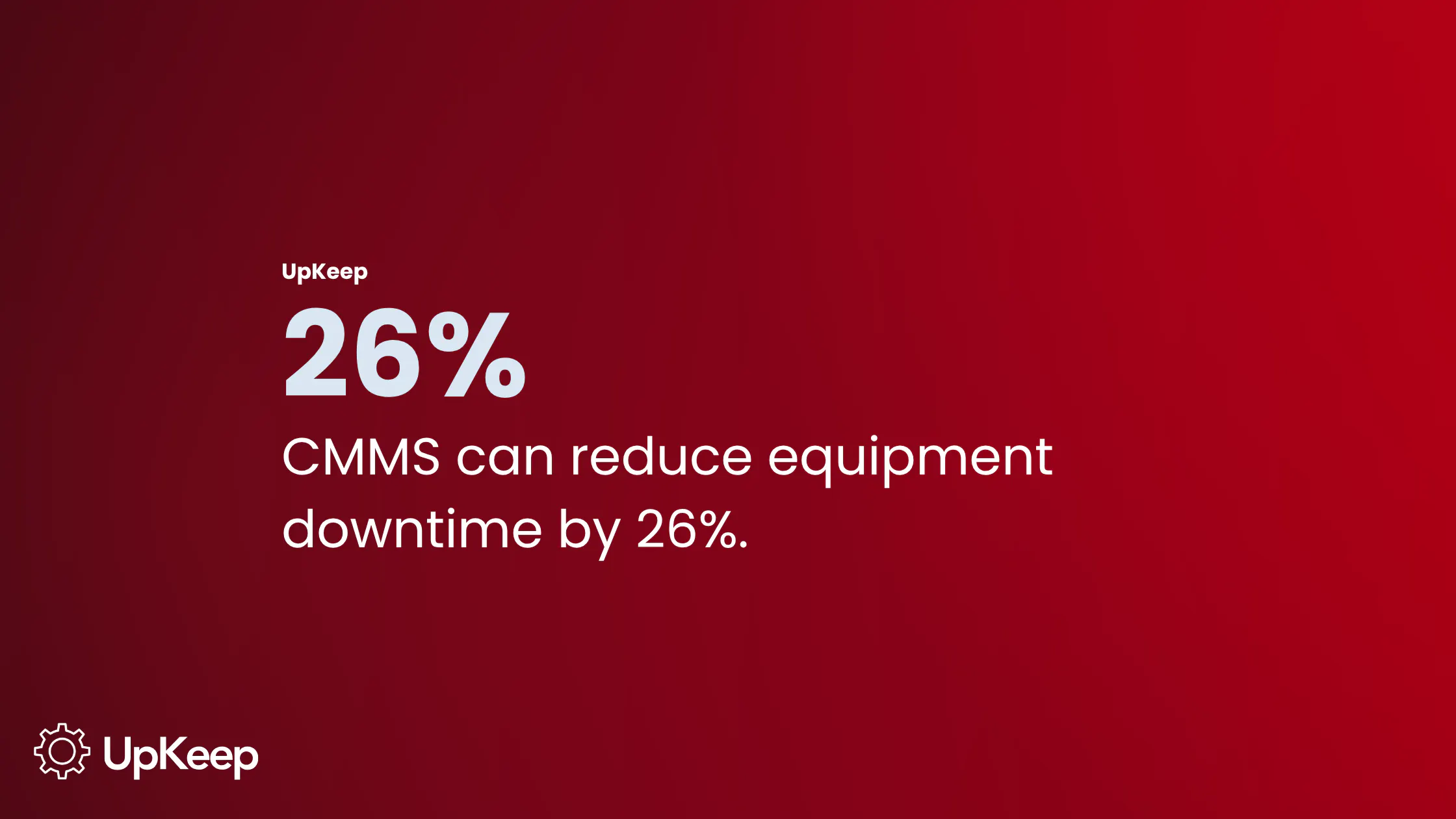
Reduced downtime and costs: Companies using maintenance management software have found it can reduce equipment downtime by up to 26%. When unplanned failures are replaced with scheduled preventive maintenance, the ripple effects reach every part of the operation.
Improved team accountability and communication: Work order software centralizes requests, assignments, and status updates so nothing falls through the cracks. Managers can see what each technician is working on and when tasks are completed in real time. There's no ambiguity about who owns what, and no more chasing updates across phone calls and text threads.
Better data for decision-making: Digital work orders generate audit trails, maintenance histories, and KPI dashboards that help justify budgets, prove compliance, and identify recurring failure patterns. When a piece of equipment fails for the third time in six months, the data is there to support the case for replacement or to pinpoint the root cause before it fails again.
Inventory and parts management: Software links work orders directly to parts consumption, purchase orders, and stock levels, preventing costly stockouts and reducing over-ordering. UpKeep's CMMS, for example, automates purchase order requisitions when inventory runs low. This eliminates the manual monitoring that often leads to work being delayed because a part isn't on the shelf.


Finding the Best Work Order Software for You
"Best" is subjective, as your needs will vary depending on industry, company size, budgets, and existing system setup. Here's how to cut through the vendor noise.
Assess Your Specific Industry Needs
Different industries have non-negotiable requirements:
Manufacturing operations need OEE tracking and IoT sensor integration.
Healthcare facilities require HIPAA-compliant audit trails.
Food and beverage companies must maintain sanitation compliance records.
Fleet operations need telematics tie-ins.
Before you shortlist any vendor, identify the two or three requirements that your operation can’t compromise on. Ask for industry-specific case studies and demos that demonstrate those capabilities in practice.
Evaluate Scalability, Budget, and Future Needs
Platform scalability is now a baseline expectation. Look for vendors that offer tiered pricing so the system can grow with your organization without requiring a disruptive migration down the road. Evaluate whether the platform supports multi-site deployment, role-based permissions, and enterprise-grade security and compliance from day one.
Total cost of ownership (TCO) is a more honest metric here, factoring in implementation fees, data migration, training, ongoing support, and per-user scaling costs. Before signing anything, request a full breakdown of potential add-on fees during vendor evaluation, including setup, training, additional modules, and API access.
Implementation timelines matter too. For example, UpKeep's standard onboarding includes data migration and team training within 45 days for most customers, which is a meaningful factor when you're balancing a go-live against operational demands.
Ensure Integration With Existing Systems
High-quality work order software bridges silos rather than creating new ones. The platforms worth evaluating will connect with:
Enterprise resource planning (ERP) systems like SAP, Oracle, and QuickBooks
HR platforms
IoT sensors
Procurement tools
Communication apps like Slack
IoT integration is becoming particularly important in manufacturing, where real-time sensor data can trigger work orders automatically and feed predictive maintenance models that catch failures before they happen. UpKeep Edge extends these capabilities by connecting wireless sensors directly to maintenance workflows, allowing teams to monitor conditions such as vibration, temperature, and runtime without relying on separate monitoring platforms.
Prioritize open APIs and pre-built connectors to avoid expensive custom integration projects. Data should flow in two directions: Work order updates should reflect in your ERP, and asset status changes should trigger work orders automatically.
Prioritize Mobile Capabilities
A mobile-first design is essential for technicians who don’t have reliable desktop access on the floor, in the field, or traveling to multiple sites. Look specifically for offline functionality. Technicians in basements, remote facilities, or areas with poor connectivity should still be able to log work and sync when service returns.
You ideally want a mobile app that supports QR code scanning to pull up asset history, photo annotation, parts logging, hour tracking, and checklist completion so that everything a technician needs is right in their pocket.
How to Deploy Your Work Order Software in 5 Steps

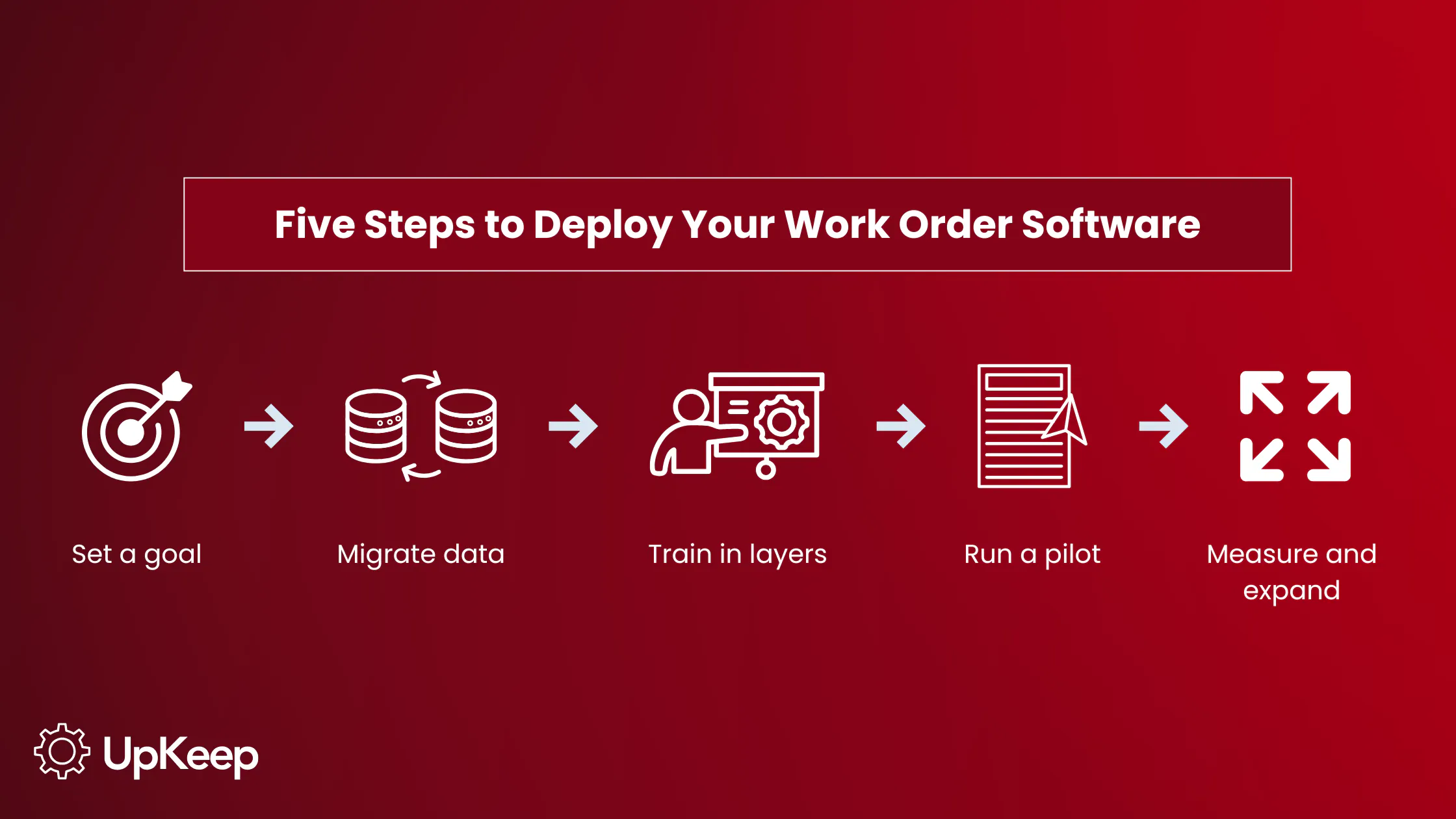
1. Start with a clear goal
Before deployment, leadership and maintenance managers should align on a primary objective (reducing unplanned downtime, achieving compliance readiness, cutting work order backlog, etc.) so that every configuration decision serves a measurable outcome rather than a vague improvement.
2. Migrate and organize your data
Import existing asset records, maintenance histories, and inventory data before go-live. Starting with clean, organized data prevents the frustrating experience of a new system that feels less reliable than the old one.
3. Train in layers
Rather than rolling out to everyone at once, begin with admins and lead technicians who will configure the system. Once they've verified the setup, expand to the broader team. This reduces confusion and creates internal champions who can answer peer questions on the floor.
4. Run a pilot before full rollout
Deploy to one site or department first. Gather feedback, resolve friction points, and document early wins before scaling across the full organization. This is especially important for multi-site facilities where problems can compound quickly at scale.
5. Measure, iterate, and expand
Post-deployment, track KPIs like mean time to repair (MTTR), planned maintenance percentage, and work order completion rates. Use the analytics dashboard to identify bottlenecks and continuously improve. The data your system generates from day one is the foundation for smarter decisions for years to come.
Ready to Work Smarter?
Top-notch maintenance teams prevent failures before they happen, connect every workflow to a single source of truth, and use data to make decisions that keep assets running and costs under control.
Whether you're moving off spreadsheets for the first time or scaling an enterprise maintenance operation across dozens of sites, UpKeep's AI-supported CMMS brings efficiency, intelligence, and connectivity to every layer of your operation. This unified platform connects your technicians, managers, vendors, and systems so nothing falls through the cracks.
See why more than 4,000 companies trust UpKeep to keep their operations running at their best. Start your free trial or request a demo.
Frequently Asked Questions
How much should my work order software cost?
Pricing varies significantly by tier and functionality. Basic systems typically run $0-$30 per user per month. A full-featured CMMS generally falls between $35-$150+ per user per month depending on the vendor and the modules included. Field service management platforms tend to run $50-$200 or more per user per month. Always evaluate total cost of ownership rather than per-user pricing alone.
What is the difference between work order software and a CMMS?
Work order software is a broad category that includes any digital system for creating, assigning, and tracking maintenance tasks. A CMMS is a more comprehensive platform that includes work order management as its core function but also covers asset life cycle management, preventive maintenance scheduling, inventory tracking, and analytics. Every CMMS includes work order software, but not all work order software qualifies as a CMMS.
What is the best work order software for manufacturing?
Manufacturing operations typically require a CMMS with OEE tracking, IoT sensor integration, and robust preventive maintenance automation. UpKeep is widely used in manufacturing environments and supports integration with IoT platforms through their Edge sensor suite, along with customizable dashboards and compliance-ready audit trails. The best fit depends on your specific asset complexity, number of sites, and ERP environment.
4,000+ COMPANIES RELY ON ASSET OPERATIONS MANAGEMENT
Leading the Way to a Better Future for Maintenance and Reliability
Your asset and equipment data doesn't belong in a silo. UpKeep makes it simple to see where everything stands, all in one place. That means less guesswork and more time to focus on what matters.






![[Review Badge] Gartner Peer Insights (Dark)](https://www.datocms-assets.com/38028/1673900494-gartner-logo-dark.png?auto=compress&fm=webp&w=336)



