Blog Post
How to Know When Your Maintenance Team Needs an Enterprise CMMS
Learn when your organization needs an enterprise CMMS, how it differs from standard CMMS and EAM, key features, integrations, and ROI measurement.



Key Takeaways
An enterprise CMMS runs maintenance across multiple sites, business units, or asset classes in one data structure.
The key differences from a standard CMMS are governance, integration depth, cross-site reporting, and implementation support.
Enterprise CMMS focuses on maintenance execution, while EAM adds capital planning and full life cycle decisions. Most large organizations need both.
Integrations with ERP, IoT sensors, and safety systems turn data into scheduled repairs instead of ignored alerts.
ROI appears through less downtime, better labor use, and smarter inventory management, so a baseline for each site is essential before rolling out your enterprise CMMS.
Maintenance gets harder every time an organization adds a site. One plant can run just fine on a simple tool and a few sharp technicians who know where everything lives. Twenty locations with different tools, naming habits, and reporting formats is a completely different ballpark.
That's when an enterprise CMMS goes from a “nice to have” to a must-have. This guide walks through how it connects to other systems, how to measure its ROI, and what implementation looks like so your rollout goes smoothly.
Defining Enterprise CMMS
An enterprise CMMS is maintenance software built to handle multiple sites, business units, or asset classes using a single, unified data structure. It adds the governance, integrations, and scale that a single-site tool can't support. The “enterprise” aspect shines through in the additional role-based permissions, standardized asset hierarchies, and centralized reporting the software provides.
A five-technician shop doesn’t need this type of solution. Typical users include multi-site manufacturers, utilities, hospitals, and universities. Retail and restaurant chains fit the profile too, since they need one system of record across dozens or even hundreds of locations.
How Does Enterprise CMMS Differ From EAM?
A standard CMMS is built for a single location or a small team, while an enterprise version is built for multi-site, multi-departmental, or multi-entity organizations that share one asset structure. If leadership can't pull one consistent maintenance number across locations, a standard tool has likely reached its limit.
The two vary in four main ways:
Scale and structure: Standard tools usually serve one location or a small team. Enterprise systems handle multiple sites and departments that share one way of organizing assets.
Governance: Enterprise systems add role-based access control, approval workflows, and audit trails. Regulated industries and large workforces often require these, and single-site tools rarely offer them out of the box.
Integration depth: Enterprise CMMS needs to connect to ERP, IoT sensors, procurement, and sometimes HR systems. Standard integrations tend to stop at basic accounting or a handful of point tools.
Support and SLAs: Enterprise deployments come with dedicated implementation support, custom onboarding, and uptime guarantees. Those matter a lot when hundreds of technicians depend on the system every day.
Signs You've Outgrown a Standard CMMS
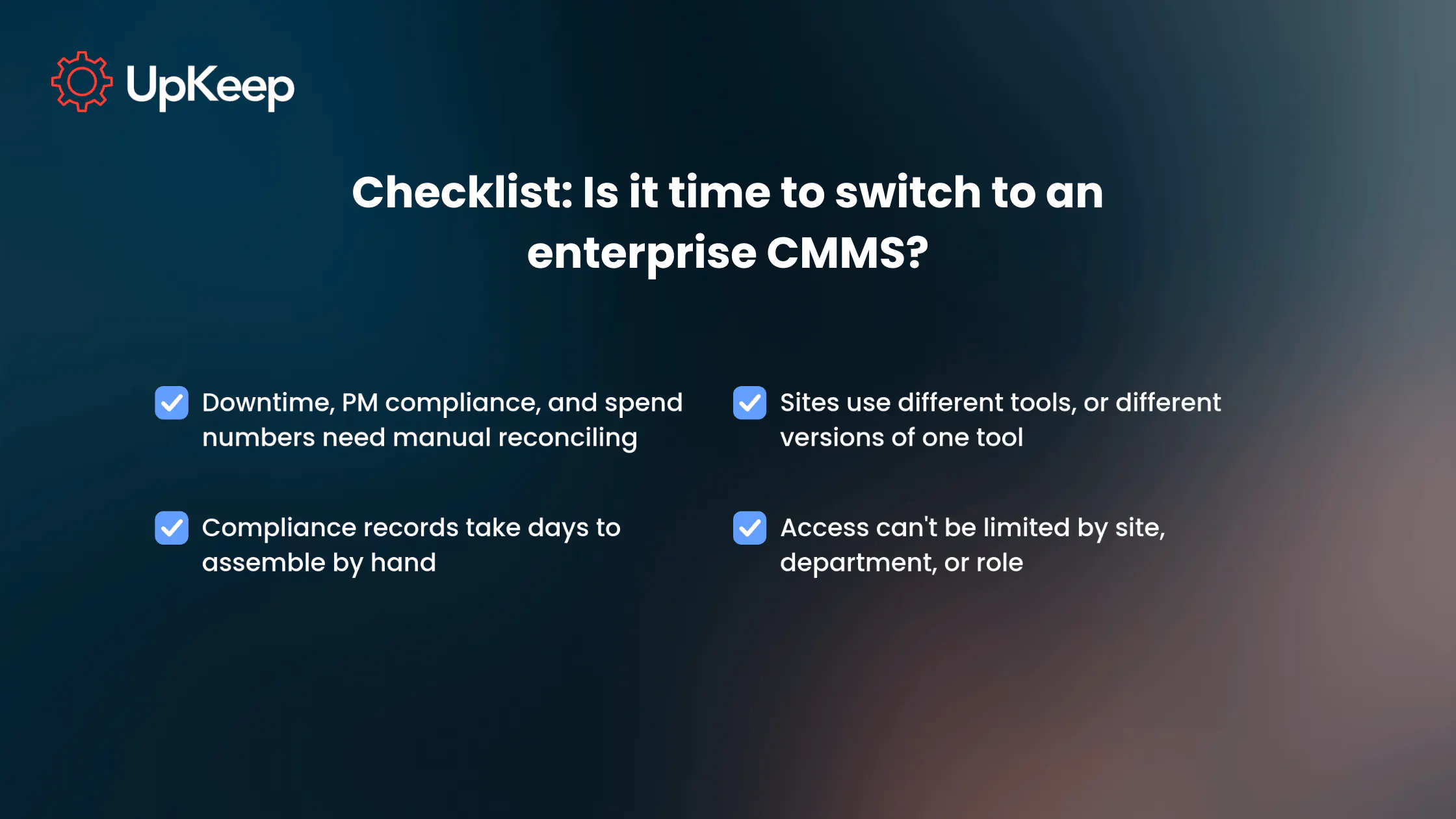
Sometimes it’s easy to know when you’ve outgrown a standard CMMS. For instance, leadership might ask for downtime, PM compliance, or maintenance spend across locations, then wait days while someone reconciles spreadsheets by hand. If that sounds familiar, it's a strong signal that your current system has reached the end of its rope.
Another sign is when teams at different sites use different tools, or different versions of the same tool. Each site tracks assets, failure codes, and PMs in its own way, meaning leaders can't compare performances to identify and communicate optimizations across facilities. Adding to the frustration, technicians who transfer between sites have to relearn each unique process.
Compliance also gets harder when every site produces records in a different format. Adding more licenses won't fix that. It takes centralized governance, with one standard way to name assets, close work orders, and report results.
Compliance adds financial pressure as well. According to OSHA, a single willful or repeated violation can cost up to $165,514. Spending days assembling compliance records across sites by hand puts your money at risk.


Key Features of an Enterprise CMMS
When considering an enterprise CMMS, certain features are non-negotiable as you add people and locations:
Role-based permissions and approval workflows: Many standard tools stop at a handful of fixed roles, like admin and technician. Enterprise systems enable teams to build roles by site, department, or job function and tie them to an asset hierarchy.
So, a regional manager can approve work orders across multiple sites, a site supervisor can approve only their own, and a contractor sees only their assigned jobs. Approval rules can also scale with cost. For example, a $200 repair can close quickly while a $20,000 repair would require finance approval.
Configurable workflows and custom fields: Enterprise operations rarely fit one rigid template, so the system needs to adapt to each site based on industry standards. A hospital might require inspection checklists that match accreditation standards, whereas a food plant might add a sanitation sign-off before a line restarts.
Custom fields let each location capture what its regulators or operations require while the core data stays consistent across the company.
Advanced analytics and cross-site benchmarking: Dashboards compare performance across locations so leaders can spot best practices and underperforming assets.
Deep integrations: Connections to ERP systems, IoT and condition monitoring sensors, procurement, and safety or EHS platforms prevent data from getting stranded. Enterprise data lives in many places, including financial systems, sensors, purchasing tools, and safety platforms. A CMMS that connects to those systems pulls that information into work orders, where someone can act on it. Without that link, the data gets collected but never turns into a scheduled repair.
Ease of use matters just as much at this level because a system only works if people use it. A rollout to thousands of technicians reaches people with different experience and varying comfort levels with software. If creating or closing a work order takes too many steps, they'll fall back on old methods. UpKeep's Nova AI lets people create or update work orders and reports with natural-language commands, so technicians don't have to learn a complex system.
How Enterprise CMMS Fits With EAM, ERP, and IoT Systems
An enterprise CMMS rarely works alone. It sits alongside EAM platforms, ERP software, sensors, and safety tools, and its value depends on how well they share data. Here's how each connection works in practice:
EAM platforms: Some organizations run a separate EAM system for financial planning and asset repair-or-replace decisions. The CMMS shares asset records with it so planners see the repair history and cost behind each asset.
ERP software: Platforms like SAP, Oracle, and Microsoft Dynamics handle financials, procurement, and inventory, while the CMMS handles the work. When the two connect, work order costs, parts usage, and labor hours flow into financial reporting automatically. Nobody has to re-enter them, which saves time and cuts down on errors.
IoT sensors and condition monitoring: A sensor can spot a bearing trending toward failure, but the reading only helps if it leads to a repair. An enterprise CMMS connects the two by bringing sensor readings into the same system that manages work orders.
Teams set rules, such as a vibration level that signals trouble, and when a reading crosses that line, the system creates a work order, assigns it to the technician at that site, and attaches the asset's history. UpKeep Edge feeds sensor readings into the same platform that creates the work order so a reading can become a repair task instead of an alert nobody opens.
One shared record across sites: When each site keeps its own spreadsheets or tools, data gets trapped in silos, and leaders can't see the full picture. An enterprise CMMS replaces those silos with one asset hierarchy and one set of work order, parts, and cost records that every site uses. Reports then pull from a single source, so a downtime or PM compliance number means the same thing everywhere, without anyone reconciling files by hand.
EHS software: EHS (environmental, health, and safety) is the system teams use to log incidents, near misses, inspections, and corrective actions. In regulated industries, those records need to tie back to the same asset and work order history that maintenance uses.
A safety incident on a conveyor, for example, links to that conveyor's repair history, and the corrective action becomes a work order with an owner and a due date. UpKeep EHS connects incidents to the assets involved, so a technician opening a work order sees past incidents and recent alerts for that asset, and a safety lead can trace repeat problems back to their root cause.
Audit-ready records: Because incidents, work orders, approvals, and completion dates live together, an enterprise CMMS can pull a complete log for any asset on demand. Filter by site, asset, or date range, and an auditor gets the full trail, including who approved each step and when. That turns days of searching through binders, email, and separate systems into a quick report, meaning teams spend less time preparing for audits and more time on repairs.
When an enterprise CMMS links ERP, sensors, and safety systems to the work order, teams can work from the same picture of every asset, no matter which site it sits in.
Measuring the ROI of Your Enterprise CMMS
ROI for an enterprise CMMS is the savings it creates minus the cost of the platform and implementation. Those savings come from four areas: downtime, labor, inventory, and compliance risk.
1) Downtime
Unplanned downtime is usually the largest cost at scale. According to ABB survey data, 83% said unplanned downtime costs at least $10,000 every hour, while 76% said it could reach as much as $500,000. At those rates, even a small decrease in downtime hours across many sites adds up fast.
2) Labor
Technicians spend time on more than repairs, like walking to the office for paperwork, hunting for an asset's history, waiting on parts, or re-entering notes. An enterprise CMMS cuts that time by generating PM work orders automatically, putting asset history and manuals on a mobile device, and routing jobs to the right person at the right site.
Managers can also see where labor hours are spent across locations and then shift help to the sites that need it, which can reduce overtime and contractor spend.
3) Inventory
When every site tracks parts separately, one location may buy a part another site already has on the shelf, or run out of a critical part while stock sits unused elsewhere. An enterprise CMMS offers one view of the inventory across sites, with minimum stock levels that trigger reorders and usage tied to specific assets. That helps cut duplicate stock, avoid rush orders at premium prices, and lower emergency repair costs.
4) Compliance risk
Missed inspections and incomplete records can lead to fines, failed audits, and injuries. An enterprise CMMS lowers those risks by scheduling required inspections automatically, keeping a time-stamped record of every task, and making that record easy to pull.
To put a number on it, estimate the hours your teams spend assembling audit records today, multiply by labor cost, and add the fines you'd incur if records fell short.
To calculate ROI for an enterprise CMMS accurately:
Establish a baseline for each site: Track current unplanned downtime, technician labor hours, emergency parts spend, and PM compliance before changing anything.
Project realistic improvements: Use industry benchmarks and your own pilot results. Expecting best-case scenarios and near-perfect conditions can set your team up for failure. Calculate your estimate with conservative numbers and treat anything higher as upside.
Include all costs: Account for software subscription fees, internal project time, integration work, and change management support over a three- to five-year window.
Track results after launch: Re-run the numbers six and twelve months after go-live and compare them to your baseline. Watch metrics like unplanned downtime hours, PM compliance rate, the share of planned versus reactive work, mean time to repair (MTTR), labor hours and overtime per work order, emergency parts spend and stockouts, and time spent preparing audit records.
Ensure you record each measure by site, because those with lagging results indicate workflows that need adjustment.
With a baseline in place, you can more accurately measure the impact of implementing an enterprise CMMS.
What Enterprise CMMS Implementation Looks Like
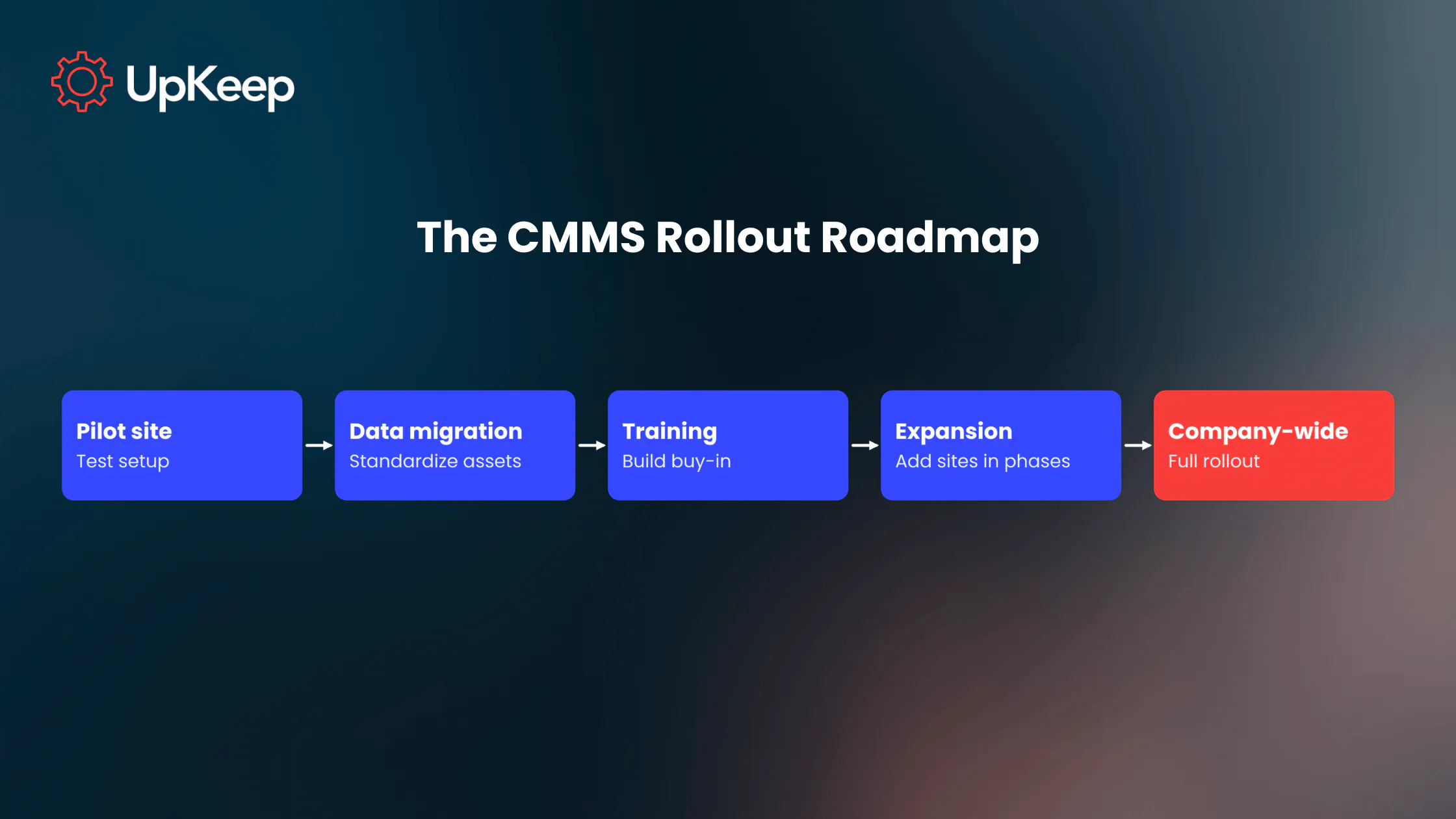
Enterprise rollouts are typically phased. Most start with a pilot site or business unit before scaling company-wide, which gives you room to fix problems while the stakes are still low.

Pilot site
Start with a site that reflects how your average location runs, not the easiest or hardest. Set your success measures before you begin. Run real work through the system long enough to cover a full cycle of PMs and repairs, and collect feedback to ensure process clarity and efficiency.
Data migration
This entails moving your existing records into the new system, including asset lists, PM schedules, parts inventory, vendor contacts, and past work orders. They often live in spreadsheets, paper files, or an older CMMS, and they rarely match.
For example, the same pump might be called "Pump 3," "P3," and "Cooling Pump" at three different sites. Teams need to clean up duplicates, agree on naming standards, and decide how much history to bring over before anything gets loaded, so budget time for that work up front.
Training and change management
Technicians who've used paper logs or spreadsheets for years need training on the new software and clear proof that it makes their day easier. Keep sessions short and tied to real tasks like closing a work order from a phone. Pick a respected technician at each site to answer questions, as coworkers tend to trust their peers.
Expansion
After the pilot, add sites in waves for continual improvement. Each wave benefits from fixes made in the last one, and a small support team can stay close to the sites going live. Use the pilot's results to adjust the schedule, training, and standard setup before the next group starts.
Company-wide
Once most sites are live, shift the focus from setup to results. Review adoption and your baseline measures at regular points, such as 30, 60, and 90 days after each site goes live, and share early wins with the teams. Confirm that permissions, naming standards, and approval rules still look the same at every location.
Vendor support shapes how smoothly the rollout goes. A good partner offers dedicated implementation support and a named point of contact for enterprise accounts, along with more than a self-serve knowledge base. Ask who handles data import, how support works across time zones, and what happens when a site hits a problem on go-live day.
Simplify Multi-Site Maintenance With an Enterprise CMMS
For most multi-site organizations, an enterprise CMMS is a necessary asset. It gives them one system of record for maintenance, with the governance, integrations, and reporting that a standard tool can't deliver. While it does have some overlap with an EAM, an enterprise CMMS stays focused on the work technicians do every day. Its value shines through when it connects to ERP, sensors, and safety systems, because that's when data transforms into scheduled repairs and auditable records.
As a result, businesses see lower downtime, better labor usage, and smarter inventory management. Establish a clear baseline first to prove those gains as time goes on. A phased rollout with careful data migration, thoughtful change management, and a vendor who stays involved keeps the whole effort on track.
UpKeep's asset operations management platform is built for exactly this path. It scales from one facility to a global operation and includes EAM-level features like life cycle tracking and total cost of ownership reporting.
Want to see the power of UpKeep’s solution in action? Request a demo tailored to multi-site or enterprise deployment and learn firsthand how the platform can streamline your maintenance operations.
Frequently Asked Questions About Enterprise CMMS
How much does enterprise CMMS cost?
Enterprise CMMS pricing depends on the number of users, sites, and modules, along with the level of implementation support. Most vendors quote enterprise plans as custom packages instead of publishing a flat rate. Plan your budget around the subscription, data migration, integrations, and training. Ask each vendor for a full, first-year cost so your comparisons stay fair.
How long does it take to implement an enterprise CMMS?
There’s no single timeline because it depends on a few variables, including how many sites you're launching, how many systems need to connect, and how organized your records are. Ask each vendor to share a schedule from a comparable customer, then confirm who handles setup, training, and support at each stage. Build in extra time for fixing issues found during early use.
How many sites or users qualify an organization for enterprise CMMS?
No official threshold exists, so complexity is the better determining factor. If you manage multiple sites, business units, or asset classes, need role-based permissions, or have to report one consistent number across locations, you've likely reached enterprise territory. A 20-person team spread across five states can need enterprise features more than a 200-person single plant does.
What security certifications should an enterprise CMMS have?
Look for independent attestations such as SOC 2 Type II and ISO 27001, along with encryption for data in transit and at rest. You'll also want to confirm single sign-on support, role-based access control, and audit trails. Ask each vendor for current reports and certificates instead of relying on marketing pages, since requirements vary by industry and region.
4,000+ COMPANIES RELY ON ASSET OPERATIONS MANAGEMENT
Leading the Way to a Better Future for Maintenance and Reliability
Your asset and equipment data doesn't belong in a silo. UpKeep makes it simple to see where everything stands, all in one place. That means less guesswork and more time to focus on what matters.






![[Review Badge] Gartner Peer Insights (Dark)](https://www.datocms-assets.com/38028/1673900494-gartner-logo-dark.png?auto=compress&fm=webp&w=336)