Blog Post
Maintenance Ticket Software 101: Benefits, Features, and Setup
What is a maintenance ticketing system, and how does it improve your workflow? Learn the benefits, key features to look for, and best practices for setting up your own.



Key Takeaways
A maintenance ticketing system organizes reported issues by instantly turning them into assigned, trackable work orders.
Ticketing systems usually see five types of requests: reactive, preventive, safety and compliance, inspection-based, and requests from non-maintenance staff or tenants.
A ticketing system can ease the transition from reactive to proactive maintenance by bridging strategy to application.
Tracking response time, mean time to resolution, backlog, and PM compliance helps measure the performance of your ticketing system and justify its investment.
On the floor of a busy facility, it can be difficult to remember every issue, every report and every alert you come across amid the day-to-day workflow. Someone notices a leaking valve, texts a technician, and hopes it isn’t forgotten by the time the shift changes. Multiply that across a building, plant, or portfolio of sites, and it's easy to see how issues fall through the cracks.
That’s where a maintenance ticketing system comes in. Every reported problem, whether it’s a safety hazard or a routine inspection, becomes a work order tracked from report to resolution. Read on to learn more about what a maintenance ticketing system is, what it handles, its key components, and how to measure its performance.
What Is a Maintenance Ticketing System?
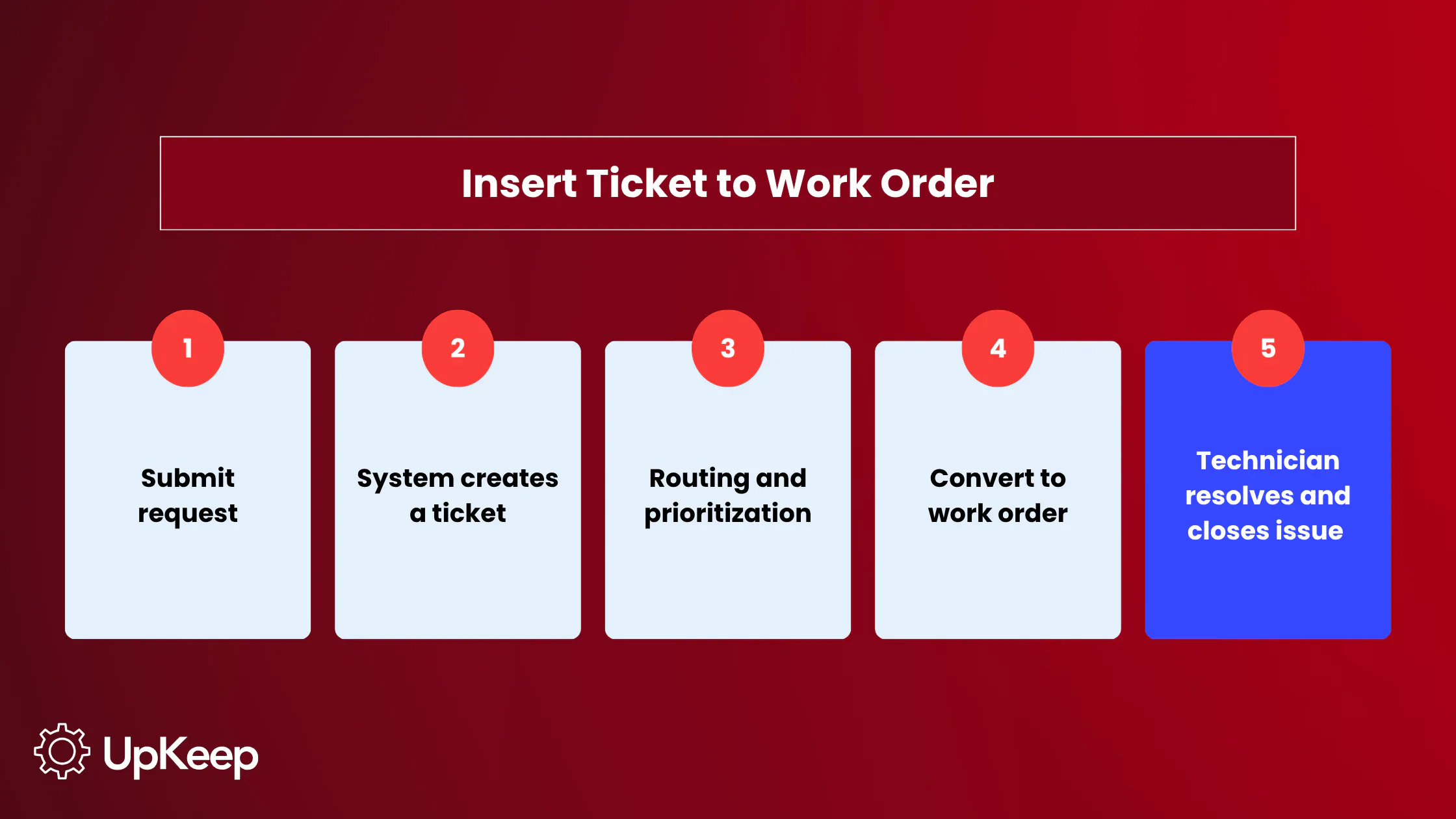
A maintenance ticketing system is where a reported issue gets logged, tracked, and routed to the right person. It can run as a standalone tool, but it's most powerful when paired with a CMMS that logs requests and tracks the asset history behind them.
A ticket is different from a work order. A ticket is the request, while a work order is the assigned, scheduled task a technician actually completes. Some computerized maintenance management systems (CMMS) convert tickets into work orders automatically, so a request never gets stuck in an inbox waiting for someone to notice it.
Maintenance teams aren't the only ones who use a ticketing system. Frontline technicians, facility managers, and non-maintenance employees or tenants all interact with it, too, through different entry points such as:
A mobile app for technicians in the field
A QR code posted on equipment
A web form for tenants or non-maintenance staff


The Benefits of a Maintenance Ticketing System
A ticketing system pays off in a few distinct ways:
It closes the proactive maintenance gap: Ninety percent of maintenance professionals see the value in proactive maintenance, but only 25.5% currently practice it, according to UpKeep. A ticketing system helps close that gap by generating preventive tickets automatically based on a schedule or meter reading. The ticket is then assigned and tracked to completion rather than potentially skipped or forgotten.
It delivers a measurable return: A ticketing system's ROI usually comes down to speed. Every hour a ticket sits unassigned is an hour the underlying problem may worsen, so faster intake and routing translates directly into lower repair costs and less wasted labor. Companies using UpKeep's CMMS and work order software see up to 652% ROI, driven by lower maintenance costs and fewer wasted labor hours.
It builds a documented safety record: Private employers reported about 2.5 million workplace injuries in 2024. A ticketing system cuts down on that number by moving hazards through a structured maintenance process before they turn into a serious incident. This protects people as much as your budget.
The Types of Maintenance Requests Ticketing Software Handles
A maintenance ticketing system typically handles five types of requests:
Reactive requests cover sudden, unexpected breaks. This could be a leaking pipe, a stalled conveyor, or an HVAC unit that quits mid-shift. As emergencies in the ticket queue, their priority status sends them ahead of routine and even urgent tickets to deliver immediate attention before they turn into unexpected downtime or safety risks.
Preventive maintenance tickets are generated automatically based on a schedule or meter reading and don’t rely on a failure trigger. This is where a ticketing system assists in the meaningful shift from reactive to proactive. The task exists in the queue whether or not anyone remembers to create it, and it shows up in the same backlog and reporting a team is already checking. The integration into existing workflows helps bridge the gap between the intention and actual application of PM.
Safety and compliance tickets document hazards and incidents that need a paper trail for audits, whether that's a spill or a blocked exit. Workplace injuries cost U.S. employers and workers more than $1.3 trillion in 2023, according to the National Safety Council. When someone notices and reports issues like a spill or blocked exit, the ticketing system ensures the resulting report reaches the right person before it becomes a full blown incident.
Inspection and condition-based tickets are born from routine walkthroughs or connected sensors flagging a reading outside the normal range.
Requests from non-maintenance staff or tenants come in through a self-service portal instead of a technician's queue, which keeps day-to-day facility issues from clogging the same channel as equipment failures. UpKeep's request portal lets anyone submit one of these without needing a login or any training.
What to Look for in a Maintenance Ticketing System
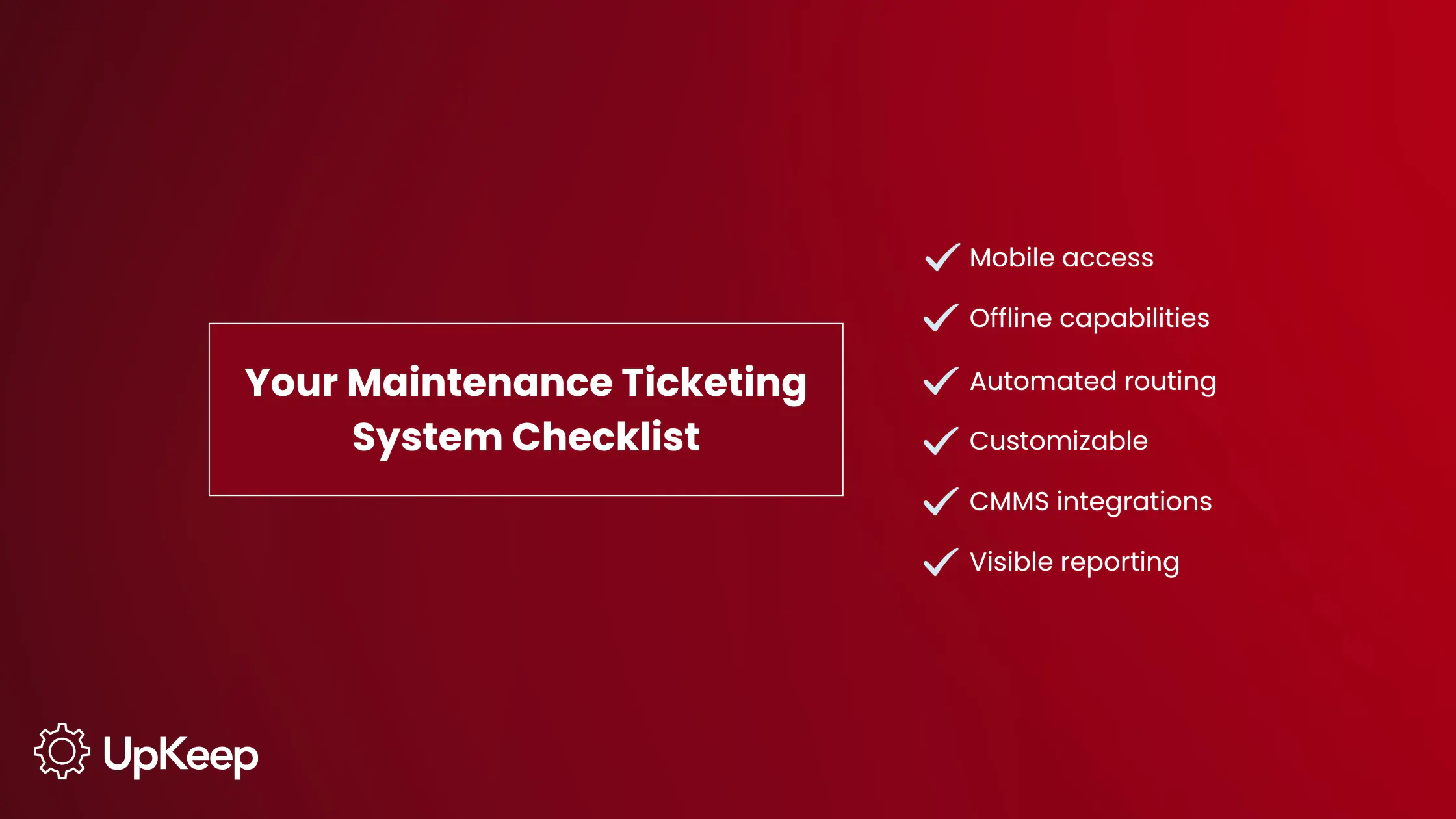
Certain features are a must-have in a maintenance ticketing system. Mobile access is one, because technicians need to submit, update, and close tickets from the field without walking back to a desktop every time something changes. It’s also important to have an offline mode, as plants and job sites don't always have a reliable signal.
As you search for your own ticketing system, be sure to prioritize characteristics like:
Automated routing: Tickets can be assigned by category, location, or technician skill set without requiring a person to manually sort the queue.
Customizable forms and fields: Every facility asks different questions. A rigid, one-size-fits-all form pushes people toward workarounds, which is where mistakes happen. Look for a solution that allows you to tailor templates to your unique environment.
CMMS Integration: A ticket that's disconnected from asset history, parts inventory, or accounting means someone has to reenter information into each separate platform. This wastes time and introduces the potential for inconsistencies and human error. Researchers in one Forrester study found that integrating a CMMS with an existing invoicing system produced $1.2 million in savings over three years and sped up invoice processing by 75%.
Visible reporting: Managers need to be able to check in on ticket volume, response time, and resolution time at a moment's notice. If a ticketing system’s dashboard is clunky, skip it.
UpKeep's Nova AI takes reporting a step further by letting managers triage or update a ticket using plain language instead of clicking through several menus.

How to Set up a Maintenance Ticketing System
A maintenance system rollout deserves as much planning as the platform selection. Here's how to structure a launch that works best for your team and business:
Start with an audit: Pull a list of the most common maintenance issues and asset types at your facility before establishing ticket categories. This ensures the system reflects real conditions instead of a guess.
Define priority levels early: Priority levels can be as simple as “emergency,” “urgent,” and “routine.” Each requires its own expected response window though. Without this, every ticket ends up treated like an emergency, which defeats the purpose and leads to alert fatigue. In turn, you’ll see technicians lose trust in the system and adoption go down thanks to this “boy who cried wolf” scenario.
Set routing and escalation rules: These standards ensure the right person is notified first. They also automatically bump up a ticket that sits untouched for too long to a manager. Clearly defined responsibility helps streamline servicing.
Customize the ticket form: Keep it simple and specific to how your team describes problems so the form is quick and easy to fill out. Personalizing fields to the language and variables your team already uses and understands improves the likelihood of consistent adoption.
Make it accessible to non-maintenance staff: A QR code on equipment or a shared web form works better than funneling requests through email, where they're easy to get buried or ignored.
Roll out in phases: Start with one site or department, collect feedback, then refine and expand. This applies whether your ticketing system stands alone or is part of a larger CMMS. Up to 80% of CMMS rollouts fail to meet their goals, but it’s usually due to hiccups in implementation, not the software itself.
Train the team ahead of time: Give technicians hands-on time with the system before it becomes their only way to receive work. A short training session covering how to submit, accept, and close a ticket can help prevent people from falling back into old habits. Teams that skip this step tend to see slower adoption because a platform only works if people actually use it, and they won’t use something they don’t understand.
Maintenance Ticketing Metrics and Reporting
Prove the ROI of a new system by tracking what it's doing from the start. Response time and backlog show whether tickets are moving or piling up. MTTR reveals how long a problem sits open once it's reported. PM compliance pinpointss whether preventive tickets are getting done on schedule instead of slipping. Together, they prove that a system is changing behavior and improving results.
|
Metric |
What It Measures |
|
Response time |
How long it takes someone to address a ticket post-submission |
|
Mean time to repair (MTTR) |
How long it takes from takes from ticket creation to closure |
|
Backlog and ticket aging |
Amount of requests open and for how long |
|
PM compliance rate |
Percentage of preventive tickets completed on schedule |
Ignoring these metrics gets costly fast. Unexpected downtime can cost the average industrial business $125,000 per hour, according to ABB. Tracking these metrics consistently demonstrates impact and lets a team see concrete improvement.
Getting Started With a Maintenance Ticketing System
Once a ticket becomes a work order, it still needs to be scheduled, assigned, tracked, and closed out. All of that can be accomplished within a maintenance ticketing system. Pairing a ticketing system with a CMMS platform like UpKeep means every ticket flows into the same system that already handles scheduling, inventory, and reporting, instead of living in a separate tool and workflow.
A maintenance ticketing system replaces scattered requests with one tracked, accountable workflow. That shift shows up in uptime, safety records, and how much time technicians spend fixing things instead of chasing down problems. You don’t need to replace the people doing the work. It's about giving them a system that keeps up with their pace.
See how UpKeep turns a ticket into a tracked work order in one workflow. Book a demo today.
Frequently Asked Questions About Maintenance Ticketing System
How does maintenance ticket software work?
With maintenance ticket software, someone submits an issue through a mobile app, QR code, or web form. The system logs it as a ticket, assigns a priority, and routes it to the right technician based on category, location, or skill set. Most platforms convert it into a work order automatically, which stays visible from submission to close.
What is the difference between a maintenance ticket and a work order?
A ticket is the initial request where someone identifies and reports an issue. A work order is what gets created once that ticket is assigned, scheduled, and ready for a technician to complete. Every work order starts as a ticket, but not every ticket needs to become one if there's no real issue.
What are the key features a CMMS ticketing system should have?
Look for mobile access with offline mode because technicians often need to work from the field and without a reliable signal. Additional features that streamline operations include automated routing, customizable forms that fit how your team describes problems, integration with the rest of your CMMS, and performance reporting that's visible without a manual data pull.
What is a good average response time for a maintenance ticket?
A good average response time depends on the priority level. Emergency and safety-related tickets should get a near-immediate response, as these take priority over everything else in the queue. Urgent requests are typically acknowledged within a day. Routine tickets have more flexibility, but many facilities still aim for same-day acknowledgment to keep requests from piling up.
Can a maintenance ticketing system track safety and compliance issues?
Yes. Safety and compliance tickets can exist as their own category, with dedicated fields, approval steps, and audit-ready documentation built in. The maintenance ticketing system doesn't detect the hazard on its own; someone still has to notice and report it, but once they do, the ticket prevents it from being lost or forgotten.
4,000+ COMPANIES RELY ON ASSET OPERATIONS MANAGEMENT
Leading the Way to a Better Future for Maintenance and Reliability
Your asset and equipment data doesn't belong in a silo. UpKeep makes it simple to see where everything stands, all in one place. That means less guesswork and more time to focus on what matters.






![[Review Badge] Gartner Peer Insights (Dark)](https://www.datocms-assets.com/38028/1673900494-gartner-logo-dark.png?auto=compress&fm=webp&w=336)