Blog Post
How to Create a Safety Checklist in UpKeep
Businesses responding to the need for increased safety measures can add sanitization checklists in any work order created in UpKeep.






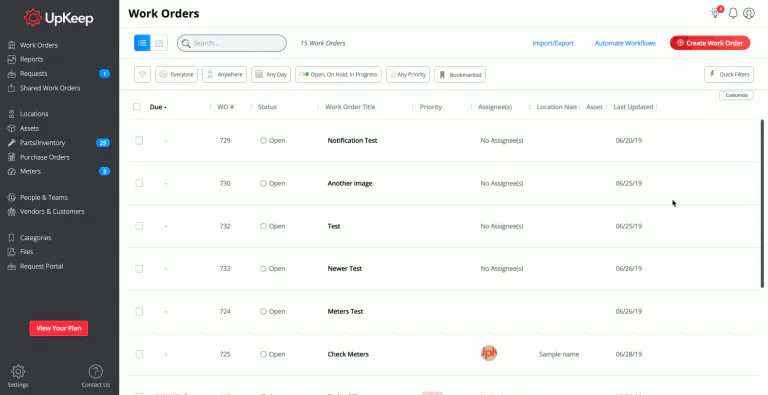
See a real-life example of a user saving a checklist in UpKeep's web app


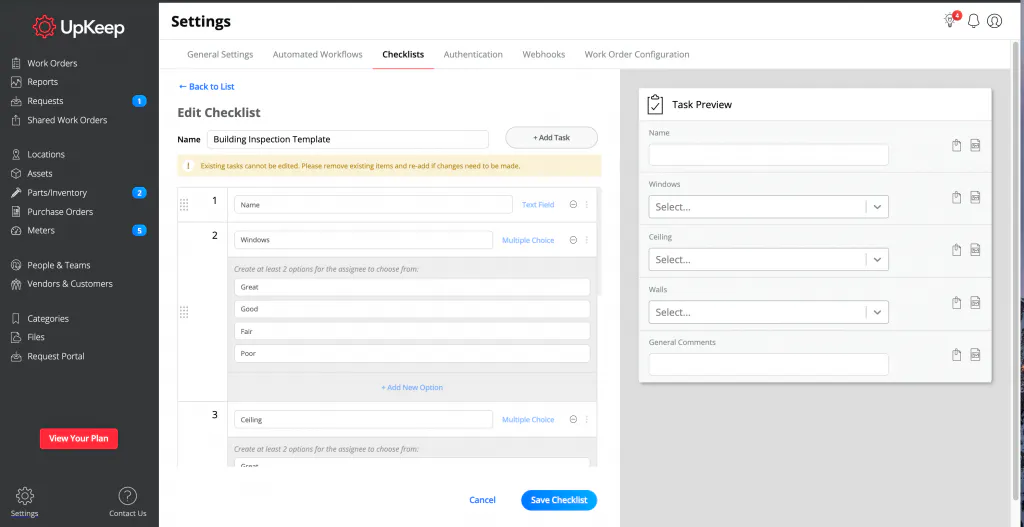
See the preview of your checklist in UpKeep's web app
How to create Task Form/Checklist Templates On Mobile
Click “Settings”
Select Form Templates, then click the “Plus Sign”
Enter Form Template Name
Select the “Plus Sign”
Select from the follow Task Form/Checklist types
Task (Open, On Hold, In Progress, Closed)
Text Input Form (Example: Sanitize countertops)
Number Input Form (Example: 99)
Checklist Input Form(Pass, Flag, Fail)
Multiple Choice Input Form (Create at least two options to choose from)
Meter Reading (Have the number entered update your Meter Reading)
Enter Task or Form Question
Select the “Done”
Select Save




See a real-life example of a user creating a checklist in UpKeep's mobile app




4,000+ COMPANIES RELY ON ASSET OPERATIONS MANAGEMENT
Leading the Way to a Better Future for Maintenance and Reliability
Your asset and equipment data doesn't belong in a silo. UpKeep makes it simple to see where everything stands, all in one place. That means less guesswork and more time to focus on what matters.






![[Review Badge] Gartner Peer Insights (Dark)](https://www.datocms-assets.com/38028/1673900494-gartner-logo-dark.png?auto=compress&fm=webp&w=336)



