Blog Post
March 14, 2019: Required Fields for Creating Work Orders



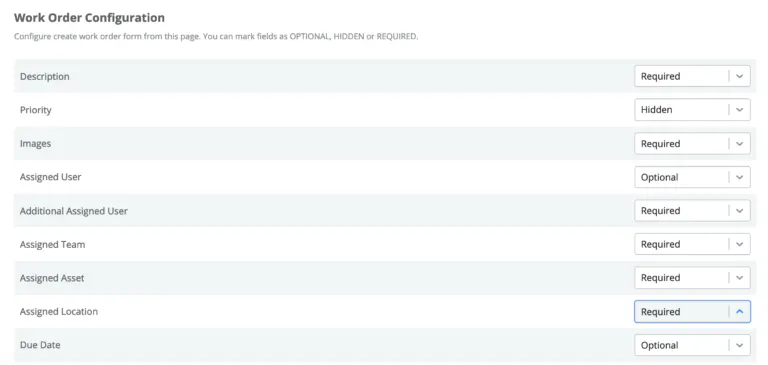
If there is anything we have learned from our customers it's that they value data integrity and depend on it to for their UpKeep workflows to run smoothly. All UpKeep teams utilize work orders to inform their colleagues of work that needs to be done, to provide updates on work order statuses, and to implement preventive maintenance. Admins now have the ability to establish required fields when work orders are being created under their account. Not only can admins set required fields but they can also enforce the way work orders are submitted by hiding any fields that are irrelevant to their team's workflow.
Admins can set their desired required fields by navigating to the Settings page and selecting Work Order Configuration:


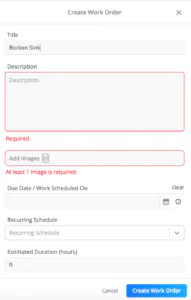
Once your settings have been configured, all indicated fields will be required before a work order can be submitted:


Log into your UpKeep account and start customizing work order requirements today!
4,000+ COMPANIES RELY ON ASSET OPERATIONS MANAGEMENT
Leading the Way to a Better Future for Maintenance and Reliability
Your asset and equipment data doesn't belong in a silo. UpKeep makes it simple to see where everything stands, all in one place. That means less guesswork and more time to focus on what matters.






![[Review Badge] Gartner Peer Insights (Dark)](https://www.datocms-assets.com/38028/1673900494-gartner-logo-dark.png?auto=compress&fm=webp&w=336)



