Blog Post
The Best Equipment Maintenance Software: Top Tools Reviewed for 2026
Optimize your operations with the best equipment maintenance software. We analyze top tools for 2026 to help you track assets, manage work orders, and boost your team's efficiency.



Key Takeaways
Equipment maintenance software centralizes asset tracking, preventive maintenance scheduling, work orders, and repair history in one searchable system.
Manufacturing, healthcare, construction, and facilities teams each use this software differently, but all rely on it to reduce unplanned downtime.
Mobile access, centralized asset history, strong reporting, and integration with existing systems are the features that matter most when evaluating a platform.
Total cost of ownership includes more than the subscription price. Implementation, training, and integration all factor in.
Would you rather catch an equipment issue during a routine inspection or due to an emergency line stop? The answer is obvious, but making it a reality comes down to the maintenance system your team uses. Spreadsheets and paper logs can track basic maintenance history, but they can't send a reminder, flag a trend, or give a technician the asset's full repair record from the floor.
Equipment maintenance software is a key tool for ensuring efficiency, consistent data, and transparent communication across teams. Below, we'll break down what this category of software actually does, how different industries put it to work, and the signs that tell you it's time to move on from manual tracking. We'll also compare six of the top platforms on the market and walk through what actually goes into the total cost of switching so you can make a confident, informed decision for your team.
What Is Equipment Maintenance Software?
Equipment maintenance software is a digital system that tracks asset health, schedules preventive maintenance (PM), manages work orders, and stores repair history for physical equipment. It replaces manual tracking methods like spreadsheets or paper logs with one centralized, searchable, and auditable system.
The category overlaps with CMMS (computerized maintenance management system) and EAM (enterprise asset management) software. That said, "equipment maintenance software" is often used more broadly to include fleet and mixed-asset tools, not just facility-based CMMS platforms.
Most equipment maintenance platforms share a few core functions:
Asset tracking that gives every piece of equipment a digital record
Preventive maintenance scheduling where PM tasks trigger automatically
Work order management that hosts requests, assignments, and resolutions in one place
Parts inventory to tell technicians what's available before a job starts
Reporting that lets managers quickly track trends instead of pulling numbers manually
In the Field: How Different Industries Use Equipment Maintenance Software
The core functions stay the same across industries, but teams put them to work in different ways depending on what they're maintaining and the stakes of a breakdown:
Manufacturing plants use equipment maintenance software to track production equipment uptime, schedule PM around shift schedules, and log parts usage tied to specific machines.
Healthcare facilities rely on it to maintain biomedical equipment, HVAC, and building systems, where downtime carries compliance and patient-safety consequences that go well beyond cost.
Construction and heavy civil companies use it to track maintenance across mixed fleets of heavy equipment operating across job sites, often tied to meter- or hour-based service intervals.
Facilities and property management teams use it to manage building maintenance plans, for assets from elevators to boilers, and across single sites or large, multi-site portfolios.
Signs Your Team Has Outgrown Spreadsheets
While a spreadsheet can hold data, it can’t act on it. And that limitation shows up in a few predictable ways.
Work orders live in more than one place. If requests come in through email, texts, and a shared spreadsheet all at once, there's no single source of truth for what's actually open, in progress, or done. A spreadsheet also can't calculate trends or flag a growing backlog on its own. That means nobody can answer how much downtime the team had last month without taking the time to manually crunch numbers.
Asset history is scattered or missing too. If a technician has to dig through old files or ask around to find out when a piece of equipment was last serviced, that's a sign the current system isn't scaling with the equipment inventory. You may also notice PM keeps slipping. A spreadsheet doesn't send a reminder or auto-generate a work order when a PM is due, often leading to schedules quietly falling behind until something breaks.
This is exactly where a connected system starts to pay for itself. Keeping asset data, work orders, and scheduling in the same place helps take maintenance from reactive fixes to planned upkeep.
When to Switch to Equipment Maintenance Software
|
Manual methods |
Connected system |
|
|
Work order source |
❌Scattered across emails, texts |
✔️All requests in one system |
|
Downtime reporting |
❌Manual data pull without trend detection |
✔️Flags trends and backlogs automatically |
|
Asset history |
❌Siloed across platforms or missing |
✔️Centralized and searchable |
|
PM scheduling |
❌No reminders |
✔️Work orders trigger on schedule |
What to Look for in Equipment Maintenance Software
Not every platform prioritizes the same things, so it helps to know what actually moves the needle before comparing vendors:
Mobile-first design: Technicians need to submit, update, and close work orders from the floor where they're working, rather than walking back to a desktop to log updates. Verdantix even found that mobile functionality and UX design are now among the most important criteria buyers use to evaluate a platform.
Centralized and searchable asset history: To do their job efficiently, a technician should be able to easily identify what was last serviced and when. Facilities that rely on preventive maintenance and predictive maintenance, which requires having asset history in one place, report 52.7% less unplanned downtime and 78.5% fewer defects compared to facilities that fix assets reactively upon breakdown.
Reporting with benchmarks: Look for software that automatically identifies trends instead of requiring a manual data pull. Industry PM compliance benchmarks vary, so good reporting makes it easy to figure out where your team stands and where there's room to improve.
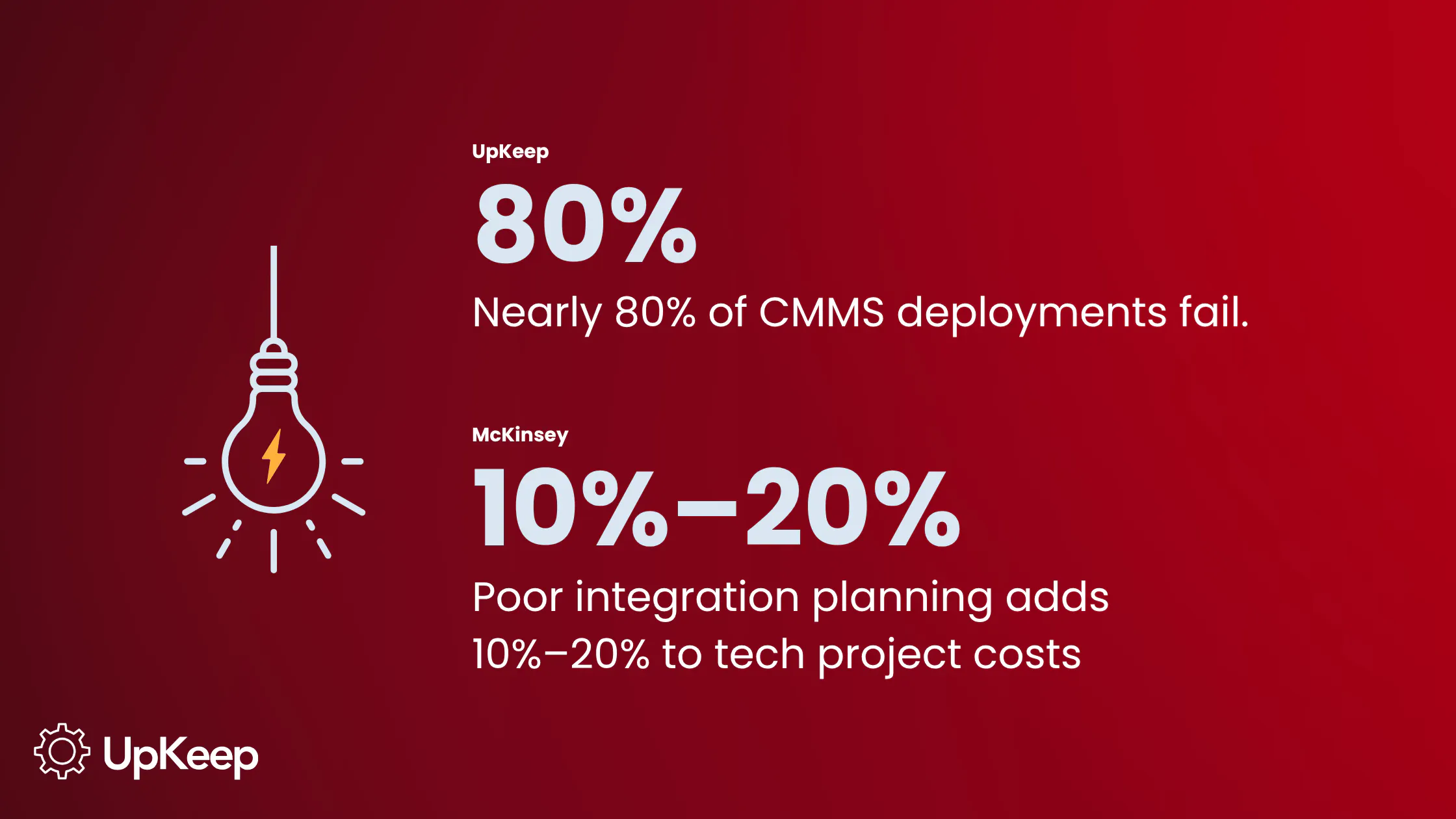
Integration with the systems already in use: A platform that can't connect to your existing workflows and records creates duplicate data entry and inconsistencies down the line. Companies may pay an additional 10% to 20% on top of every technology project to manage the debt that accumulates from poorly planned integrations, according to McKinsey.
Pricing that reflects what your organization’s needs: Several platforms gate reporting, automation, or API access behind higher pricing tiers. Confirm the features that matter to your team are included at the price point you're evaluating.
Ongoing support and training: Software changes and teams turn over, which means a technician trained on day one may not be around to teach the next hire. Look for a vendor that offers continued access to training resources, a responsive support team, and a customer success contact. That ongoing relationship will help adoption hold.
Comparing the 6 Best Equipment Maintenance Software Platforms
1. UpKeep: Best for User-Friendly Asset Tracking
UpKeep is a mobile-first CMMS built for how technicians actually work in the field, with a low learning curve that quickly gets teams off paper and spreadsheets. Its flexible asset hierarchy fits different organizational structures, from a single facility to a multi-site enterprise, without forcing a rigid setup.
Its Nova AI lets managers make updates and pull information using plain language, which cuts down on the clicks it takes to triage a ticket or check asset status. It's designed to help technicians move faster and reduce manual labor, not to replace the people doing the work. Companies using UpKeep's CMMS and work order software have seen up to 652% ROI and a 26% reduction in equipment downtime, driven largely by faster work order resolution.
Pricing starts at $24 per user per month with custom pricing for Professional and Enterprise plans.
2. Limble CMMS: Best for Reporting and Analytics
Limble offers customizable dashboards, real-time KPI tracking, and a report builder that lets users filter by asset, location, date range, or technician. It's built primarily for small to mid-sized businesses looking to centralize maintenance data and move away from spreadsheets.
Its more advanced reporting and analytics tools, along with automations and API access, are gated behind higher-tier plans, which can raise the effective cost for teams that want full reporting depth.
Limble offers three paid tiers, which start at $28 per user per month for Standard, going up to $69 per user per month for Premium+. Larger deployments needing custom SLAs and volume discounts fall under a custom Enterprise quote.
3. eMaint CMMS: Best for Manufacturing and System Integrations
eMaint, owned by Fluke, is designed for mid-market and enterprise manufacturers. It has native integration to Fluke's condition monitoring sensors for vibration, thermal, and ultrasound data. It supports real-time ERP and SCADA integrations through a RESTful API and connects to other third-party applications, making it a strong fit for manufacturers with existing industrial systems.
Pricing isn’t publicly displayed on their website; you have to book a demo. Implementation tends to take weeks rather than days due to its depth.
4. MaintainX: Best for Simple Work Order Workflows
MaintainX focuses on fast, mobile work order creation and execution, with features like built-in team chat and @ mentions that keep communication inside the work order. Automated request routing sends incoming maintenance requests to the right team for approval, cutting down on requests sitting unseen in an inbox.
It's positioned as an easy-to-adopt option for frontline teams moving off paper, with a shorter learning curve than more configuration-heavy platforms.
Pricing starts with a free Basic plan for small teams; the Essential tier runs $20 per user per month, billed annually; Premium is $65 per user per month, and Enterprise is custom priced.
5. HCSS Equipment360: Best for Heavy Construction Equipment
Equipment360 is intended specifically for heavy civil construction companies managing small or expansive fleets, with deep integration into the broader HCSS ecosystem, including construction management software HeavyJob and estimating software HeavyBid.
It automatically generates PM schedules and work orders from meter readings captured through telematics or manual field entry, which fits how teams service heavy equipment on job sites. Field maintenance requests convert into work orders in a few clicks, giving shop managers and field crews shared visibility into equipment status.
HCSS offers custom quotes based on company size, project scope, and the modules teams select. Implementation typically runs at $5,000-$10,000+ on top of licensing, according to ITQlick.
6. Fleetio: Best for Mixed Fleets of Vehicles and Tools
Fleetio is purpose-built for mixed asset fleets, tracking vehicles, heavy equipment, trailers, and small tools in one system rather than treating vehicles and equipment as separate categories. It supports both in-house shop workflows and outsourced maintenance through its Maintenance Shop Network, giving fleets flexibility in how repairs are handled.
Its total cost of ownership tracking breaks down repair costs per asset, which makes it easier to spot when a specific vehicle or piece of equipment needs to be retired or replaced.
Pricing starts at $4 per vehicle per month for the Essential plan, $7 per vehicle for the Professional, and $10 per vehicle for Premium. There’s also a separate Tools Add-on for non-vehicle equipment that starts at about $0.50 per asset per month.
Snapshot: Which Equipment Maintenance Software is Right For You?
|
Platform |
Standout features |
Price Range |
|
UpKeep |
Nova AI for plain-language updates; low learning curve |
$ |
|
Limble CMMS |
Customizable dashboards; filterable report builder |
$$ |
|
eMaint CMMS |
Native Fluke sensor integration; 1,000+ app integrations |
$$$ |
|
MaintanX |
Built-in team chat and automated request routing |
$ |
|
HCSS Equipment360 |
Auto-generates PM schedules from telematics meter readings |
$$$ |
|
Fleetio |
Per-asset total cost of ownership tracking |
$$ |
Beyond the Subscription: What Goes Into Total Cost of Ownership?
Total cost of ownership covers more than the per-user subscription price to include implementation, data migration, training time, and any integration work needed to connect the platform to accounting, ERP, or telematics systems. Teams that only budget for the license fee often underestimate the investment a full rollout requires.
Feature tiers add another layer to the final bill. Reporting, automation, and API access are commonly reserved for higher-priced plans, so the number on a pricing page rarely reflects what a team ends up paying for full functionality.
Moreover, integration into existing platforms and workflows preserves data integrity, but that connection doesn't build itself. Those costs typically come from four places: building or buying the connection between systems, mapping and cleaning up inconsistent data so it can flow automatically, maintaining that connection when a vendor updates their API and breaks it, and the manual workaround labor that piles up when two systems don't talk to each other cleanly.
Common Mistakes When Switching Equipment Maintenance Software
As many as 80% of CMMS implementations don't meet their goals. Change management is just as important to a rollout's success as the software itself. Luckily, most of the mistakes that derail a switch are avoidable.
Skipping the data migration plan is one of the most common. Moving asset records, PM schedules, and history from spreadsheets or an old system takes real planning. Teams that treat it as an afterthought often end up with incomplete or duplicate data in the new platform. Rolling out to everyone at once creates a similar problem. A single, facility-wide launch with no pilot phase makes it hard to catch workflow issues before they scale to the whole team.


Under-investing in training, meanwhile, can cause adoption problems. A platform that's easy to use still needs an onboarding period, especially for less tech-savvy technicians. Teams that skip structured training tend to see technicians falling back on old habits they understand better. Relatedly, failing to map current workflows before configuring the new system can lead to bigger issues down the line. Switching platforms is a chance to fix broken processes, but only if done right. Otherwise, you’re just replicating an already flawed system in new software.
Bringing It All Together to Find Your Best Equipment Maintenance Software
Choosing equipment maintenance software comes down to matching a platform's strengths to how your team works. A manufacturer with existing industrial systems will weigh integrations differently than a construction company tracking meter-based service intervals across job sites. Conversely, a team that's outgrown spreadsheets cares most about getting asset history and work orders into one searchable place.
Mobile access, centralized history, strong reporting, and clean integrations are the features worth prioritizing. Take the time to estimate the total cost of the switch, too, so you don’t feel the pinch in your budget. The above-listed software are great options to consider, but it comes down to internal circumstances and rollout. How well your team manages the change matters just as much as the platform you pick.
Ready to see how the top platforms stack up side by side? Check out our full comparison guide to find the right fit for your team. Or, if you’re ready to take the plunge, try a free trial with UpKeep today.
Frequently Asked Questions About Equipment Maintenance Software
What's the difference between preventive and predictive maintenance software?
Preventive maintenance software schedules service based on fixed time or usage intervals, like servicing a machine every 90 days or every 500 hours of runtime. Predictive maintenance software goes further, using sensor data and condition monitoring to flag when equipment is actually trending toward failure so work gets scheduled around real conditions instead of a fixed calendar.
How does equipment maintenance software reduce downtime?
Equipment maintenance software reduces downtime by catching problems before they cause a breakdown and by making sure preventive maintenance actually happens on schedule instead of slipping. Centralized asset history also helps technicians diagnose issues faster, since they can see exactly what's been done to a piece of equipment in the past, cutting troubleshooting time significantly.
What does equipment maintenance software typically cost?
Pricing varies widely depending on the platform, number of users, and which features are included at each tier. Some platforms start under $50 per user per month, while more enterprise-focused or integration-heavy platforms can run $200 or more per user per month. It's worth confirming what's included before comparing sticker prices across vendors.
How do I choose the right equipment maintenance software for my team?
Start by identifying the signs your team has outgrown its current system, then prioritize the features that matter most for your industry, whether that's mobile access, reporting depth, or telematics integration. From there, weigh total cost of ownership rather than just subscription price, and factor in how much support and training the vendor offers to help the rollout stick.
4,000+ COMPANIES RELY ON ASSET OPERATIONS MANAGEMENT
Leading the Way to a Better Future for Maintenance and Reliability
Your asset and equipment data doesn't belong in a silo. UpKeep makes it simple to see where everything stands, all in one place. That means less guesswork and more time to focus on what matters.





![[Review Badge] Gartner Peer Insights (Dark)](https://www.datocms-assets.com/38028/1673900494-gartner-logo-dark.png?auto=compress&fm=webp&w=336)