Blog Post
Android 3.23 : August 30, 2019: Apply Required Fields to Requests and People List Redesign
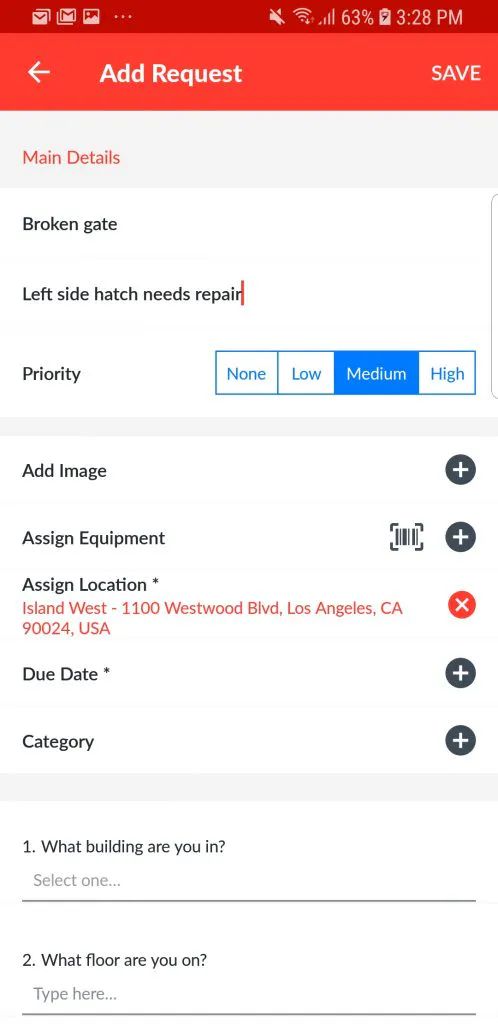
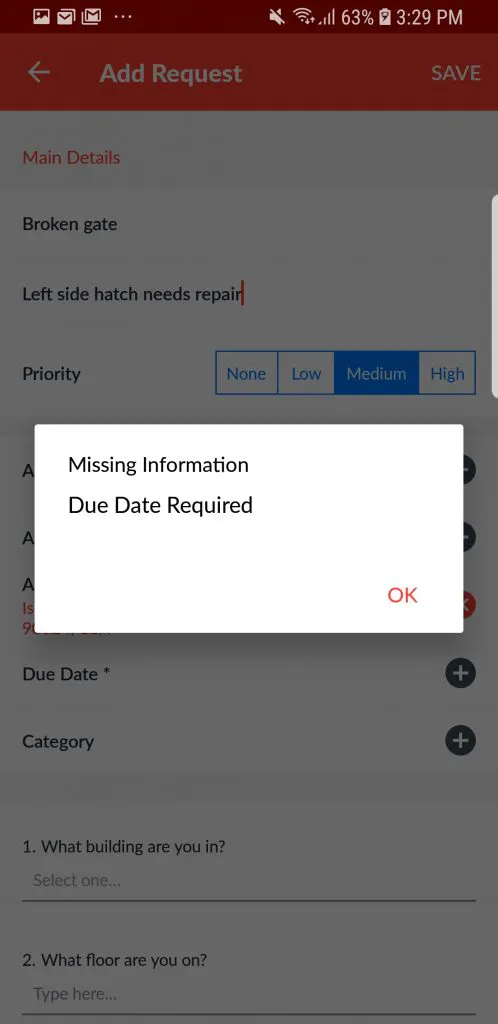
With this week's product release, UpKeep's Android users now have extra reinforcement in enforcing data integrity for work orders being created. When UpKeep admins set the required fields for creating a work, those requirements will also be applied when creating requests. This ensures administrators receive all the necessary data they need from their requesters upon the first submission. This will help to increase efficiency and improve turnaround time in addressing requests. Once the required fields have been set, an asterisk will appear on all required fields on the "Add Request" form:
Add Request



People list redesign
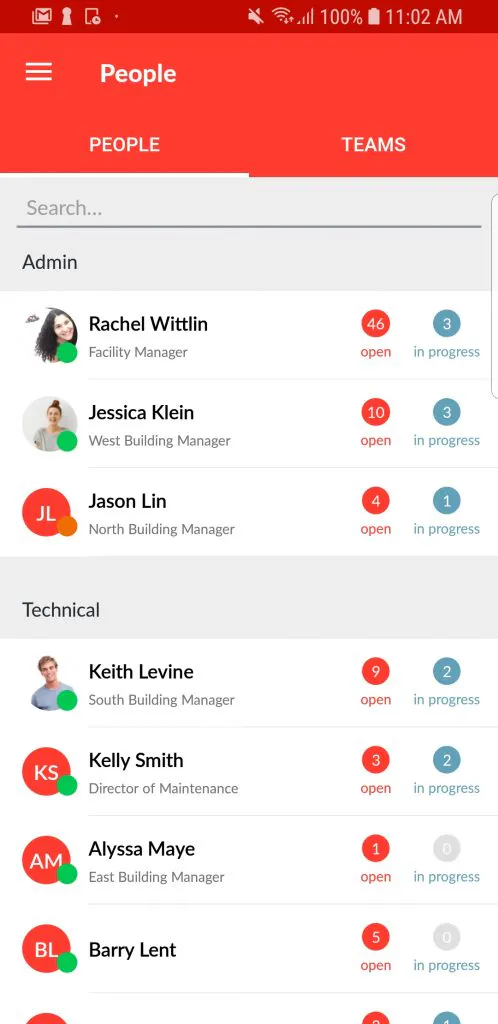
Android users will notice a new and improved design of the People list page! Let's take a look at the before and after to see what has changed:
Before

After

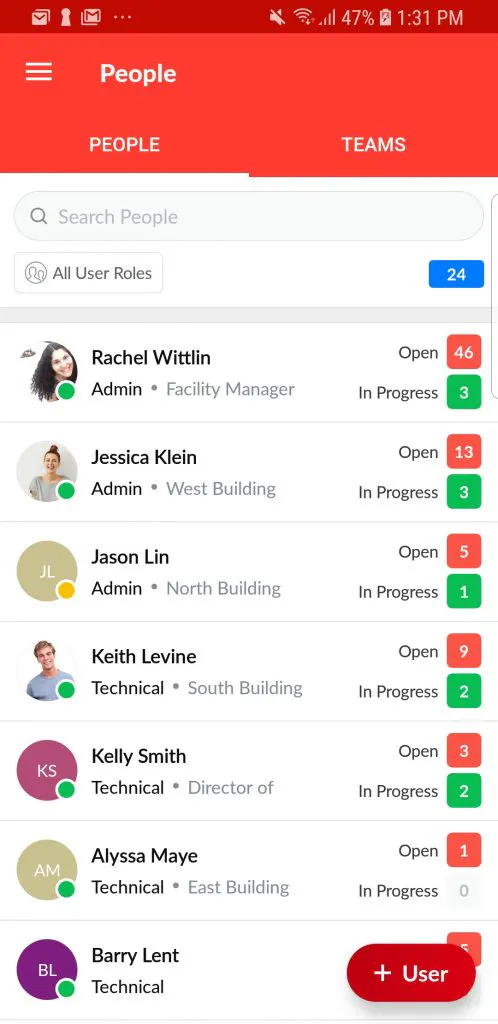
Not only does this page have a shnazy new look, but we have also added the ability to sort the list by user type:

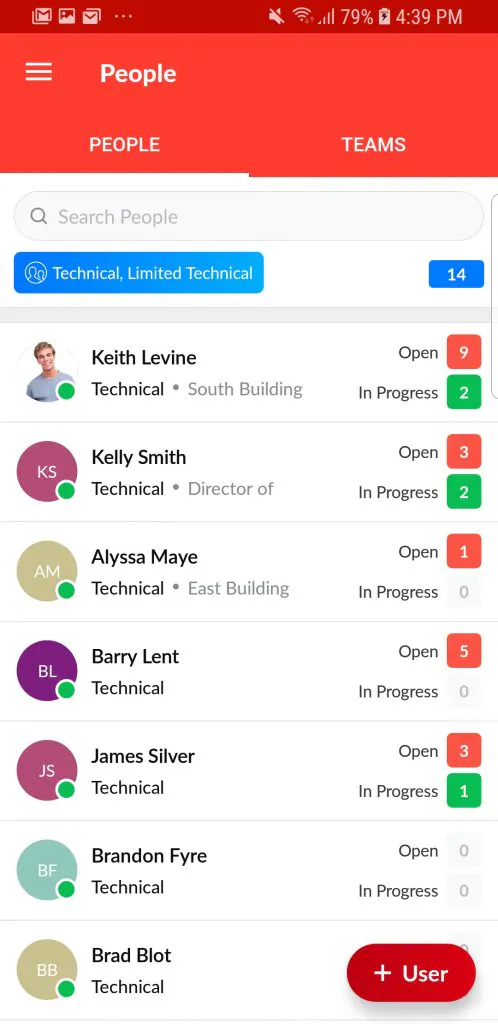
Notice in the screenshot above, I have filtered my list to show only Technicians and Limited Technicians. You will also notice the total amount of users being shown in blue.
4,000+ COMPANIES RELY ON ASSET OPERATIONS MANAGEMENT
Leading the Way to a Better Future for Maintenance and Reliability
Your asset and equipment data doesn't belong in a silo. UpKeep makes it simple to see where everything stands, all in one place. That means less guesswork and more time to focus on what matters.






![[Review Badge] Gartner Peer Insights (Dark)](https://www.datocms-assets.com/38028/1673900494-gartner-logo-dark.png?auto=compress&fm=webp&w=336)



