Blog Post
Android 3.22 August 16, 2019: Floor Plans
[video width="1280" height="720" mp4="http://wordpress-484842-1527293.cloudwaysapps.com/wp-content/uploads/2019/08/Release-notes_8.16.19.mp4"][/video]
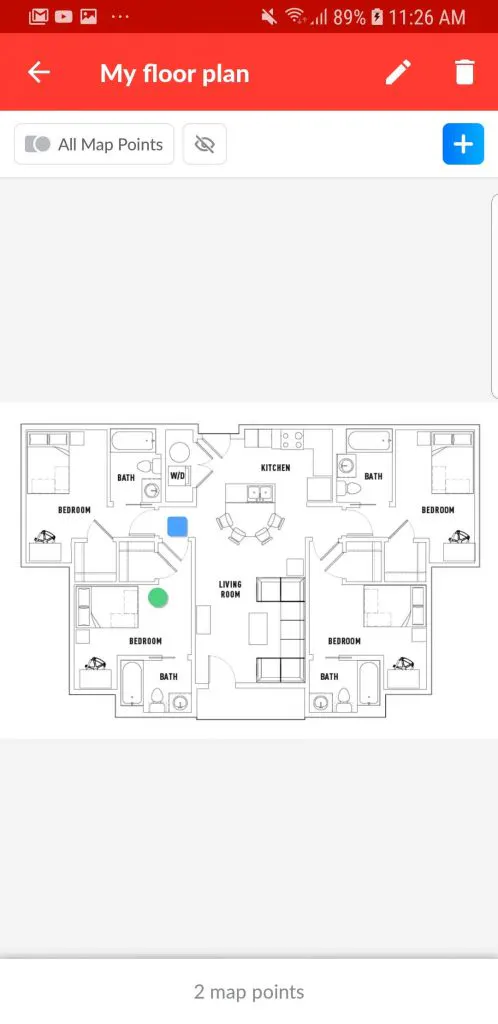
Hate asking for directions? Now, UpKeepers never have to! With the new feature Floor Plans features, technicians can view the floor plan of any location while on-the-go, to get an understanding of the lay of the land and identify the exact location of the asset they have been assigned to work on.


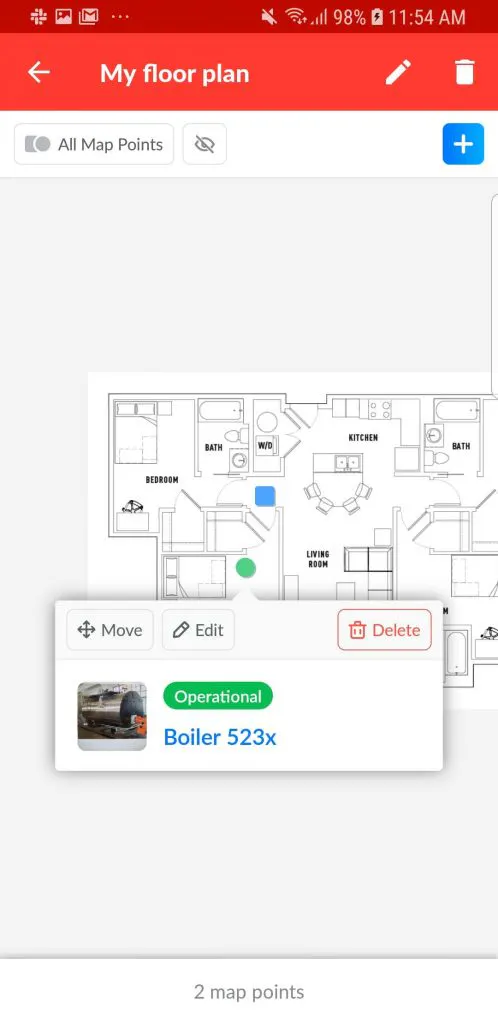
When selecting an asset mapping point, the asset details will appear including Asset Name, Operational Status, and Image:

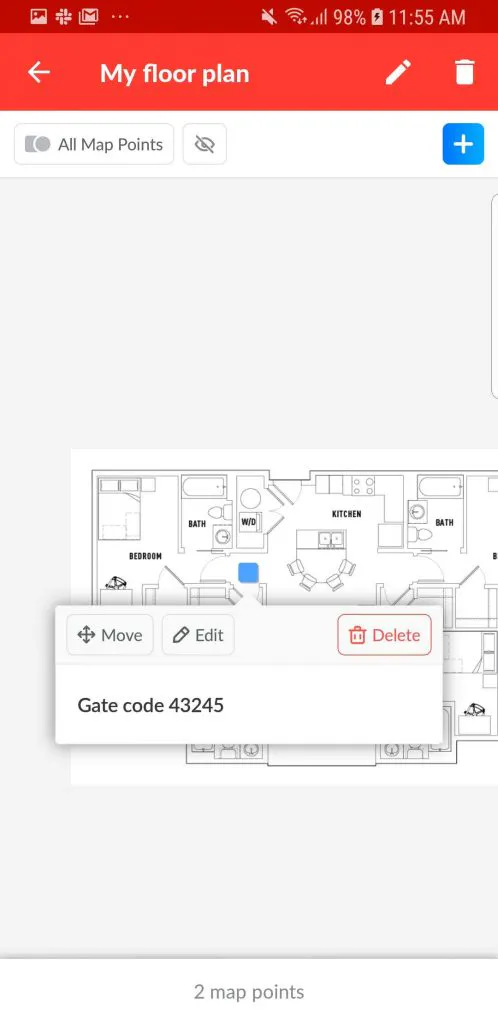
Custom mapping points can also be added to each floor plan, which enables our users to identify specific areas, objects, or provide additional information necessary to provide guidance through a location. Below is an example of how a custom mapping point can provide the necessary gate code required to access a particular asset:

Floor plans help eliminate confusion for technicians or any person who has been assigned a work order or task at a facility they are not familiar with. Even if the assigned person is familiar with the facility, having a map that includes all necessary information needed to access an asset saves time and improves turn-around time!
4,000+ COMPANIES RELY ON ASSET OPERATIONS MANAGEMENT
Leading the Way to a Better Future for Maintenance and Reliability
Your asset and equipment data doesn't belong in a silo. UpKeep makes it simple to see where everything stands, all in one place. That means less guesswork and more time to focus on what matters.






![[Review Badge] Gartner Peer Insights (Dark)](https://www.datocms-assets.com/38028/1673900494-gartner-logo-dark.png?auto=compress&fm=webp&w=336)



