Entrada en el Blog
Cómo crear una lista de verificación de seguridad en UpKeep
Las empresas que respondan a la necesidad de mayores medidas de seguridad pueden agregar listas de verificación de desinfección en cualquier orden de trabajo creada en UpKeep.






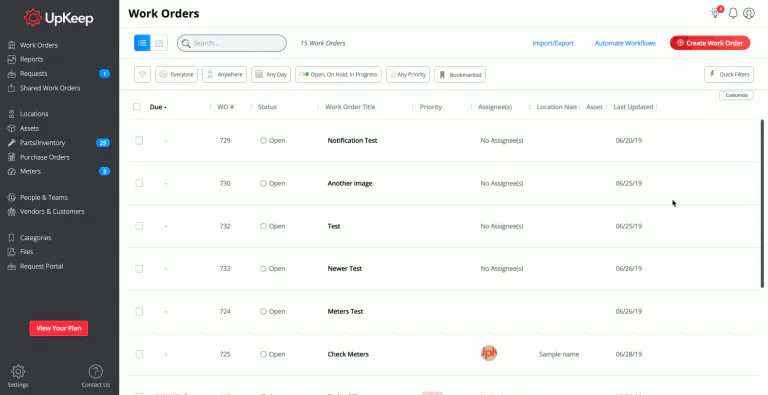
See a real-life example of a user saving a checklist in UpKeep's web app


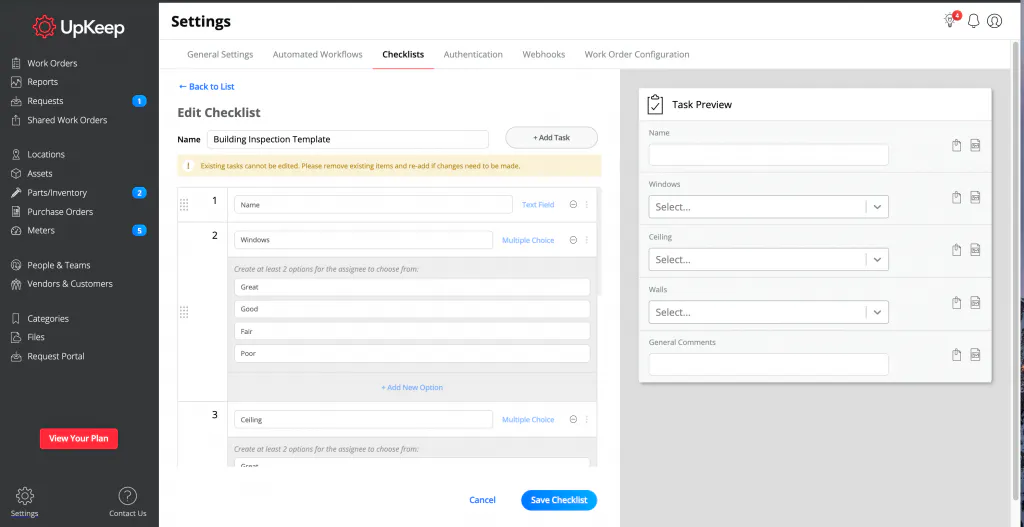
See the preview of your checklist in UpKeep's web app
How to create Task Form/Checklist Templates On Mobile
Click “Settings”
Select Form Templates, then click the “Plus Sign”
Enter Form Template Name
Select the “Plus Sign”
Select from the follow Task Form/Checklist types
Task (Open, On Hold, In Progress, Closed)
Text Input Form (Example: Sanitize countertops)
Number Input Form (Example: 99)
Checklist Input Form(Pass, Flag, Fail)
Multiple Choice Input Form (Create at least two options to choose from)
Meter Reading (Have the number entered update your Meter Reading)
Enter Task or Form Question
Select the “Done”
Select Save




See a real-life example of a user creating a checklist in UpKeep's mobile app




MÁS DE 4000 EMPRESAS CONFÍAN EN LA GESTIÓN DE OPERACIONES DE ACTIVOS
Liderando el camino hacia un futuro mejor para el mantenimiento y la confiabilidad
Los datos de sus activos y equipos no pertenecen a un silo. UpKeep simplifica ver dónde se encuentra todo, todo en un solo lugar. Eso significa menos conjeturas y más tiempo para concentrarse en lo que importa.






![[Review Badge] Gartner Peer Insights (Dark)](https://www.datocms-assets.com/38028/1673900494-gartner-logo-dark.png?auto=compress&fm=webp&w=336)



