Entrada en el Blog
June 14, 2019: Bookmarking, @Tagging, and Request Portal Revamp


[video width="1280" height="720" mp4="http://wordpress-484842-1527293.cloudwaysapps.com/wp-content/uploads/2019/06/UpKeep-Maintenance-Release-6.14.19.mp4"][/video]
Hold onto your socks because they may just get knocked off! This week was a HUGE week for UpKeep users. This week's product update enables UpKeep users with new capabilities to improve their workflow and communication amongst their teams. Let's take a look at these changes together, shall we?
Bookmarking
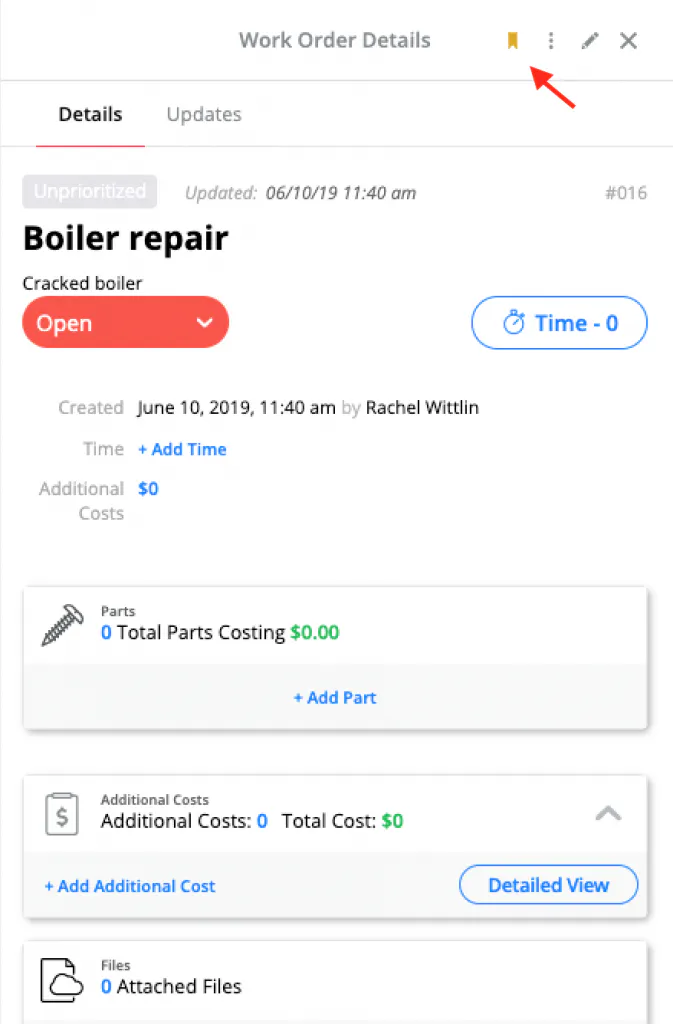
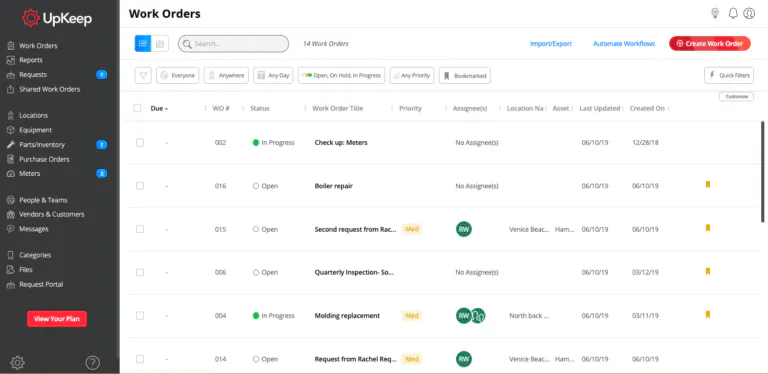
Users can now pick their favorite work orders and have them at the click of a button with our new Bookmark feature! When viewing work orders from the list view or when reviewing the details of a specific work order, users will see their bookmark icon which they can select to identify the work orders that are most important for their current workflow.
Work Order Details


Work Order List


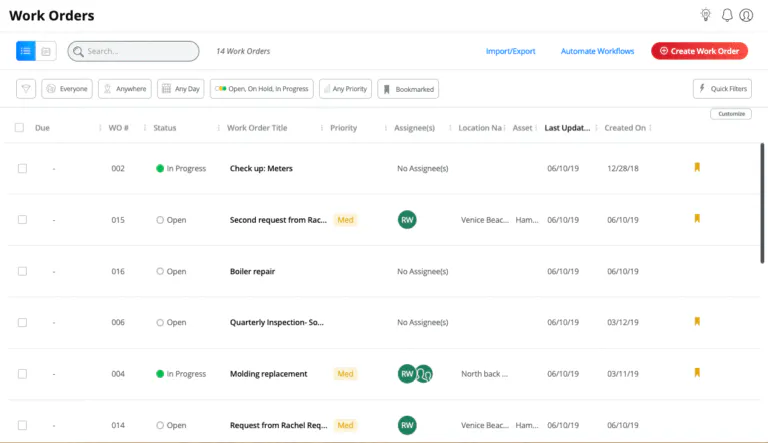
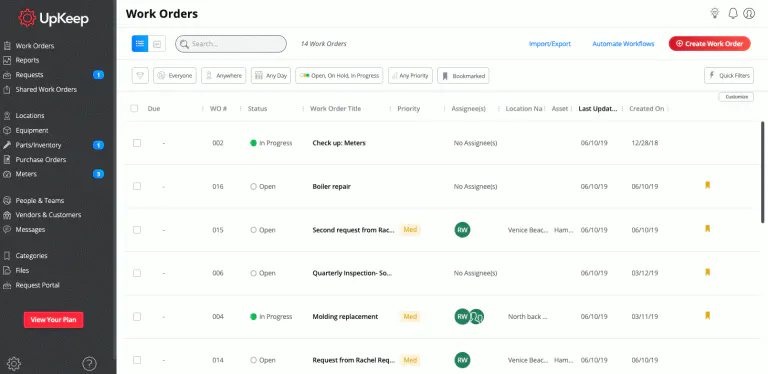
At any given time, users can select the "Bookmarked" quick filter to see a filtered list of all their bookmarked work orders:
Bookmarked Quick Filter


@Tagging
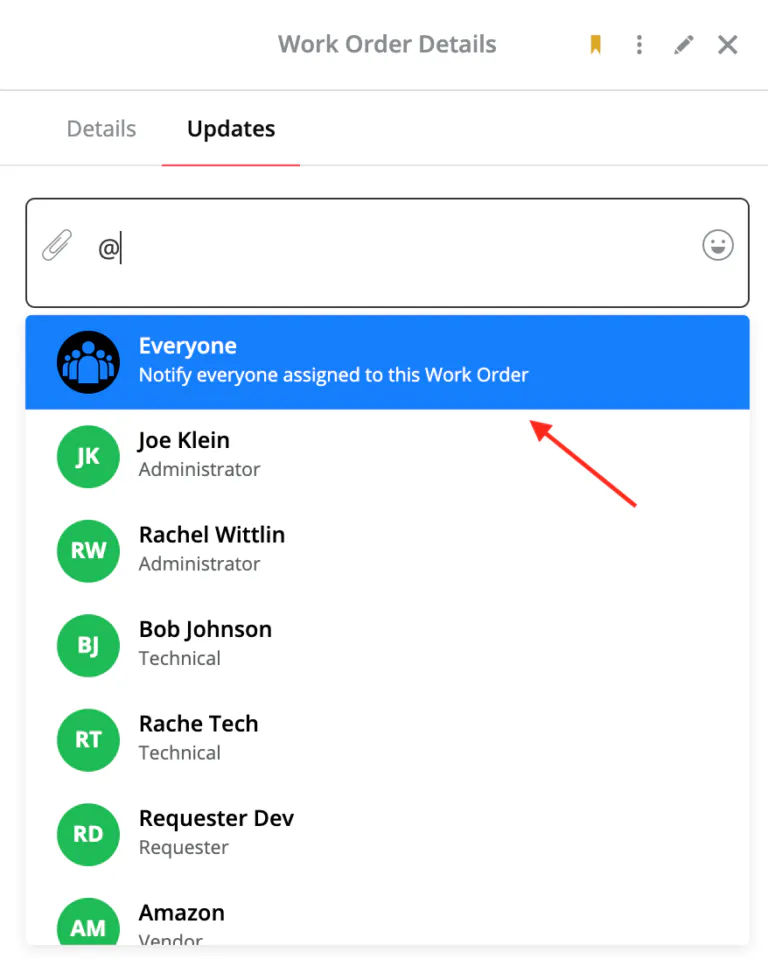
We heard from our customers that they were in need of a better way to communicate with their teammates on a work order and expedite the notification process. You spoke up, and we listened! Users can now @tag any user from their account in the Updates section of any work order. Once a user is mentioned, they will receive an immediate notification and can take action on the task at hand.

Need to send a notification to all users assigned to a work order? We got you. When mentioning "@Everyone" in a work order, a notification will go to every assigned user in real-time.


Request Portal Revamp
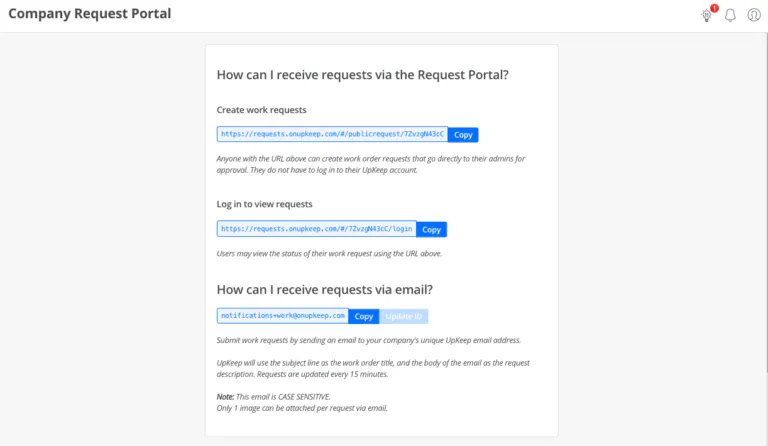
And the good times don't stop there! This week's product update also included an entire Request Portal revamp! We will get into the new functionality in just a second. First, let's see a before and after, shall we?
Before


After


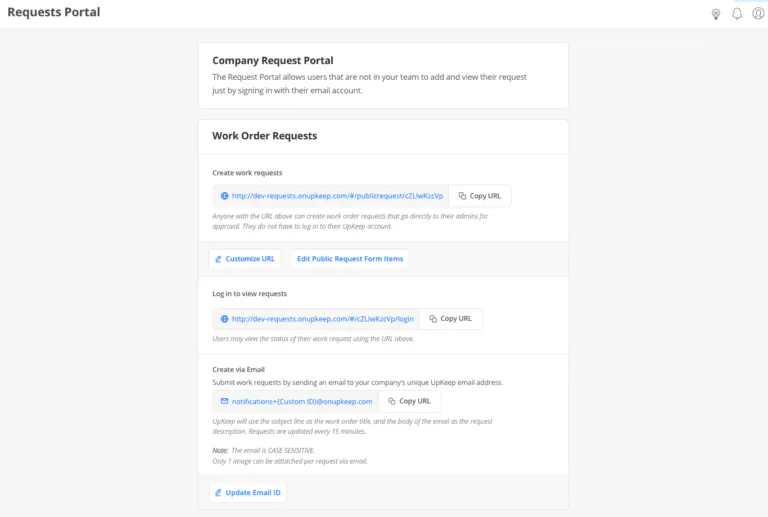
Boy, does that new design look good! Included in the design is the addition of the Purchase Order Request Portal! UpKeep administrators let us know navigating to two different pages to access their portals was a pain. Say goodbye to the pain! The Purchase Order Request Portal now lives at the bottom of the Request Portal page. Head on over to your Request Portal page and scroll on down to see for yourself!


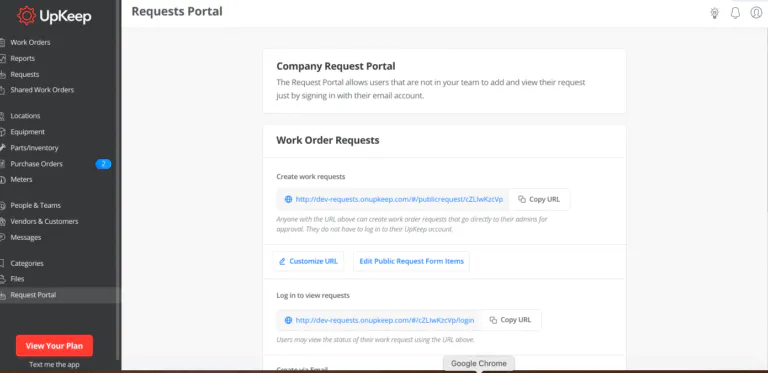
We heard from many of our customers that they would like to customize the URL for their portal to add a customized feel and make it easier for their requesters to locate the portal on-the-go. Now UpKeep administrators can do just that! Administrators will find the option to customize their URL at the top of the Request Portal page:


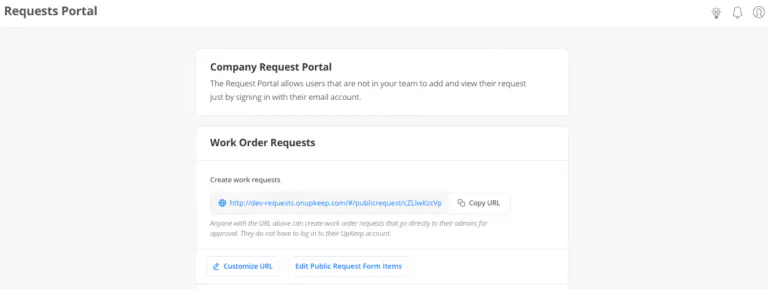
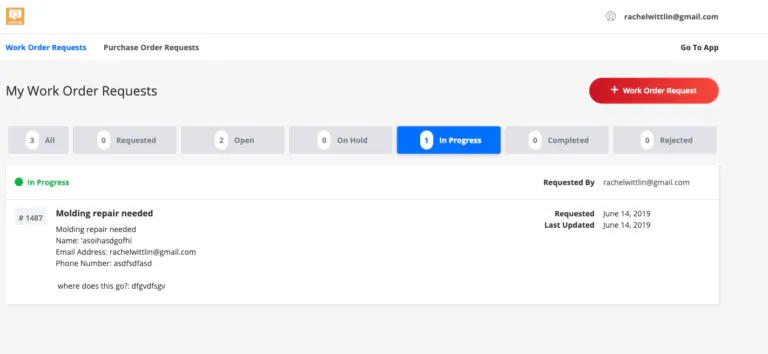
Not only do upKeep administrators get to experience a sleek new look, but requesters see a new and improved view when submitting a request and/or checking the status of their requests:


Whew! That was a lot of great stuff. Head on over to your UpKeep app and start utilizing these new features today!
MÁS DE 4000 EMPRESAS CONFÍAN EN LA GESTIÓN DE OPERACIONES DE ACTIVOS
Liderando el camino hacia un futuro mejor para el mantenimiento y la confiabilidad
Los datos de sus activos y equipos no pertenecen a un silo. UpKeep simplifica ver dónde se encuentra todo, todo en un solo lugar. Eso significa menos conjeturas y más tiempo para concentrarse en lo que importa.






![[Review Badge] Gartner Peer Insights (Dark)](https://www.datocms-assets.com/38028/1673900494-gartner-logo-dark.png?auto=compress&fm=webp&w=336)



