Entrada en el Blog
iOS 3.47 June 28, 2019: Bookmarking and Filtering Meters
[video width="1280" height="720" mp4="http://wordpress-484842-1527293.cloudwaysapps.com/wp-content/uploads/2019/06/product-release_6.27.19.mp4"][/video]
It's an exciting day for UpKeep's iOS users! In this week's release we enabled iOS users with the ability to bookmark work orders and filter meters!
Bookmarking
When viewing the work order list or the details of a specific work order, users will notice a new bookmark icon.


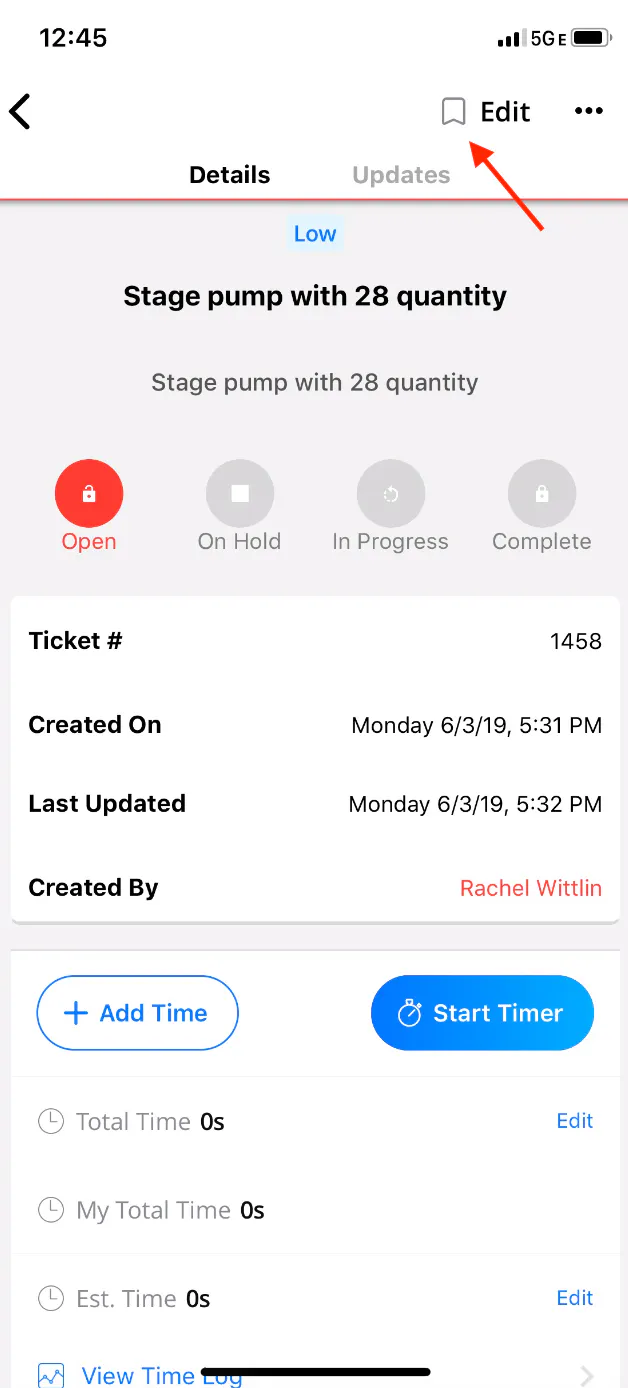
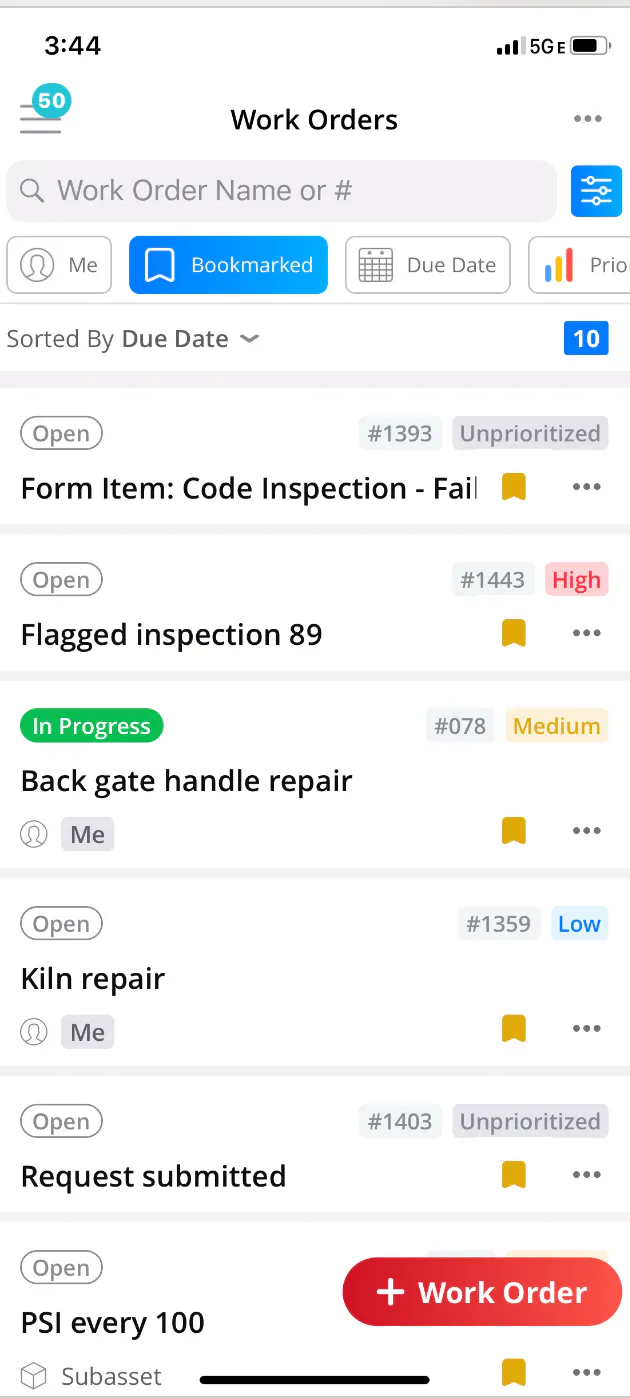
This new feature allows iOS users to identify the work orders that are most important to them or the most pressing. Not only will the bookmarked work orders be easily identifiable from the list view but they can also be located with the click of a button. When selecting the new "Bookmarked" quick filter, all of the bookmarked work orders will appear in a consolidated list.


Filter Meters
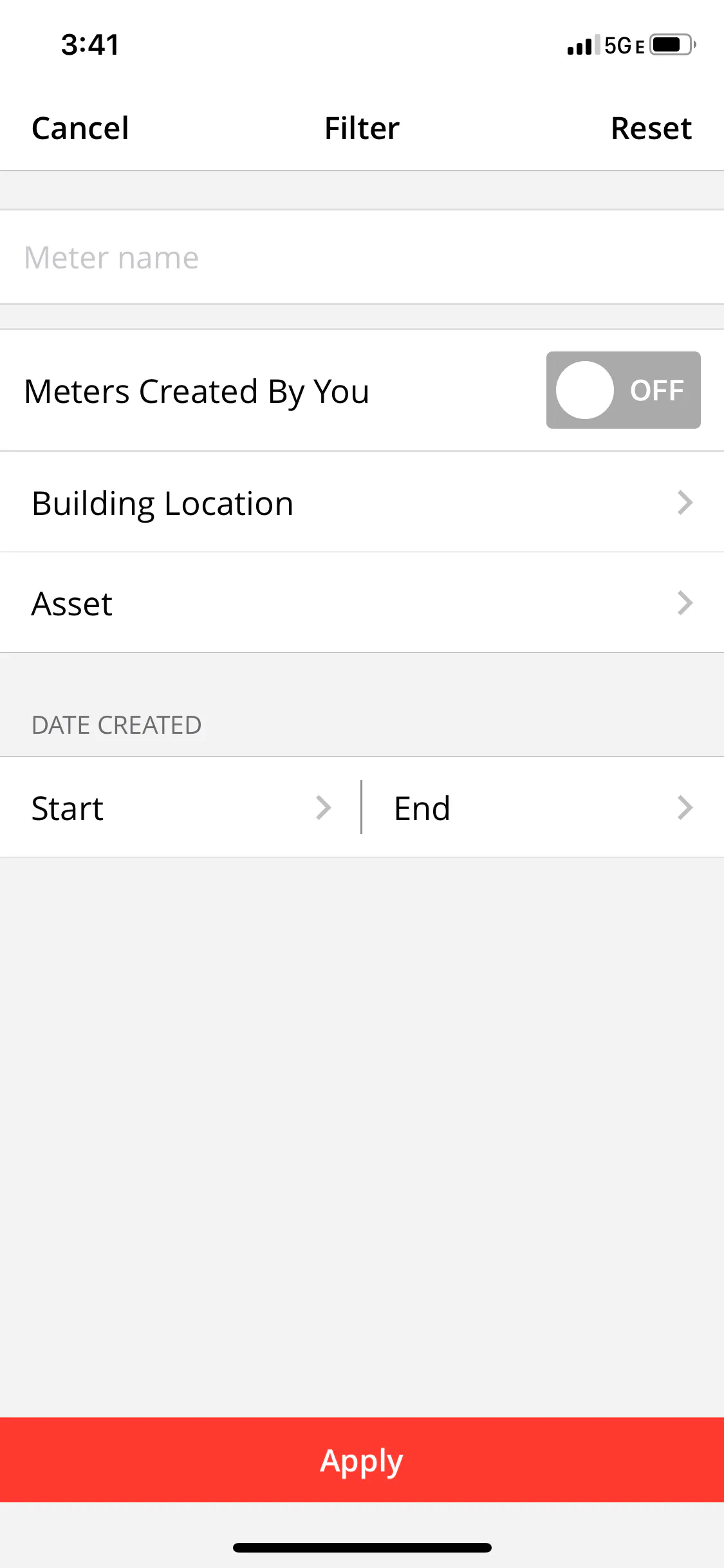
In addition to Bookmarking, users can now filter meters from their iOS device! We heard from our customers that locating a specific meter on the mobile device was a pain without having the ability to filter by any criteria. We never want our customers to be in pain so we took action! When viewing meters on any iOS device, users can now filter the meters under their account by Name, Location, Asset, and Created date. Users can also apply the additional filter, “Meters Created By You” to see only the meters which the user has created. This new feature enables iOS users with the ability to sort through their meters in an expedited fashion and locate the desired meter in the matter of seconds:


Log in to your UpKeep app today and check it out!
MÁS DE 4000 EMPRESAS CONFÍAN EN LA GESTIÓN DE OPERACIONES DE ACTIVOS
Liderando el camino hacia un futuro mejor para el mantenimiento y la confiabilidad
Los datos de sus activos y equipos no pertenecen a un silo. UpKeep simplifica ver dónde se encuentra todo, todo en un solo lugar. Eso significa menos conjeturas y más tiempo para concentrarse en lo que importa.






![[Review Badge] Gartner Peer Insights (Dark)](https://www.datocms-assets.com/38028/1673900494-gartner-logo-dark.png?auto=compress&fm=webp&w=336)



