
MANUFACTURING
CMMS Software for Manufacturing
Keep the line running.
Work orders, preventive maintenance on runtime, condition monitoring, and safety recordkeeping on one platform your technicians will actually open on the floor.
- PMs on hours run, not just dates
- Works alongside your ERP
- Offline on the plant floor














WHAT CHANGES
What a CMMS changes in a plant
Every hour of unplanned downtime is production you do not get back. These are the four things plants tell us they are trying to fix.
Maintenance runs on tribal knowledge. The one technician who knows the line is the one who has to be called, whatever shift it is.
Asset history, procedures, and past repairs live on the asset record. Whoever picks up the work order can see what was done last time and what it took.
PMs get written on a calendar and skipped when production needs the line. Nobody finds out until something breaks.
PMs trigger on runtime and meter readings, not just dates, and overdue work is visible by line and by shift before it becomes a breakdown.
Parts are counted once a year. A rebuild stops because the seal kit that the system says is on the shelf is not there.
Parts are consumed against the work order that used them, so counts stay current and reorder points fire on real usage.
The plant manager asks what downtime cost last month and the answer takes two days in a spreadsheet.
Downtime, cost, and reactive-versus-planned ratio come off the work orders your team already closed, by asset and by line.
RESULTS
Results from manufacturing maintenance teams
Published results from UpKeep customers and the Forrester study.
60% → 20%
Share of work that is reactive, after moving to a recurring PM schedule
KEY WORKFLOWS
Maintenance workflows across a manufacturing plant
A plant does not run on work orders alone. These are the hand-offs that matter most on a manufacturing site.
A guard gets removed during a changeover
A rebuild needs parts that are not on the shelf
- CMMS The technician adds the parts to the work order and the count drops as they are used.
- Procurement Hitting the reorder point drafts a requisition to the vendor you buy that part from.
- CMMS Receiving closes the loop, and the technician who asked sees the part arrive.
A forklift is due for service
NOVA
Build the thing your plant asks for on Monday
Nova is UpKeep's AI assistant, and it builds apps. Describe the tracking or approval your plant needs in plain language and Nova builds it against your own asset and work order data. No developer, no separate system to keep in sync.
See how Nova works- Build me a changeover checklist for line 3 that logs downtime minutes and flags anything over 45.
- Show me which assets caused the most reactive hours last quarter, by line.
- Make a mold maintenance tracker that counts shots and opens a PM at 50,000 cycles.
PRODUCTS
Maintenance software features for manufacturing
These are apps, not an edition. Start with the CMMS and add the others as you need them.
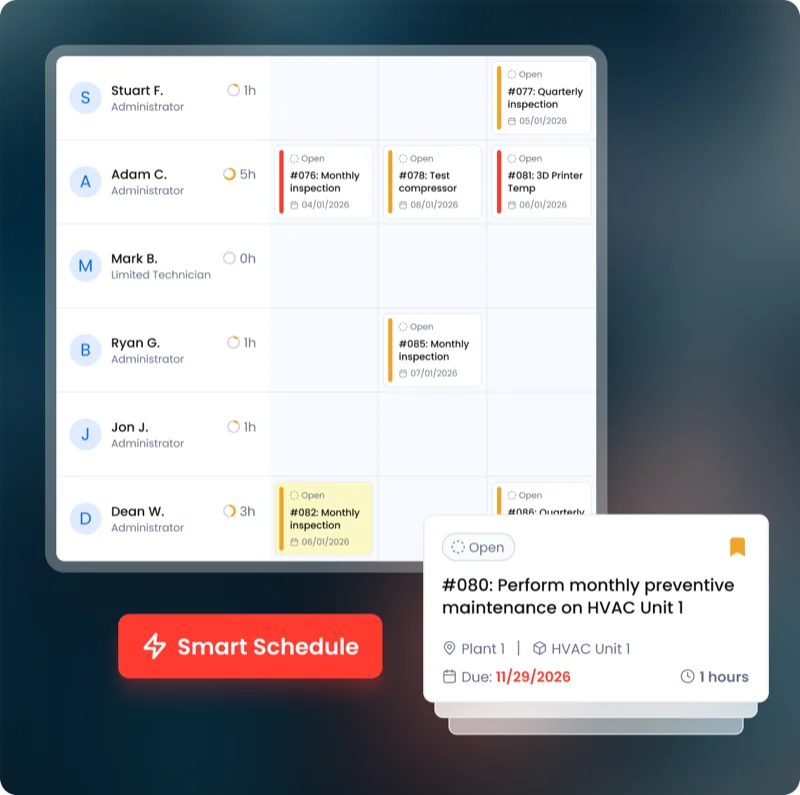 Maintenance CMMS
 Work orders, preventive maintenance, asset history, and parts. The system of record everything else hangs off.
Explore CMMS →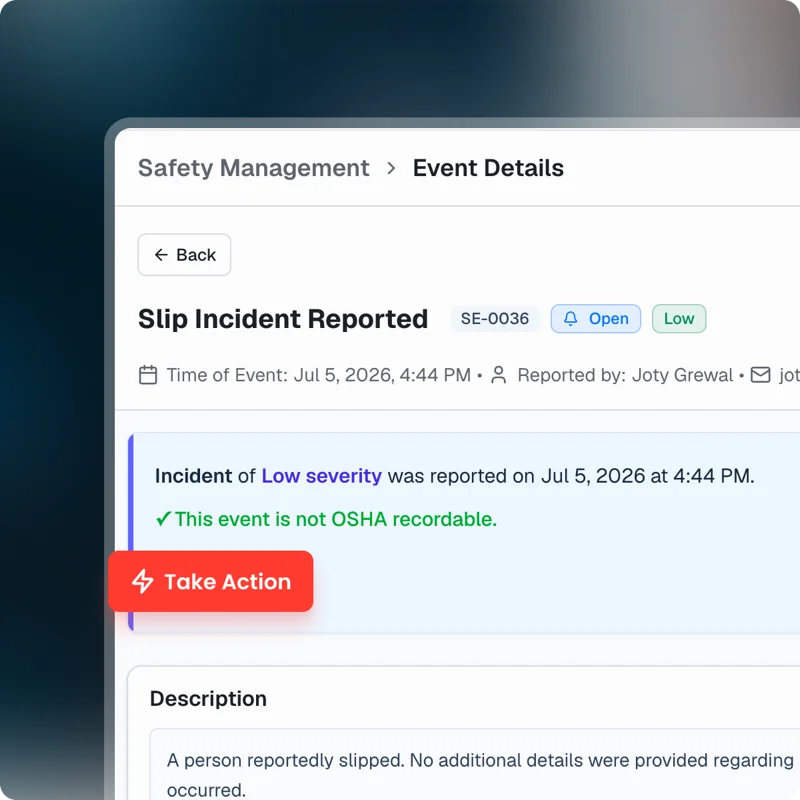 EHS Safety
 Incident capture from the floor by phone or voice, with OSHA 300, 300A, and 301 recordkeeping.
Explore Safety →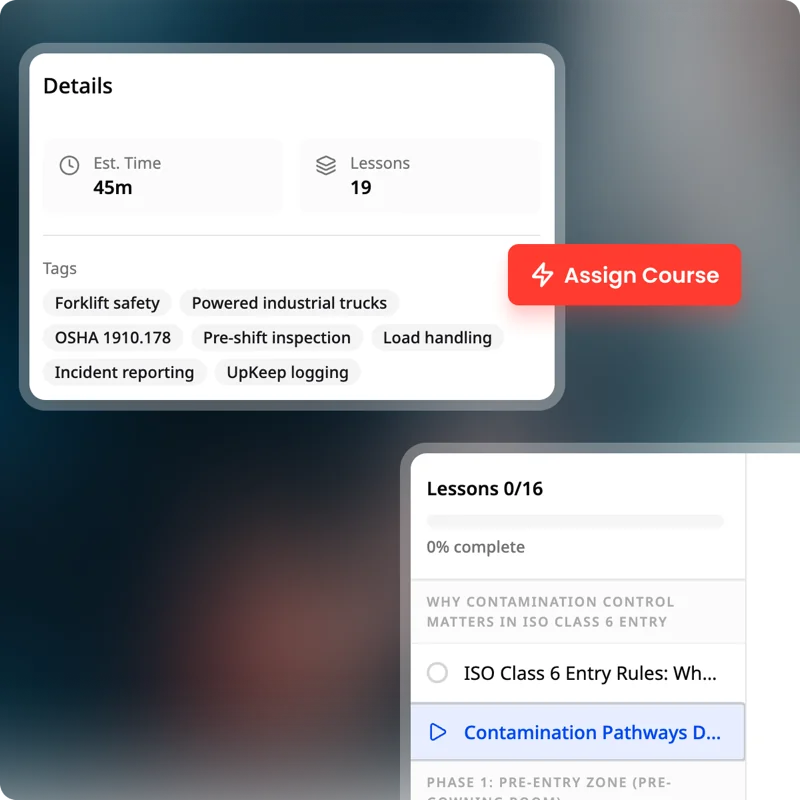 Training Learn
 Procedures, courses, and certifications tied to the people who do the work.
Explore Learn → Preventive Maintenance Trigger manufacturing preventive maintenance on cycle counts, hours run, or dates, so machines are serviced before unplanned downtime.
Edge Sensors Put vibration and temperature sensors on critical machines, so a bearing going out raises a work order before the line stops.
Production Plan maintenance around the schedule, so planned work lands in a changeover rather than taking a running line down.
Quality Inspections, non-conformances, and corrective actions against the asset that produced the defect.
Parts & Inventory Spare parts, stock levels, and reorder points, consumed against the work order that used them.
Procurement Requisitions, approvals, and purchase orders tied to the work order and storeroom that triggered them.
Workforce Shifts, timecards, and labor cost against the work, so capacity is visible before you commit it.
Fleet Vehicles and mobile equipment maintained on hours or mileage, in the same queue as fixed assets.
Nova The AI assistant that answers questions about your data and builds custom apps from a description.
CUSTOMER STORIES
Manufacturers running on UpKeep
Standardized maintenance across one of the largest custom restorative labs in the world.
Glidewell
Read the story →
Built a safety-focused culture on the same platform running cleanroom maintenance.
Innovative Micro Technology
Read the story →
Replaced paper tracking and manual data entry across the plant using Nova.
Sprinturf
Read the story →
Moved from 60% reactive work to 20% by putting every asset on a recurring PM schedule.
Industrial manufacturer
Read the story →
Shifted work from reactive to preventive and brought maintenance costs down with it.
Layfield Group
Read the story →
Keeps kitchen equipment running across a footprint measured in thousands of sites.
Chick-fil-A
Read the story →
One operator runs maintenance across every restaurant he owns from a phone.
McDonald's
Read the story →
Moved campus crews off paper and onto digital preventive maintenance and work orders.
Caltech
Read the story →CMMS for manufacturing: common questions
What is a CMMS in manufacturing?
A CMMS is a computerized maintenance management system: the software a plant uses to schedule preventive maintenance, run work orders, track asset history, and manage spare parts.
In a plant it is what replaces the whiteboard, the binder of PM checklists, and the spreadsheet of what broke last quarter. The point is knowing what is due, what failed, and what it cost, per asset and per line.
How much does maintenance software cost for a plant?
UpKeep is priced per user per month, so cost scales with how many people create and close work orders rather than how many assets you have.
Requesters, operators reporting a problem, do not need a paid seat, which is what keeps it affordable to roll out across a whole floor. See the pricing page for current tiers.
What is the difference between a CMMS and an EAM?
A CMMS is focused on maintaining equipment: work orders, PMs, parts, and technicians. An EAM takes a wider view of the asset over its whole life, adding capital planning, depreciation, and long-range replacement.
UpKeep covers CMMS work in full and adds the EAM-style pieces, asset condition and replacement forecasting, through Capital Planning. Plants running a large formal EAM programme on Maximo or SAP usually keep it and use UpKeep where the floor actually works.
Does UpKeep integrate with SAP or another ERP?
Yes, and it is not trying to replace it. The ERP stays the financial system of record; parts consumption and purchase orders flow back to it through the API and prebuilt connectors.
UpKeep is also not an MES. It does not schedule production, run the line, or sequence jobs through your PLCs. Plants that need production scheduling and on-machine quality keep those where they are and run maintenance alongside.
Can preventive maintenance trigger on runtime instead of dates?
Yes. PMs can trigger on a date, a meter reading, hours run, or a sensor reading through Edge. Most plants use a mix: quarterly inspections on a calendar, and bearing or oil changes on hours.
This is usually the single biggest change for a plant, because calendar-only PMs either over-service equipment that is idle or miss equipment that is running hard.
Can technicians use UpKeep offline on the plant floor?
Yes. The mobile app is how most technicians use UpKeep. Work orders, asset history, procedures, and parts are all available on a phone, and it keeps working in areas of the plant with no signal, syncing when the device reconnects.
How does condition monitoring work?
Battery-powered wireless sensors mount on the asset and report to a gateway over 900 MHz, up to about 1,200 ft with no line of sight required. One gateway covers 50 or more sensors, so most plants need one per building.
A reading outside the range you set opens a work order against that asset automatically.
What is the best CMMS for a manufacturing plant?
The one your technicians will actually open. Most CMMS failures are adoption failures, not feature gaps, the software gets bought on a spec sheet and then nobody on the floor uses it.
When you evaluate, put the mobile app in a technician's hands before you buy, check whether PMs can trigger on runtime rather than only dates, and confirm that reporting a problem does not require a paid seat. Those three things predict whether the rollout holds.
Does a CMMS reduce unplanned downtime?
It does when it moves work from reactive to scheduled. One manufacturer on UpKeep went from about 60% reactive work to 20% and raised mean time between failures from roughly 80 hours to 240.
The mechanism is not complicated: PMs happen on time, failures get recorded against the asset, and the assets causing the most downtime become obvious enough to fix or replace.
How long does it take to implement a CMMS?
Weeks, not quarters, if you scope it properly. Most plants start with one line or one area rather than the whole site: import the asset list, set PMs on the equipment causing the most downtime, and get technicians on the mobile app.
Sensors and additional apps come later, once the work order habit holds.
FREE RESOURCES
Go deeper on maintenance
Practical guides and research from the UpKeep team. No cost, no sales call required.
 Guide
GuideThe Reliability Playbook: Capturing 20 Years of Know-How Before It Walks Out the Door
A fully staffed plant still loses hours to failures a retired technician would have caught in minutes. This playbook reframes the problem: knowledge is disappearing because no system was built to capture it. It lays out a three-part framework for closing that gap and shows what changed at one plant that stopped hiring its way out and instead started capturing what its people already knew.
Get the guide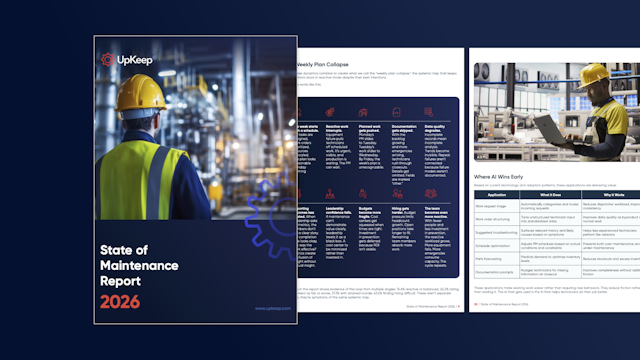 Report
The 2026 State of Maintenance Report
This year's report reflects a fundamental shift in how maintenance creates competitive advantage. While 90% of teams recognize what drives reliability, only 25% can consistently execute it. The gap between knowing and doing has become the defining challenge and opportunity of 2026.
Get the report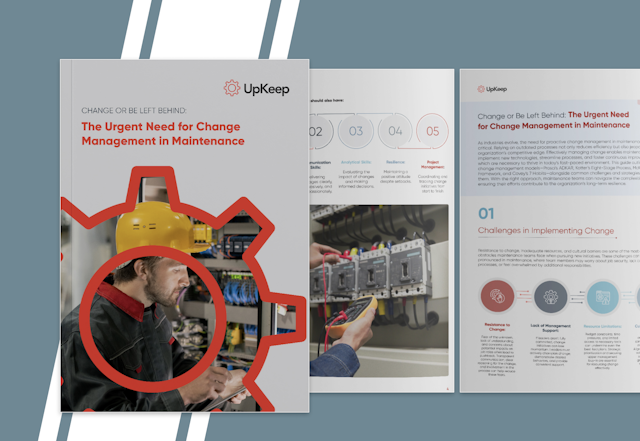 Guide
GuideChange or Be Left Behind: The Urgent Need for Change Management in Maintenance
Effectively managing change enables maintenance teams to implement new technologies, streamline processes, and foster continuous improvement, all of which are necessary to thrive in today’s fast-paced environment. This guide outlines essential change management models
Get the guide
GET STARTED
See it against your own plant
We will walk through your asset list, your PM schedule, and the line that causes you the most trouble.