Blog Post
How Does Preventive Maintenance Software Work? Benefits, Features, and ROI Explained
Learn how preventive maintenance software reduces downtime by 35–45%, cuts repair costs, and extends asset life, plus steps for deployment.



Key Takeaways
Preventive maintenance software reduces unplanned downtime by 35%–45% and cuts repair costs by up to 40% by replacing reactive maintenance with automated work orders based on time intervals, meter readings, or equipment conditions.
A CMMS like UpKeep centralizes asset records, work order history, parts inventory, and compliance documentation in one platform, giving maintenance teams the real-time visibility they need to shift from fighting fires to preventing them.
Organizations that invest in preventive maintenance software extend equipment life by 20%–30%, improve technician productivity, and generate audit-ready maintenance records that reduce insurance premiums.
For most organizations, maintenance is still largely reactive. Something breaks, someone responds, production halts, and costs spike. Preventive maintenance (PM) software changes that equation by automating scheduled inspections, parts replacements, and equipment checks before failures occur. It connects every asset, work order, spare part, and technician into a single operational system that gets smarter over time and informs better decision-making.
This guide covers what PM software does, what capabilities actually matter, and how to choose and deploy the right solution for your operation.
What Does Preventive Maintenance Software Do?
Preventive maintenance software is a digital platform that schedules, automates, and tracks planned maintenance tasks like inspections, lubrication, and parts replacements based on time intervals, meter readings, or real-time equipment conditions. Instead of waiting for something to break, preventive maintenance software helps your team stay ahead of failures before they happen.
It replaces the disconnected tangle of spreadsheets, paper logs, and whiteboards that most teams rely on with a centralized source of truth. A good CMMS (computerized maintenance management system) connects assets, work orders, parts inventory, and maintenance history in one place, giving everyone from field technicians to plant managers visibility into what's happening, what's coming, and what's already been done.
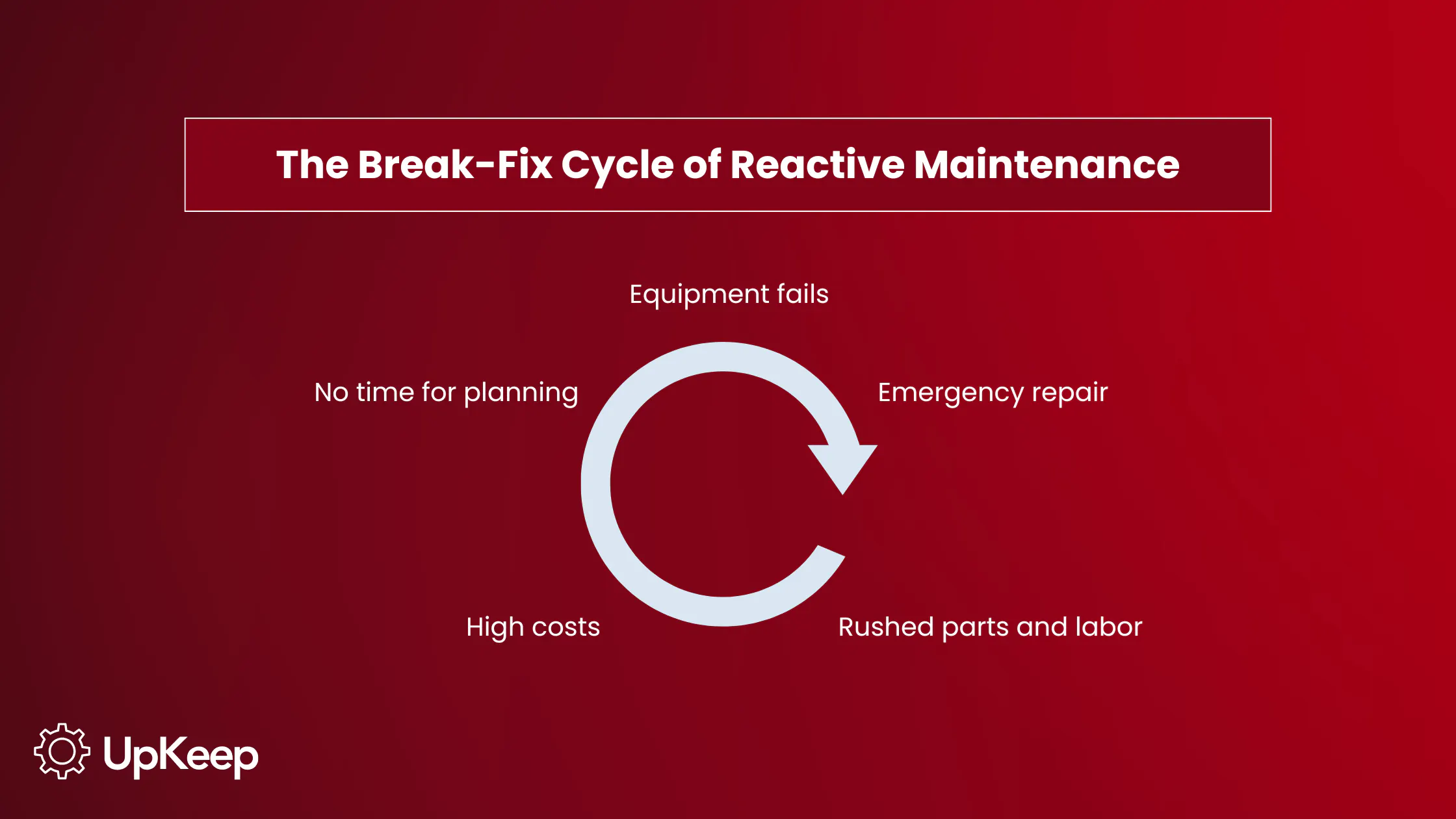
Compare this to reactive maintenance, where the same repair that takes one technician two hours during a scheduled window can require significantly more time on an emergency callout, often at double the labor cost. Preventive maintenance software shifts the balance before the failure ever occurs.


Key Benefits of PM Software
The ROI of preventive maintenance software solutions is hard to ignore:
Reduced unplanned downtime: A well-run preventive maintenance program can reduce downtime by 35%–45%. Every hour of unplanned downtime has a real dollar cost, including lost production, idle labor, and the ripple effect across the supply chain.
Lower maintenance costs: Transitioning from reactive to preventive maintenance reduces repair costs by approximately 40%. Emergency responses cost 25%–30% more due to rushed parts procurement, overtime labor, and expedited shipping. With preventive maintenance scheduling software in place, those emergency calls become the exception, not the rule.
Extended asset life: Regular, planned maintenance extends equipment life by 20%–30%. For capital-intensive environments like HVAC systems and fleet vehicles, that adds meaningful years before replacement.
Better technician productivity: Rather than chasing paper work orders or scrambling to respond to unplanned failures, technicians work from a prioritized, pre-planned queue. That shift alone drives throughput and job satisfaction.
Compliance and audit readiness: PM software generates the reports, audit trails, and compliance documentation that regulators and insurers want to see. Well-maintained records can reduce insurance premiums by 5%–15% and avoid costly fines.
Competitive advantage: The preventive maintenance software market is projected to expand at a compound annual growth rate (CAGR) of 11.4% through 2033. Organizations that adopt modern planned maintenance software now can position themselves ahead of competitors. In one study, 72% of executives even said generative AI boosts the business value of physical asset management, amplifying its strategic impact.
Key Capabilities That Make Preventive Maintenance Software Worth It
Not all preventive maintenance software programs are created equal. Here's what allows platforms to genuinely move the needle.
Automated Scheduling and Recurring Work Order Generation
The most fundamental feature of any PM software is automated work order generation. The system should trigger work orders based on calendar intervals (e.g., every 30 days, every quarter), meter readings (e.g., every 5,000 hours), or condition thresholds pulled from IoT sensors or manual inputs. The best platforms also deliver clear, step-by-step digital checklists tied to each work order to standardize maintenance.
Asset Management With Full Maintenance History
Every asset in your operation should have a complete digital record, including service history, warranty dates, manufacturer specs, associated parts and consumables, and failure patterns over time. This is the foundation of any serious asset management preventive maintenance software strategy and informs smarter scheduling decisions going forward.
Mobile Access for Field Technicians
Mobile-first planned preventative maintenance software lets technicians view assigned work orders, log labor hours, record parts used, attach photos of defects, and close out jobs from wherever they are in the field. Real-time updates mean no lag between what's done in the field and what's visible in the system.
UpKeep's app builder, Studio, was designed to help tailor processes for on-the-go needs. It allows maintenance teams to install ready-made apps from the Studio marketplace (such as shift handover logs, asset replacement analyzers, and vendor performance scorecards) or describe what they need and build it themselves.
Reporting and Analytics Dashboards
The KPIs that matter most in maintenance should be surfaced automatically in customizable dashboards:
MTBF (mean time between failures)
MTTR (mean time to repair)
PM completion rate
Cost per work order
Asset uptime
Advanced platforms go further, applying AI-powered analytics for predictive fault detection, root-cause analysis, and proactive scheduling recommendations. A modern tech stack can reduce administrative burden by 40%–60% by automating workflows that used to require hours of manual effort.
Integration With Existing Systems
Software for preventive maintenance doesn't live in a vacuum. Look for platforms that integrate with ERP systems, IoT sensors, SCADA platforms, accounting tools, and procurement systems. Knowing whether a spare part is in stock before the work order is created can mean the difference between a two-hour planned repair and a two-day wait. PM software that connects to the broader operational stack delivers far more value than a standalone tool.
Customizable Alerts and Notifications
The system should automatically notify technicians of upcoming tasks, alert managers when work orders are overdue, and escalate when critical assets miss their PM windows. In industrial preventive maintenance software environments, a missed PM on a high-criticality asset can be a safety and compliance issue that leads to failed audits, hefty fines, and complete work shutdown.
|
Feature |
What It Does |
Why It Matters |
|
Automated scheduling |
Generates work orders by calendar interval, meter reading, or IoT/sensor thresholds; attaches step-by-step digital checklists |
Eliminates manual scheduling and standardizes how maintenance is performed |
|
Asset management |
Digital record per asset: service history, warranty, specs, parts, and failure patterns |
Informs smarter scheduling and helps identify failure trends over time |
|
Mobile access |
Technicians view orders, log labor and parts, attach photos, and close jobs from the field in real time |
No paperwork; removes lag between field activity and system records |
|
Reporting and analytics |
Provides MTBF, MTTR, PM completion rate, cost per work order, and asset uptime; AI adds predictive fault detection and root-cause analysis |
Cuts administrative burden and enables data-driven maintenance decisions |
|
System integrations |
Connects to ERP, IoT, SCADA, accounting, and procurement tools; ensures parts availability |
Prevents delays from missing parts; delivers combined value versus a standalone tool |
|
Alerts and notifications |
Notifies technicians of upcoming tasks; alerts managers of overdue orders; escalates missed PMs on critical assets |
Reduces risks of failed audits, fines, and work shutdown |
How to Choose Which Preventive Maintenance Solution is Right for You
With dozens of platforms on the market, narrowing the field requires a clear-eyed evaluation process:
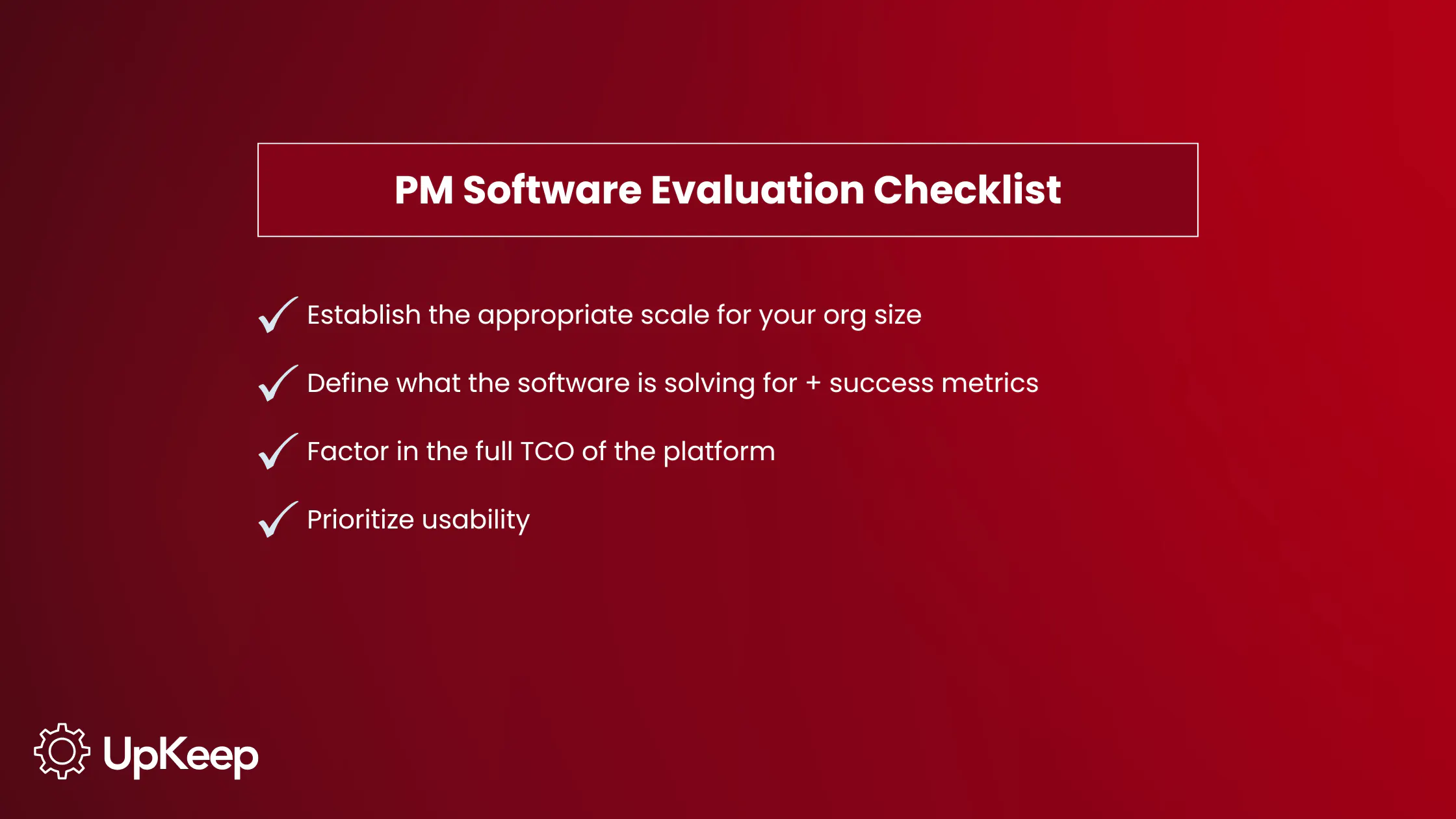
Start with scale and complexity: A 10-person facilities team managing one building has fundamentally different needs than a multi-site manufacturer with hundreds of assets across three countries. The best PM program software for one organization won’t always work well for another.
Define your objectives before evaluating features: Don’t just make a checklist of the latest capabilities. Identify what you want the software to actually solve. Set clear, measurable goals before you start demos. For example, reducing unplanned downtime by 20%, improving PM completion rates from 65% to 90%, or cutting the time spent on work order administration by half.
Evaluate ease of implementation and onboard carefully: Complex CMMS deployments can take 30 to 60 days to go live. More modern platforms are designed to expedite this significantly; most teams using UpKeep, for instance, are live within one to two weeks. Ask vendors specifically about data migration support, role-based training, and what post-go-live check-ins look like.
Understand the true total cost of ownership: Software subscription costs are just the beginning. Factor in the whole asset life cycle of implementation fees, integration development, training time, and ongoing support. Run a realistic ROI model before you buy using your actual downtime frequency, average repair costs, and labor rates.
Prioritize user adoption: A preventive maintenance software program that your technicians won't use is worse than no software at all. Look for platforms with intuitive mobile interfaces, minimal learning curves, and AI-driven simplicity that adapts to how your team actually works. Ready training sessions for your personnel as well to get them up and running quickly.

5 Steps to Deploy Your Preventive Maintenance Software
1. Conduct a full asset inventory
A PM program is only as good as its data. Before going live, conduct a physical walkthrough to catalog every asset and tag equipment with QR codes for easy mobile access. Then, consult OEM manuals to set exact calendar or wear-based PM thresholds for each asset class.
2. Build your PM schedule
With your asset register in place, define the PM tasks, intervals, and checklists for each asset. Prioritize by criticality: First, schedule high-criticality assets that significantly impact production and use the most rigorous inspection criteria. Preventive maintenance software deployments often reveal that informal PM schedules have significant gaps, so this phase is your opportunity to close them.
3. Roll out in phases
Breaking implementation into phases allows the team to celebrate early wins, validate results before scaling, and limit disruption to ongoing operations. Start with a pilot group of assets or a single facility. This also gives frontline users time to build confidence with the new system before it becomes the operational standard across the organization.
4. Invest in change management
Technology alone doesn't transform maintenance programs. CMMS implementations fail when they lack champions within each team to drive adoption and executive support to handle the growing pains of process change. Identify internal advocates early, build role-specific training, and make it easy for technicians to give feedback during the early weeks.
5. Measure progress against your baseline
Before launch, document your current performance: how many unplanned failures per month, average repair cost per incident, PM completion rate, and average technician utilization. These are your baseline metrics.
Track reductions in downtime, repair costs, and work order backlog week by week to quantify ROI. As maintenance history matures in the system, those metrics will also start to reveal smarter scheduling opportunities that weren't visible before.
Avoid Breakdowns With PM Software
Reactive maintenance is expensive, disruptive, and increasingly avoidable. Preventive maintenance software gives organizations the tools to deliver measurable improvements in uptime, asset life, technician productivity, and operational cost.
The right preventive maintenance management system tells you what's coming, guides smarter decisions, and connects every team, asset, and workflow on a single platform. More than maintenance, it’s a strategic advantage.
Ready to see what modern preventive maintenance software can do for your operations? Request a demo from UpKeep today.
Preventive Maintenance Software FAQs
What is the difference between preventive maintenance software and a CMMS?
A CMMS is the broader platform that manages all maintenance operations, including work orders, asset records, inventory, and labor. Preventive maintenance software is a core function within a CMMS. It specifically handles the scheduling, automation, and tracking of planned maintenance tasks. Most modern CMMS platforms include robust PM scheduling capabilities.
How long does it take to see ROI from preventive maintenance software?
Many teams realize a positive ROI within weeks of going live, particularly from reductions in emergency repair costs and administrative time. For more complex deployments, the deeper ROI (smarter scheduling, extended asset life, and predictive insights) accrues over months as maintenance history data matures.
Can small businesses use preventive maintenance software, or is it only for large enterprises?
PM software is available at every scale. Simple preventive maintenance software platforms are designed for smaller teams with straightforward asset inventories, often with low implementation overhead and month-to-month pricing. Enterprise-grade platforms offer the configurability, integrations, and security that large organizations require. The key is matching the platform's complexity to your actual operational needs rather than defaulting to the most feature-rich option.
4,000+ COMPANIES RELY ON ASSET OPERATIONS MANAGEMENT
Leading the Way to a Better Future for Maintenance and Reliability
Your asset and equipment data doesn't belong in a silo. UpKeep makes it simple to see where everything stands, all in one place. That means less guesswork and more time to focus on what matters.






![[Review Badge] Gartner Peer Insights (Dark)](https://www.datocms-assets.com/38028/1673900494-gartner-logo-dark.png?auto=compress&fm=webp&w=336)



