Entrada en el Blog
Top EHS Software: Updated Comparison Guide
Compare top EHS software for 2026. Break down key features like AI, mobile-first design, and compliance tracking to find the right platform for your safety needs.


Key Takeaways
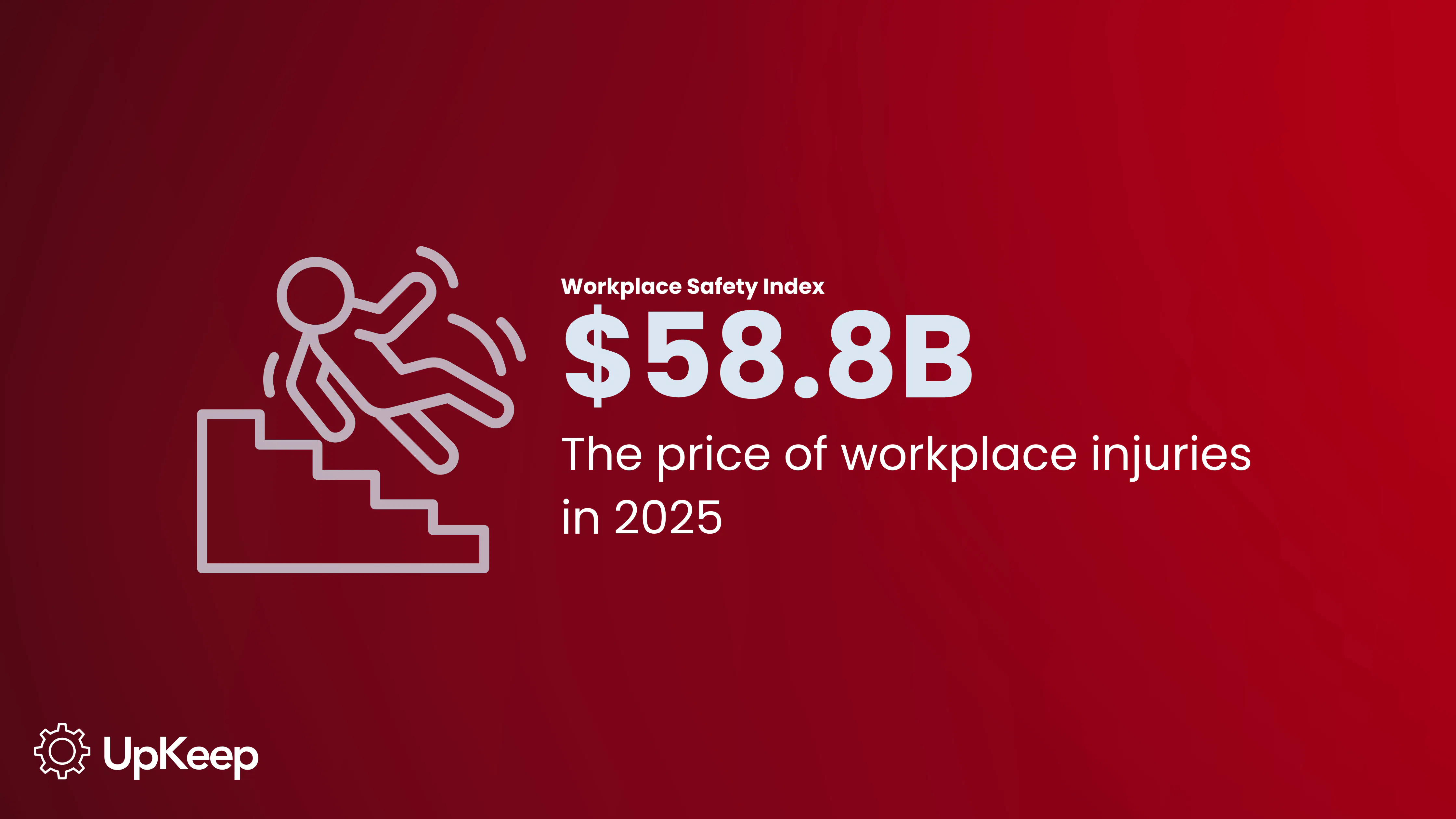
The EHS software market is undergoing rapid expansion, fueled by the staggering cost of workplace injuries reaching $58.78 billion in 2025.
Comparing multiple EHS software options is vital to ensure the solution meets your industry-specific risks and workforce needs.
Modern EHS solutions are moving to AI-powered predictive modeling, voice-to-text reporting, and mobile-first interfaces for effective risk and safety management.
The EHS software market continues to grow as more businesses prioritize digital tools to manage increasing risk and meet stringent safety regulations. According to the Workplace Safety Index, the total cost of workplace injuries in 2025 was $58.78 Billion.


A careful comparison of available platforms is important to ensure that your chosen solution aligns with your specific industry risks and workforce needs.
How We Compared the Top EHS Solutions for This Guide
According to a report by Research and Markets, The EHS Software Market is estimated at $2.27 billion in 2025, and is expected to reach $4.02 billion by 2030.
Our comparison relies on several high-quality sources to provide an accurate, objective assessment of top mid-market environmental, health, and safety (EHS) platforms. A rigorous evaluation requires looking beyond marketing materials to understand how these tools perform in real-world industrial environments.
For our analysis, we looked at these sources:
Product Documentation
We reviewed official manuals and documents to confirm technical features and capabilities.
Help Pages
These sources provide a window into the actual onboarding process and the complexity of the application.
Feedback Websites
Reviews from verified users on platforms like G2 and Capterra provide insight into common operational hurdles.
Expert Analyses and Reviews
Professional reviews from industry leaders allow us to see how a platform fits into the broader competitive landscape.
EHS Software Feature Comparison
To help you find the ideal EHS software for your operations, we broke down the key features of top solutions.
This section provides a comparison of the best EHS software across key features, allowing you to see strengths and weaknesses at a glance.
Learn More: Read the best EHS software of 2026.
Incident and Safety Event Reporting
Incident and safety event reporting is the digital process of documenting, managing, and reporting workplace injuries, near misses, property damage, or environmental contamination.
Key components of this feature include:
Data Capture: Replacing paper forms with digital tools to capture details, photos, and risk rankings immediately after an event occurs.
Automated Workflow: Automatically alerting supervisors or safety teams to ensure a timely response and routing the report through a workflow.
Analytics: Aggregating report data to track leading indicators (like near misses) and lagging indicators (like injury rates) to identify trends and high-risk areas.
Comparison of EHS Platforms for Incident and Safety Event Reporting
EHS Platform | Rank | Key Strengths |
UpKeep EHS | Excellent | QR Codes at Access points; Uses AI and voice-to-corrective action workflows to simplify frontline reporting. |
Enablon | Excellent | Links safety events to operational triggers; Uses integration to break down silos between EHS and operations. |
Intelex | Good | Provides data customization for reporting within complex organizations. |
Cority | Good | Encourages workforce engagement through mobile reporting; integration |
VelocityEHS | Good | Enhanced data visibility to move teams towards proactive reporting. |
SafetyCulture | Good | Quick digitization of paper checklists and instant report sharing. |
Corrective and Preventive Actions (CAPA) Tracking
Corrective and Preventive Actions (CAPA) Tracking is a systematic process for managing risks and non-compliance issues identified during audits, inspections, or incident investigations.
Key capabilities of this feature include:
Root Cause Resolution: Identifying the underlying cause and creating a plan to correct the existing problem and prevent its recurrence.
Accountability: The software assigns responsible parties and sets due dates for action items, ensuring that tasks are not lost or ignored.
Documentation: It centralizes the documentation of issues and their resolutions, which is essential for regulatory compliance and audit trails.
Comparison of EHS Solutions for CAPA Tracking
Platform | Rank | Key Strengths |
UpKeep EHS | Excellent | Voice-to-CAPA tools; AI identifies root causes; Converts actions directly into work orders through CMMS; tracks the fix and confirms effectiveness. |
Enablon | Good | Links corrective actions to Management of Change (MOC) processes. |
Intelex | Good | Rigid Stage-gate workflows that ensure no CAPA is closed without a proper sign-off. |
Cority | Good | Offers a converged solution that manages CAPA across safety, quality, and sustainability; Focuses on Quality-style CAPA management |
VelocityEHS | Good | Identifies, streamlines, and tracks corrective actions. |
SafetyCulture | Good | Assigns tasks immediately after a failed inspection item. |
Job Hazard Analysis and Management
Job Hazard Analysis is the proactive process of identifying potential risks associated with specific job tasks before work begins.
Key capabilities of this feature include:
Hazard Identification: Breaking down a job into steps and identifying the hazards associated with each step to prevent incidents before they occur.
Control Implementation: Defining and documenting the specific safety controls required to mitigate identified risks.
Integration with Change Management: Linking JHAs to Management of Change (MOC) processes so that if equipment or procedures change, the JHA is automatically flagged for review and update.
Accessibility: Making these assessments available to workers (often via mobile) to ensure they understand the risks and required protections for their specific job position or task.
Comparison of EHS Solutions for Job Hazard Analysis and Management
Platform | Rank | Key JHA Strengths |
UpKeep EHS | Excellent | Performs JHA functions through easily-accessible maintenance checklists; Links JHA to Asset Maintenance History; Rated as excellent in handling Health and Safety regulations |
Enablon | Excellent | Links JHA directly to Management of Change (MOC) processes |
Intelex | Good | Enterprise-grade Job Hazard Analysis; Strict version control of JHAs. |
Cority | Good | Users can log JHAs using mobile tools; Positioned in the leader’s quadrant for JHAs. |
SafetyCulture | Good | Uses device-agnostic checklists for flagging job hazards. |
VelocityEHS | Good | Focuses on JHA as a shared responsibility; Uses VelocityAI to suggest hazards and controls based on task descriptions. |
Audit and Compliance Management
Audit and Compliance Management is a feature of EHS software that helps an organization adhere to internal policies, external regulations from OSHA, FDA or EPA, and meet quality requirements like ISO standards.
Key capabilities of this feature include:
Regulatory Alignment: Identifying applicable requirements and translating complex regulations and permits into actionable tasks.
Standardized Verification: Replacing paper and spreadsheets with digital checklists to conduct consistent inspections and audits across locations.
Scheduling: Using compliance calendars to schedule recurring tasks and provide management with visibility into what is compliant versus what is at risk.
Document Control: Centralizing records to prove compliance during official investigations.
Comparison of EHS Solutions for Audit and Compliance Management
Platform | Rank | Key Strengths |
UpKeep EHS | Excellent | Uniquely links compliance directly to equipment; Mobile-first inspections; Instant OSHA report generation; AI-powered checklist creation. |
Enablon | Good | Can push global regulatory updates down to local site checklists automatically |
Intelex | Excellent | Robust ISO standard alignment (9001, 14001, 45001), highly configurable workflows, and deep data slicing for analytics. |
Cority | Good | Integrated EHSQ approach, strong industrial hygiene/health compliance, and advanced audit automation. |
SafetyCulture | Good | Audit scheduling and instant report sharing. |
VelocityEHS | Excellent | Known for the VelocityEHS Accelerate platform, which simplifies the complex world of environmental compliance for safety managers. |
User Experience
User Experience (UX) refers to the accessibility, intuitiveness, and design of the platform on the devices that frontline workers use.
Key capabilities of this function include:
Frictionless Data Capture: Using mobile cameras for photos/video, voice-to-text dictation, and QR code scanning to minimize the effort required to submit reports.
Offline Capability: The ability to work without an internet connection and sync data once connectivity is restored is critical for remote or field operations.
Adoption: A high-quality UX lowers the barrier to entry, reduces the required training, and ensures higher user adoption.
Comparison of EHS Solutions for User Experience
Platform | Rank | Key Strengths |
UpKeep EHS | Excellent | Built with a mobile-first philosophy; Has a modern clean interface; Sleek user interface improves ease of use and adoption; 90%+ adoption across all industries. |
Enablon | Good | The Enablon Go app is great, but it can feel heavy or complex because of the depth of the underlying platform. |
Intelex | Good | Powerful backend, but the mobile app is often described as slower than native-built apps. |
Cority | Good | The myCority app and CorityOne platform offer highly personalized, role-based views. |
SafetyCulture | Good | Great design, but it can sometimes be laggy. |
VelocityEHS | Excellent | The VelocityEHS Accelerate platform has an intuitive user interface. |
AI and Predictive Capabilities
AI and predictive capabilities refer to the set of tools used to transform raw safety data into actionable insights that anticipate and prevent future risks.
Key capabilities of this function include:
Analytics: The process of aggregating data from audits, incidents, and sensors to identify patterns. It includes descriptive analytics (summarizing past events) and diagnostic analytics (identifying root causes).
Artificial Intelligence (AI): The use of technologies like Natural Language Processing (NLP) to transcribe voice-to-text reports, Computer Vision to detect hazards in photos/video, and Generative AI to draft Safety Operating Procedures (SOPs).
Predictive Capabilities: It uses Machine Learning (ML) models to analyze historical and real-time data to calculate the probability of future incidents.
Comparison of EHS Solutions for AI and Predictive Features
Platform | Rank | Key Strengths |
UpKeep EHS | Excellent | UpKeep Intelligence supports automated Job Hazard Analysis creation and Risk Scoring; AI-assisted Root cause analyses for CAPAs; AI voice assist for reporting safety incidents. |
Enablon | Good | Uses Open Insights platform; Enterprise data processing with configurable predictive risk scorecards. |
Intelex | Good | SafetyNet Predictive Solutions for predictive risk modelling |
Cority | Good | Cortex AI suite featuring AI Agents for medical scribing, image analysis, and permit extraction. |
SafetyCulture | Good | AI Template/Training Generator; Excellent trend dashboards, but less deep-math predictive modeling. |
VelocityEHS | Excellent | VelocityAI Hazard Analyzer and Potential Serious Injury & Fatality (PSIF) insights; Uses expert-led ML to spot risk patterns. |
Integrations
Integrations refer to the capability of the platform to connect and exchange data with an organization's existing IT framework.
Key aspects of EHS integrations include:
Connectivity Types: The use of dedicated Application Programming Interfaces (APIs), file exchanges, and connectors to link with legacy systems, Enterprise Resource Planning (ERPs), or new cloud-based tools.
Data Mobility: The ability to import or export data. This includes sending EHS data to external channels or Business Intelligence (BI) tools like PowerBI or Tableau for holistic analysis.
Hardware: Connecting with IIoT sensors, wearables, and Connected Worker devices to capture real-time data.
Comparison of EHS Solutions for Integration Capabilities
Platform | Rank | Key Strengths |
UpKeep EHS | Good | Built on a modern API-first architecture. Excellent for syncing with maintenance (CMMS) and asset sensors, but lighter on human resource information systems depth. |
Enablon | Good | The Open Insights platform is designed for multi-source data processing; Embedded with Microsoft Power BI |
Intelex | Good | A mature RESTful API; Excellent for bidirectional data flow with HR systems. |
Cority | Excellent | The CorityOne platform has alliances with ERM and Enhesa for robust data handling across systems. |
SafetyCulture | Good | Integrates with Zapier, Power Automate, Sharepoint; Excellent for connecting safety to daily communication tools. |
VelocityEHS | Good | Strong native integration with Enhesa for regulatory content and solid connections for chemical/SDS management. |
Configurability
Configurability in EHS software refers to the ability of an organization to adapt the platform to its specific business needs without extensive coding or vendor intervention. A highly configurable system empowers the EHS function to make changes in-house, such as updating forms, modifying workflows, or adjusting user interfaces.
Key aspects of configurability include:
No-Code/Low-Code Tools: The use of drag-and-drop user interfaces (UIs) that allow internal teams to build or edit forms and processes easily.
Workflow Adaptation: The capability to tailor how tasks move through the system to match internal procedures.
Scalability: The ability to add modules or functionality as the organization matures without breaking the system.
Comparison of EHS Solutions for Configurability Capabilities
Platform | Rank | Key Strengths |
UpKeep EHS | Good | Provides speed to Value; Extremely easy to configure basic fields and asset-linked tasks for maintenance safety. |
Enablon | Excellent | Provides multiple options for global hierarchies and multi-layered approval workflows; Great for enterprise-scale activities. |
Intelex | Good | App Builder feature allows admins to create entirely new modules from scratch without coding. |
Cority | Excellent | Highly configurable for Health, Safety, and Quality actions within the CorityOne platform |
SafetyCulture | Good | Drag-and-drop Template Builder: Users can deploy changes speedily. |
VelocityEHS | Good | Highly configurable dashboards and forms, but leans toward standardized expert-led workflows. |
Bottom Line
Selecting a EHS software is a strategic investment that shapes your long-term safety culture and operational resilience. Every organization has unique requirements, and it’s important to compare the best tools on the market to ensure successful implementation.
Did you know: OSHA reports that businesses with effective safety management systems like EHS software reduce their injury and illness costs by up to 40%.
For organizations that prioritize speed to value and ease of use, UpKeep stands out by combining AI-powered insights with a mobile-first interface. It eliminates the common shelfware problem by making reporting as simple as scanning a QR code.
Frequently Asked Questions about EHS Software
How much does EHS software cost?
The cost of EHS software varies widely based on company size, required modules, and support levels. Most providers use a subscription-based Software as a Service (SaaS) model with tiered pricing.
Entry-Level/Small Business: Cloud-based plans for smaller teams often start around $20–$50 per user per month or have flat annual fees beginning between $3,600 and $5,000.
Mid-Market: Typical annual costs for mid-sized organizations range from $10,000 to $80,000, depending on the complexity of the deployment and user count.
Enterprise: Large-scale implementations with advanced analytics and multi-site support can cost between $50,000 and $250,000+ per year.
Implementation Fees: Many vendors charge one-time setup or onboarding fees, which can range from $500 to $15,000+, depending on data migration needs and system complexity.
Are EHS and HSE the same thing?
Yes, EHS (Environment, Health, and Safety) and HSE (Health, Safety, and Environment) refer to the same set of practices and regulatory standards. The difference is primarily regional or organizational. Some industries use SHE (Safety, Health, and Environment) or EHSQ (Environmental, Health, Safety, and Quality) to include quality management.
Which EHS management software is best for small businesses?
Small businesses benefit most from software that offers fast implementation and mobile-first accessibility to ensure frontline workers actually use the tool. UpKeep is ideal for small, maintenance-heavy teams. The tool combines EHS features like incident reporting and safety audits with a powerful CMMS.
MÁS DE 4000 EMPRESAS CONFÍAN EN LA GESTIÓN DE OPERACIONES DE ACTIVOS
Liderando el camino hacia un futuro mejor para el mantenimiento y la confiabilidad
Los datos de sus activos y equipos no pertenecen a un silo. UpKeep simplifica ver dónde se encuentra todo, todo en un solo lugar. Eso significa menos conjeturas y más tiempo para concentrarse en lo que importa.






![[Review Badge] Gartner Peer Insights (Dark)](https://www.datocms-assets.com/38028/1673900494-gartner-logo-dark.png?auto=compress&fm=webp&w=336)



