Blog Post
The Maintenance Work Order Process: A Step-by-Step Guide + Template
Standardize your maintenance work order flow. See how to document every phase from request to closeout and how CMMS can automate your team's tracking.



Key Takeaways
A structured work order process improves resource scheduling, cost tracking, and asset history documentation across facilities of any size.
A maintenance work order is the key document within the process that authorizes, tracks, and records repair or maintenance from initial request through completion.
A computerized maintenance management system (CMMS) automates work order creation and scheduling, reducing administrative time and improving reporting accuracy.
Without a consistent procedure for handling the constant stream of work requests, maintenance teams can miss jobs, lose track of costs, and jumble priorities.
A systematic work order process solves that problem by giving every maintenance task a defined path from request to completion. Whether your team manages a single facility or dozens of sites, the general structure is the same: A request is submitted, reviewed, approved, documented, executed, and closed. But efficiency and speed of completion depend on your level of organization.
This article breaks down how that process works, what belongs in each phase, and what a properly formatted work order looks like.
What Is a Work Order?
A maintenance work order is the official authorization to perform a job. It begins when a department, technician, or any employee who identifies a need submits a work request. That request moves through a review and approval process, at which point, a formal work order is issued.
The work order outlines what needs to be done, who will do it, what resources are required, and how costs will be tracked. That organization prevents jobs from being overlooked, makes resource scheduling manageable, and creates a verifiable record of labor and materials that informs asset history.
Work orders are also the backbone of maintenance cost tracking. The accuracy of your financial and operational reporting depends on how consistently and completely you document information, including expenses, in work orders. Shortcuts create gaps in the data that compound over time.


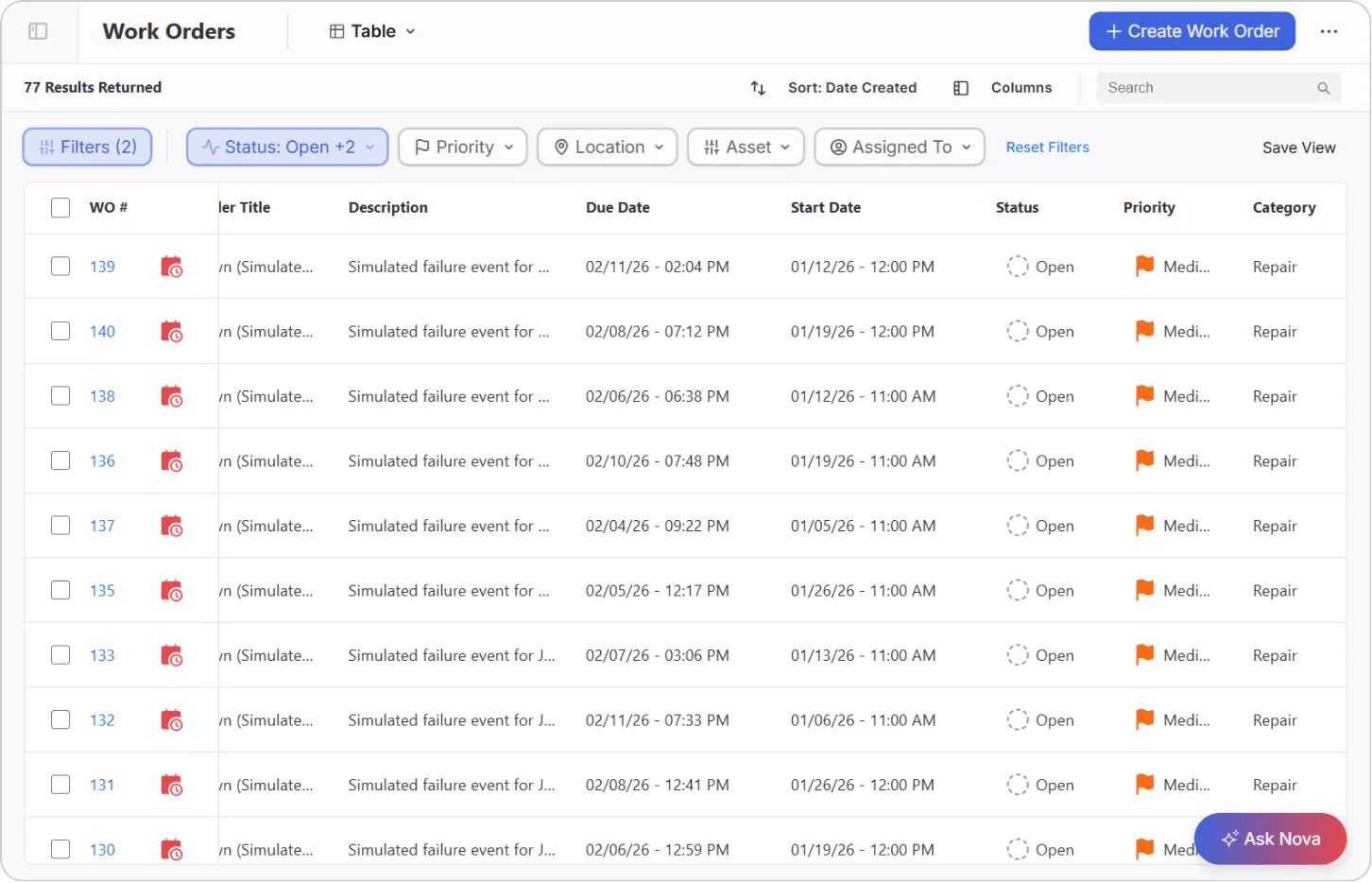
What Goes Into a Work Order (+ Template)
A properly formatted work order moves through four phases: submission, review and approval, creation, and completion with documentation. Each phase has its own required inputs.
Phase 1: Work Request Submission
The work order process starts with a request. The more detail provided at this stage, including photo or video, the faster the request moves through review and the more accurately the resulting work order can be scoped.
Every work request should include the following:
Requesting party: The individual or department making the submission. This establishes accountability and gives the reviewer context for the priority level.
Issue description: A clear summary of the problem or need, whether that’s an equipment failure, a lighting fix, a safety concern, or a scheduled inspection. Vague requests slow down approval and increase the likelihood of miscommunication.
Priority level: Low, medium, or high. The requester's initial assessment may be adjusted during management review, but having a starting point helps with triage.
Due date: If there’s a known deadline or urgency window, it should be noted here. This is especially relevant for requests tied to production schedules or compliance requirements.
Location: The specific area, room, piece of equipment, or site where the work is needed. For multi-site organizations, this should include the facility or plant identifier.
Budget: A rough estimate or budget code, where applicable. Including this up front streamlines work planning and speeds up finance approval.
Phase 2: Management Review and Approval
Once a request is submitted, a maintenance planner or supervisor reviews it before any work is authorized. More than a mere formality, this review is where resource allocation decisions are made and requests are prioritized based on everything else already in the queue.
During review, management considers the following factors:
Current budget availability: Can the work be funded now, or does it need to be deferred?
Asset criticality: How important is this asset to ongoing operations? A failure that stops a production line is treated differently than a non-critical facility issue.
Existing maintenance plans: Is this asset already on a scheduled maintenance plan? If so, the request may be rolled into existing work rather than treated as a separate job.
Asset age: Depending on the age and condition of the asset, the right answer may be replacement rather than repair. This determination affects both the scope of the work order and the budget conversation.
Severity of the reported issue: How urgent is the problem? Is there a safety risk, potential for further damage, or a downstream production impact if the work is delayed?
Approval is not always a yes or no. Management may modify the scope, adjust the priority, or defer the work with a future date attached.
Phase 3: Work Order Creation
Once approved, the formal work order is created by translating the request into an actionable document that a technician can execute. Accuracy here is crucial, as the work order becomes part of the asset's permanent maintenance history and the primary source for cost reporting.
A complete work order includes:
What: A description of the work to be performed, specific enough that a technician unfamiliar with the asset can understand the scope.
Who requested it: The originating individual or department, carried forward from the work request.
When: The due date and any time parameters, including windows where the asset will be available for maintenance without disrupting operations.
Who is doing the work: Whether the job is assigned to an in-house technician or an outside contractor. For contractor work, this section may also include the vendor name and any applicable purchase order or contract reference.
Where: The exact location of the work, including asset ID if the organization uses asset tagging.
What is needed: The parts, tools, and technical documentation required to complete the job. Listing these in advance allows the team to confirm availability before the technician is dispatched.
Resource and cost tracking: Estimated labor hours and materials costs, along with fields to record actual hours and usage upon completion. This is what makes the work order useful for reporting after the job is done.
Phase 4: Work Completion and Documentation
In the final phase, the work is carried out and the record then closed. Documentation at this stage is as important as the work itself. Incomplete closeouts create gaps in asset history that affect future maintenance planning.
During the job, the assigned technician should follow the tasks and checklists attached to the work order, log any unexpected findings, complications, or observations, and record parts used and hours worked throughout the assignment rather than adding them after the fact.
Upon finishing, the technician marks the work order status as complete in the system, updates the asset's maintenance history with the work performed, and flags any follow-up needs or recurring issues identified during the job. Those flags should generate new work requests rather than being handled informally.
View this template to begin structuring your work order flow.
Automate Your Work Order Process
Managing work orders manually is feasible on a small scale, but as maintenance volume grows, the administrative overhead becomes a significant cost. Additionally, work orders are lost, completion data goes unrecorded, and reporting becomes time-consuming manual tracking across spreadsheets.
When work orders are managed inside a computerized maintenance management system (CMMS), the process becomes self-reinforcing. Recurring tasks like monthly preventive maintenance can be scheduled automatically, work order history is captured in a single searchable record, and the team spends less time on administration and more time on the work itself. Cost tracking, asset history, and compliance documentation all improve as a byproduct of the same process.
UpKeep offers work order software that simplifies the creation process and yields several benefits:
Easily assign and prioritize work orders.
Review trends to identify pain points and optimize processes.
Use asset management features to reduce equipment downtime.
Boost your asset ROI. (Studies estimate that preventive maintenance offers cost savings of up to 12% to 18%.)
For teams that handle higher volumes or manage assets across multiple locations, a robust CMMS provides the automation, reporting, and asset history capabilities that a standalone work order tool lacks.
Frequently Asked Questions
What is the difference between a work request and a work order?
A work request is a submission from anyone who identifies a maintenance need. A work order is the formal document issued after management reviews and approves that request. Some work requests may be deferred, denied, or absorbed into existing scheduled maintenance and so don’t produce a work order.
Who is responsible for approving a maintenance work order?
Approval typically falls to a maintenance planner, supervisor, or facilities manager, depending on the organization's structure. For high-cost or high-priority work, approval may require sign-off from operations leadership or finance personnel.
How detailed does a work order description need to be?
Detailed enough that any qualified technician can understand the scope without additional context. This typically means specifying the asset, the reported problem, the work to be performed, and any known constraints like access windows or required permits.
Can work orders be used for both reactive and preventive maintenance?
Yes. Work orders apply to any authorized maintenance activity, including emergency repairs, scheduled preventive maintenance, inspections, and project work. The format is the same; the trigger and priority level differ.
What happens if a work order is closed without complete documentation?
Incomplete closeouts leave gaps in the asset's maintenance history, which make it harder to identify recurring issues, accurately estimate future costs, and meet compliance or audit requirements. A CMMS can enforce required fields at closeout to reduce this risk.
4,000+ COMPANIES RELY ON ASSET OPERATIONS MANAGEMENT
Leading the Way to a Better Future for Maintenance and Reliability
Your asset and equipment data doesn't belong in a silo. UpKeep makes it simple to see where everything stands, all in one place. That means less guesswork and more time to focus on what matters.






![[Review Badge] Gartner Peer Insights (Dark)](https://www.datocms-assets.com/38028/1673900494-gartner-logo-dark.png?auto=compress&fm=webp&w=336)



