Blog Post
What is Maintenance Software? Types, Features, and Benefits
Learn what maintenance software is, how CMMS, EAM, and APM differ, and which features matter most in 2026.



Key Takeaways
Maintenance software is a digital tool designed to help organizations plan, track, and manage maintenance activities for their assets.
Businesses can use these strategic tools to create preventive maintenance schedules, leverage predictive insights, extend asset lifespans, and reduce unplanned downtime.
Modern maintenance solutions prioritize mobile-first functionality, allowing technicians to access manuals, checklists, and work orders directly at the point of repair.
Real-time reporting on metrics like Mean Time Between Failures (MTBF) and work order backlogs empowers managers to make strategic decisions that align maintenance efforts with broader business profitability.
What Is Maintenance Software?
Maintenance software is a digital tool designed to help organizations plan, track, and manage maintenance activities for their assets. These platforms improve efficiency by automating preventive maintenance, streamlining work order management, and minimizing downtime.
Types of Maintenance Software
Maintenance teams require specific digital tools to meet their organization's needs. Selecting the right software category depends on the scope of operations, the complexity of assets, and organizational goals. The following categories define the primary solutions available in the market today.
Work Order Management Software
Work Order Management software focuses on efficiently creating, assigning, and tracking maintenance tasks. It is ideal for organizations that need a simple, user-friendly ticketing system to organize incoming repair requests without the complexity of enterprise features.
Inventory Management Software
Inventory Management Software specifically addresses the organization of Maintenance, Repair, and Operations (MRO) supplies. This system tracks spare parts quantities, locations, and costs to prevent both stockouts and overstocking.
Asset Performance Management Software (APM)
Asset Performance Management (APM) software uses data and analytics to monitor asset health in real time. APM tools often integrate with sensors and IoT devices to detect anomalies before failure occurs.
Pro Tip: UpKeep Intelligence exemplifies this category by providing operational analytics and predictive insights that identify risks before they occur.
Computerized Maintenance Management System (CMMS)
A Computerized Maintenance Management System (CMMS) is the standard, centralized digital platform for maintenance information. It brings multiple functions—including work order management, inventory control, and asset performance tracking—together into a single solution. This allows teams to automate preventive maintenance (PM) scheduling, organize tasks, and track comprehensive asset history, making it essential for maximizing equipment uptime and day-to-day workflow efficiency.
Enterprise Asset Management (EAM)
Enterprise Asset Management (EAM) software provides a holistic view of an asset's entire lifecycle, from design and procurement to operation and disposal. While a CMMS focuses on maintenance, EAM integrates financial planning, risk management, and strategic investment data across the organization. This software is typically used by large enterprises with complex, capital-intensive asset portfolios.
Computer-Aided Facility Management Software (CAFM)
Computer-Aided Facility Management software shifts the focus from industrial equipment to the building environment. It manages space utilization, lease administration, janitorial scheduling, and occupant comfort. This makes it the preferred choice for commercial real estate and office managers rather than industrial plant operators.
|
Maintenance Software |
Functions |
Ideal For |
|
Work Order Management Software |
Creates, assigns, and tracks repair requests |
Managing requests and ensuring accountability. |
|
Inventory Management Software |
Monitors spare parts levels and tracks consumption costs. |
Preventing stockouts and overstocking. |
|
APM (Asset Performance Management) Software |
Uses real-time data to predict failures and optimize performance. |
Reliability engineers focused on root-cause analysis. |
|
CMMS (Computerized Maintenance Management System) |
Centralizes work orders, automates maintenance schedules, and tracks asset history. |
Organizing operations, extending asset life, and reducing reactive work. |
|
EAM (Enterprise Asset Management) |
Tracks assets from procurement to disposal. |
Large enterprises with complex, capital-intensive asset portfolios. |
|
CAFM (Computer-Aided Facility Management) Software |
Managing space utilization, lease administration, and occupant safety. |
Commercial real estate and office managers |
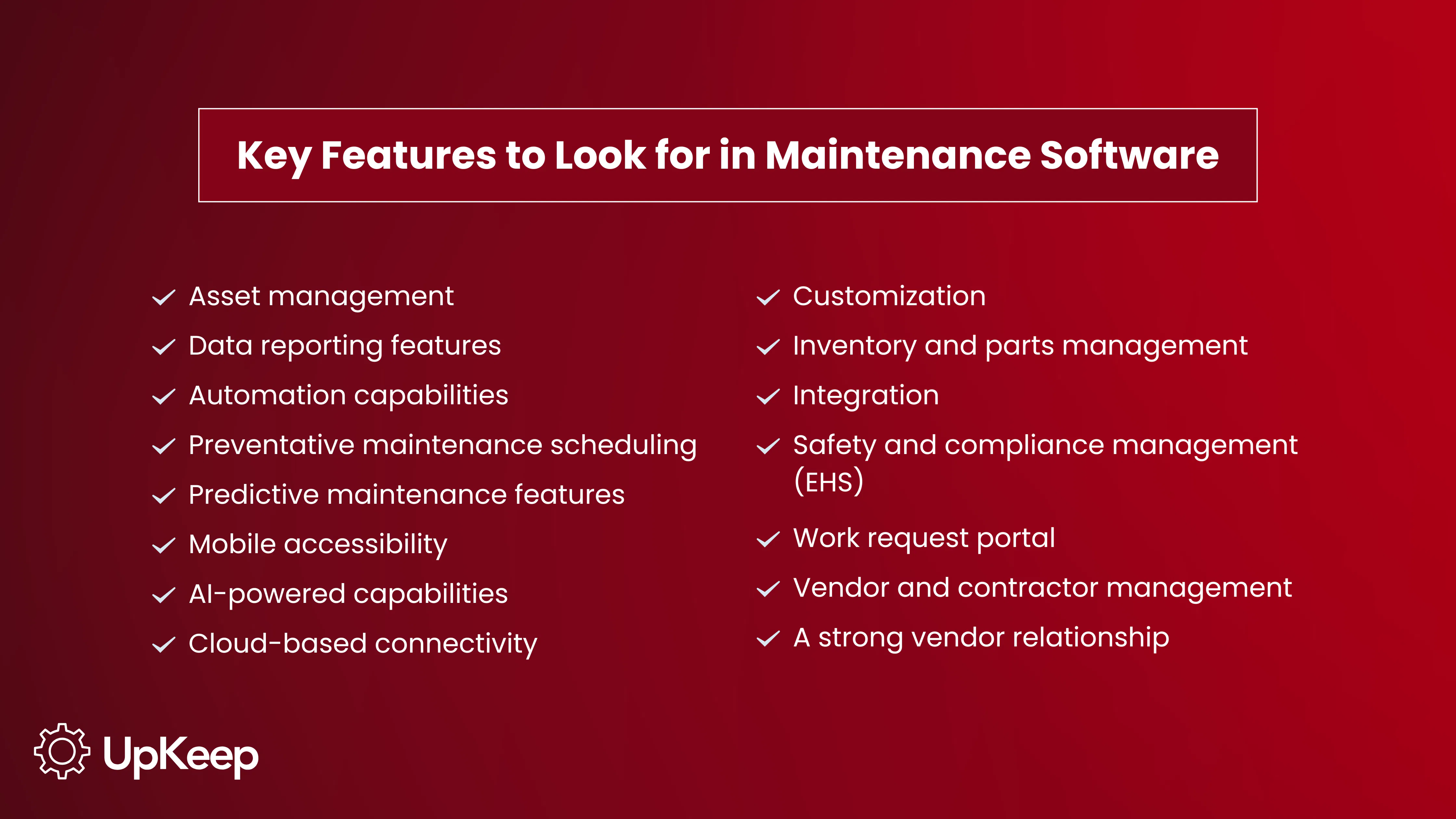
Key Features to Look for in Maintenance Software
Selecting the right maintenance software requires identifying specific features that drive reliability and efficiency. Organizations should prioritize tools that deliver immediate value through ease of use and robust data capabilities. Don’t commit to any maintenance software that lacks any of these features.


Asset Management
Teams must track asset history, costs, and performance in a centralized view to eliminate data silos. This feature allows maintenance managers to build a clean asset hierarchy that organizes equipment by site and area.
Data Reporting Features
Maintenance leaders need audit-proof digital logs and real-time metrics to prove their team's value. Robust reporting capabilities allow users to track key performance indicators (KPIs) such as Mean Time to Repair (MTTR) and Mean Time Between Failures (MTBF). These metrics speak directly to the C-suite, allowing managers to justify budget requests and headcount with hard data.
Automation Capabilities
Automation removes the administrative burden from maintenance teams by automating repetitive tasks, such as preventive maintenance by asset type. This capability ensures that technicians receive the right information at the right time without manual intervention.
Preventative Maintenance Scheduling
Preventive maintenance features allow users to schedule recurring tasks that reduce equipment failure and extend asset life. This feature ensures that no task slips through the cracks.
Predictive Maintenance Features
Predictive maintenance utilizes data to identify risks before breakdowns occur. This advanced feature leverages sensors and IoT devices to monitor asset conditions in real time and trigger alerts when specific parameters are reached.
Learn More: UpKeep Intelligence and Edge integrations transform maintenance from a schedule-based approach to a condition-based strategy, ensuring teams perform work only when necessary.
Mobile Accessibility
Technicians need tools that function seamlessly in the field. Mobile-first accessibility enables staff to create, assign, and close work orders directly from their smartphones. This capability must include offline mode, allowing technicians to access history and manuals even in low-connectivity environments.
AI-Powered Capabilities
Modern maintenance software uses AI to identify data anomalies and optimize schedules. Good AI agents can assist in drafting standard operating procedures (SOPs) or summarizing complex asset histories to speed up troubleshooting during maintenance. These features reduce technicians' screen time, allowing them to focus on wrench time.
Cloud-Based Connectivity
Cloud connectivity ensures that all users have access to the same real-time data, regardless of their location. This feature is crucial for multi-site operations.
Customization
Every operational environment has unique requirements. Customizable software allows teams to adapt the platform to their specific workflows. This flexibility ensures that the software fits the operation, rather than forcing the operation to fit the software.
Inventory and Parts Management
A dedicated inventory management module specifically monitors stock levels, tracks parts consumption, and helps to manage costs. This feature allows teams to set stock thresholds that automatically trigger a reorder and prevent costly downtime.
Integration
Robust integration capabilities enable the maintenance software to connect with other business-critical systems, such as Enterprise Resource Planning (ERP) software, Human Resources (HR), and financial tools.
Safety and Compliance Management (EHS)
For industries with strict regulatory requirements, an integrated Environmental, Health, and Safety (EHS) module is essential. This feature enables teams to log safety incidents, conduct job hazard analyses, and maintain audit-proof digital records.
Work Request Portal
A user-friendly work request portal enables non-maintenance staff, such as machine operators or tenants, to submit maintenance requests easily without needing a full software license. Guest access is vital for capturing issues early, as it removes barriers to reporting.
Learn More: UpKeep offers unlimited free requester licenses, allowing anyone in the organization to flag problems, streamline communication, and ensure no issue is ignored due to a lack of access.
Vendor and Contractor Management
Many organizations rely on external contractors for specialized repairs. A vendor management feature allows maintenance leaders to track vendor and contractor performance alongside internal teams. This capability centralizes vendor information, ensuring that all external work is documented and compliant. It also facilitates smoother invoice processing and accountability for outsourced tasks.
A Strong Vendor Relationship
The software provider should act as a partner, offering robust onboarding, training, and responsive customer support. A vendor’s commitment to ongoing updates and user education is often as critical to long-term ROI as the features themselves. A strong partner also guarantees support and uptime, ensuring the system remains reliable for critical operations.
Advantages of Using Maintenance Software
Implementing maintenance software transforms operations from reactive chaos to strategic reliability. Organizations use these tools to drive efficiency, ensure safety, and gain control over their assets.
Reduces Unplanned Downtime
Maintenance teams often spend 70% to 90% of their time reacting to unplanned downtime, which costs approximately $125,000 per hour. Maintenance software breaks this cycle by prioritizing preventive maintenance strategies that catch issues before they cause failure. Real-world results demonstrate this impact. For example, Unilever reduced downtime by 30% in one of its facilities after implementing UpKeep as its maintenance software.
Makes Compliance Easy
Heavily regulated industries face severe consequences for missing inspections, including OSHA fines and the loss of certifications. Maintenance software provides audit-proof digital logs that include time stamps and photo verification to prove compliance. Platforms with integrated Environmental Health and Safety modules allow teams to report safety incidents, track corrective actions, and enforce standardized safety checklists directly within their workflow.
Enhances Cost Savings
Maintenance software significantly reduces operating expenses by eliminating the inefficiencies of reactive repairs. Organizations that use these proactively avoid the premium costs associated with emergency parts orders, overtime labor, and expedited shipping.
Boosts Workflow Productivity
Technicians frequently lose productivity while traveling back and forth to retrieve manuals or check inventory. Providing a mobile-first solution puts history, checklists, and manuals at their fingertips, increasing wrench time and reducing administrative frustration.
Who Uses Maintenance Software?
Different roles within an organization use maintenance software to achieve specific operational goals. The following breakdown illustrates how each stakeholder leverages the platform:
Maintenance Managers
Use dashboards to assign technicians to work orders.
Monitor real-time dashboards to track work order backlogs and team productivity.
Ensure preventive maintenance (PM) compliance to avoid unexpected downtime.
Operators
Submit work requests immediately via kiosks or mobile portals.
Flag incidents and attach photos to provide technicians with immediate context.
Perform autonomous maintenance tasks, such as cleaning or lubrication, to support asset health.
Maintenance Technicians
Access checklists, manuals, and asset history directly from the field.
Update work orders and log hours even in offline environments.
Maximize wrench time by reducing administrative paperwork and travel.
Inventory Managers
Set low-stock alerts to trigger automatic reordering before shortages occur.
Track parts consumption against specific work orders to monitor costs.
Identify obsolete or overstocked items to reduce wasted budget.
Reliability Engineers
Analyze trends, such as Mean Time Between Failures (MTBF), to identify bad actor assets.
Perform Root Cause Analysis (RCA) to eliminate recurring breakdowns.
Justify capital replacement decisions using historical performance data.
Business Leaders
View ROI reports to understand how maintenance impacts the bottom line.
Verify regulatory compliance across multiple sites to avoid fines.
Monitor facility-wide uptime to ensure production targets are met
Best Practices for Implementing Maintenance Software
Successful implementation relies less on the software itself and more on how an organization prepares its people and processes. To maximize return on investment, teams must treat the rollout as a strategic operational shift rather than just an IT installation.
Start with Data Hygiene
A maintenance software is only as reliable as the data it receives. Before migrating, organizations should audit their existing records to ensure they have a clean, organized asset hierarchy. This involves standardizing naming conventions and removing duplicate entries to prevent garbage-in, garbage-out scenarios.
Focus on Change Management
User adoption determines the success or failure of a maintenance software implementation. Many legacy systems end up as shelfware simply because they are too complex for end users to navigate. Leaders must select tools that offer rapid onboarding to get teams up and running in a matter of weeks. Training should emphasize how the tool alleviates pain points for the technician, such as reducing paperwork, rather than focusing solely on reporting to management.
Prioritize Mobile Accessibility
Maintenance happens on the shop floor or in the field, not at a desk. Best-in-class implementations prioritize mobile functionality, ensuring technicians can access manuals, history, and work orders directly at the point of repair. Essential features include offline capabilities that allow data syncing once connectivity is restored, preventing data loss in remote areas.
Did you know? UpKeep boasts a 94% technician adoption rate because the interface mirrors the intuitive apps people use in their daily lives.
Align Maintenance Strategies with your Business Goals
Maintenance strategies must support broader organizational objectives to drive real value. Leaders should use the software to transform maintenance from a cost center into a strategic competitive advantage. Tracking Key Performance Indicators and asset uptime provides the hard data necessary to prove ROI to executive leadership.
Frequently Asked Questions About Maintenance Software
What do I need to get started with maintenance software?
To successfully launch maintenance software, organizations require clean data, mobile hardware, and team buy-in. You must start with a standardized asset hierarchy that organizes equipment by site and area. Technicians need access to mobile devices to create and update work orders directly from the field. Finally, rapid implementation depends on change management; selecting a system that is easy to use ensures high adoption rates among technicians who may be skeptical of complex tools.
What is a CMMS?
CMMS stands for Computerized Maintenance Management System. It is a type of maintenance software designed to streamline asset management, work order tracking, and preventive maintenance scheduling for operational teams. Instead of relying on fragmented spreadsheets or paper stacks, a CMMS centralizes all maintenance activities into a single source of truth accessible to technicians and managers alike.
Why is uptime so important?
Uptime is the most critical metric for production because every minute of downtime equals lost revenue, missed deadlines, and increased stress. Beyond the direct financial cost, unexpected breakdowns kill team morale, burn out technicians through emergency overtime, and damage customer trust. Maintaining high uptime ensures that facilities meet their production goals and that the maintenance team is viewed as a value driver rather than a bottleneck.
What is a maintenance system?
A maintenance system refers to the combination of digital tools and operational processes used to manage the upkeep of a facility. It encompasses the software used to track repairs, as well as the workflows for inspections, inventory control, and safety compliance. A robust maintenance system moves an organization from chaotic break/fix loops to structured, data-driven reliability.
What's the difference between maintenance software & CMMS?
While often used interchangeably, Maintenance Software is the broader umbrella term, while CMMS describes a specific category of that software. A CMMS is specifically designed to manage the maintenance department's work orders and assets, whereas the broader category of maintenance software can also include specialized tools for EHS (safety), Enterprise Asset Management (EAM), or Asset Performance Management (APM). However, for most maintenance managers, a modern CMMS serves as their primary maintenance software solution.
4,000+ COMPANIES RELY ON ASSET OPERATIONS MANAGEMENT
Leading the Way to a Better Future for Maintenance and Reliability
Your asset and equipment data doesn't belong in a silo. UpKeep makes it simple to see where everything stands, all in one place. That means less guesswork and more time to focus on what matters.






![[Review Badge] Gartner Peer Insights (Dark)](https://www.datocms-assets.com/38028/1673900494-gartner-logo-dark.png?auto=compress&fm=webp&w=336)



