Entrada en el Blog
Introducing Purchase Orders and Purchase Requests in UpKeep!


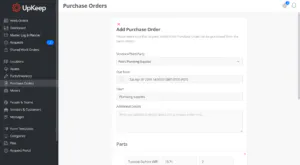
You've been asking us to introduce purchase orders and parts requests into UpKeep for a long time now. Well, we've got good news — today is finally the day!
By using the new purchase orders and requests your company will have a central place for your whole team to submit requests for parts, equipment, or inventory that needs to be restocked all without leaving UpKeep. It's been a long time coming and we're so happy to finally unveil it to the world!
Here's how it works:
Step 1: A new work order gets submitted to the facility management team.
Step 2: A part is needed to fulfill that particular job.
Step 3: Employee A comes into UpKeep's purchase order portal and submits a Purchase Order (PO) request.


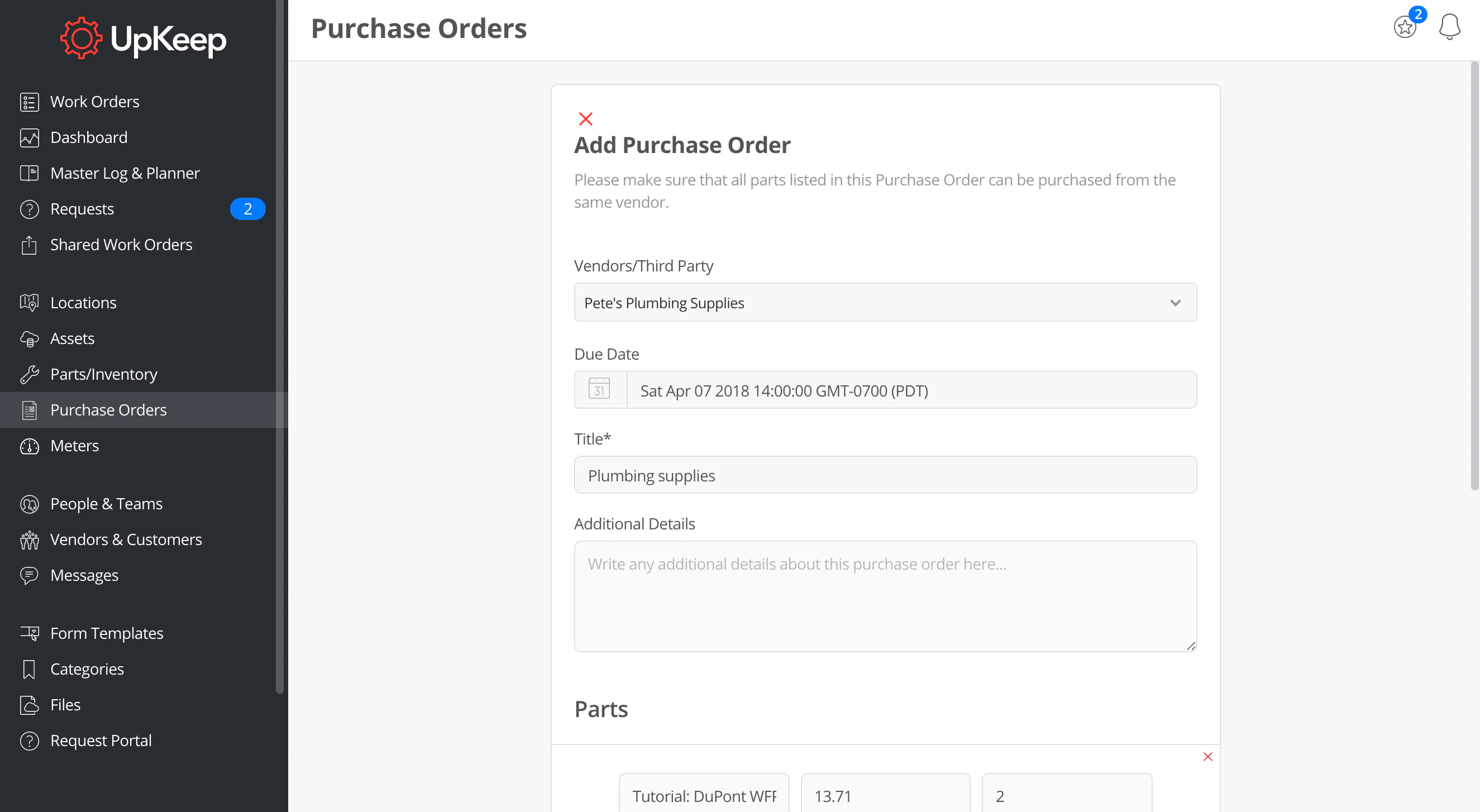
Step 4: The purchasing team gets notified, approves the purchase order request, and sends it to the vendor.


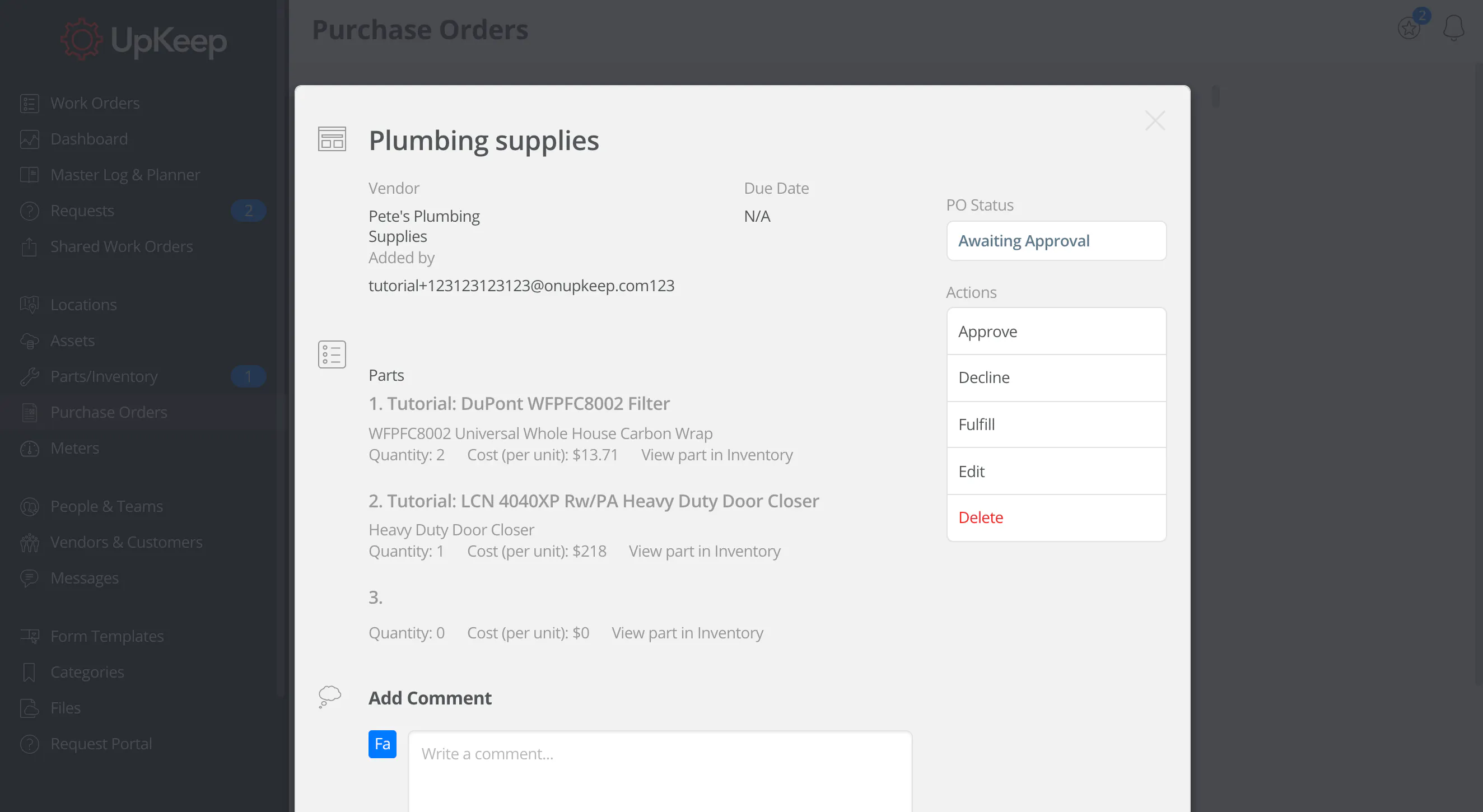
Step 5: The vendor ships the part to your facility.
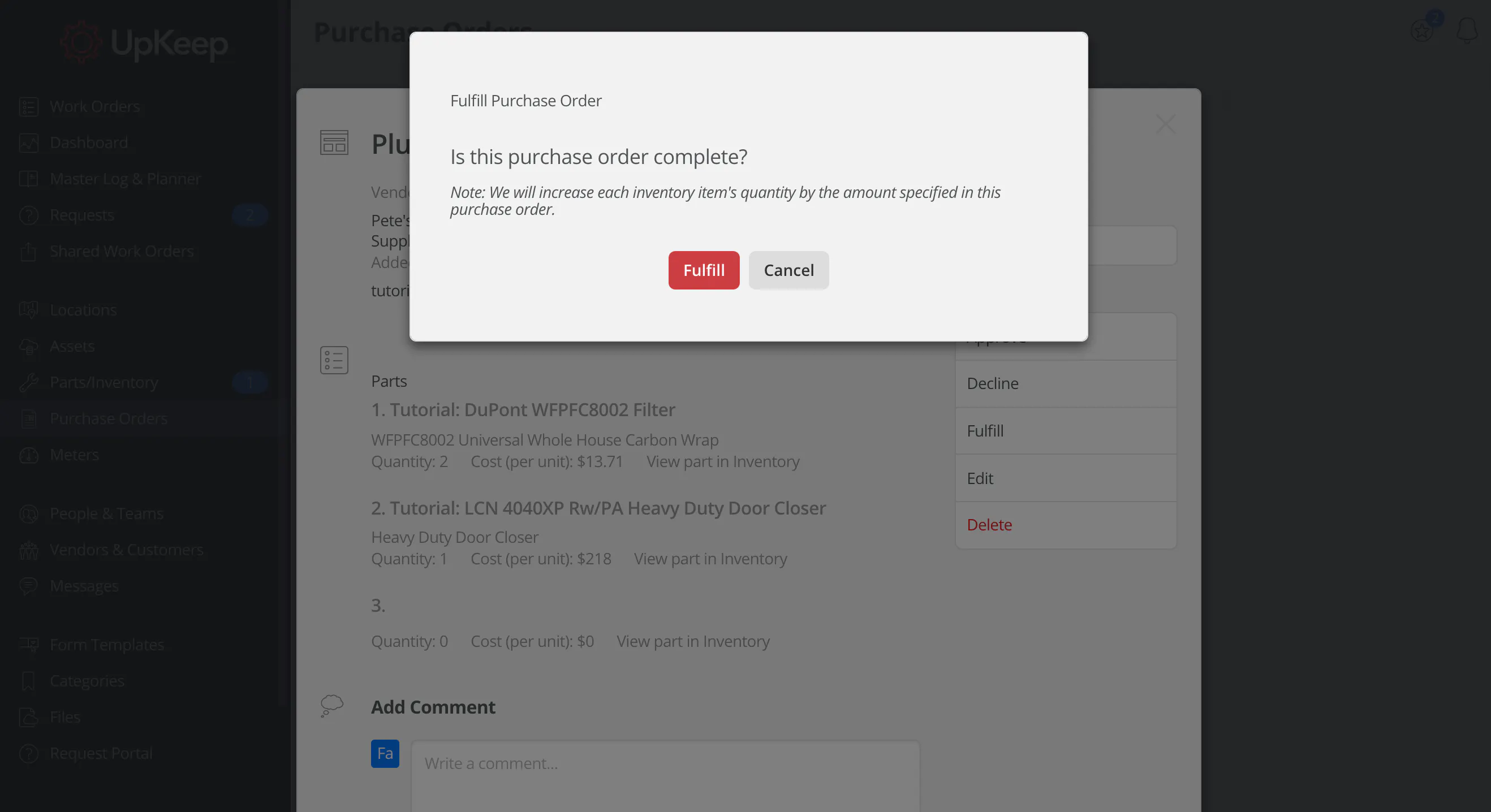
Step 6: Once the part has been received make sure to mark that in the PO and your inventory will be automatically restocked!


Please note that this is currently available for our Business Plus and Enterprise tier. You can view details about our different pricing plans here!
Interested in upgrading your UpKeep account? Shoot us an email at [email protected].
[optin-monster-shortcode id="k9rioyney3ypbzhqvgzb"]
MÁS DE 4000 EMPRESAS CONFÍAN EN LA GESTIÓN DE OPERACIONES DE ACTIVOS
Liderando el camino hacia un futuro mejor para el mantenimiento y la confiabilidad
Los datos de sus activos y equipos no pertenecen a un silo. UpKeep simplifica ver dónde se encuentra todo, todo en un solo lugar. Eso significa menos conjeturas y más tiempo para concentrarse en lo que importa.






![[Review Badge] Gartner Peer Insights (Dark)](https://www.datocms-assets.com/38028/1673900494-gartner-logo-dark.png?auto=compress&fm=webp&w=336)



